Invoice data extraction steps: 58% manual in 2026

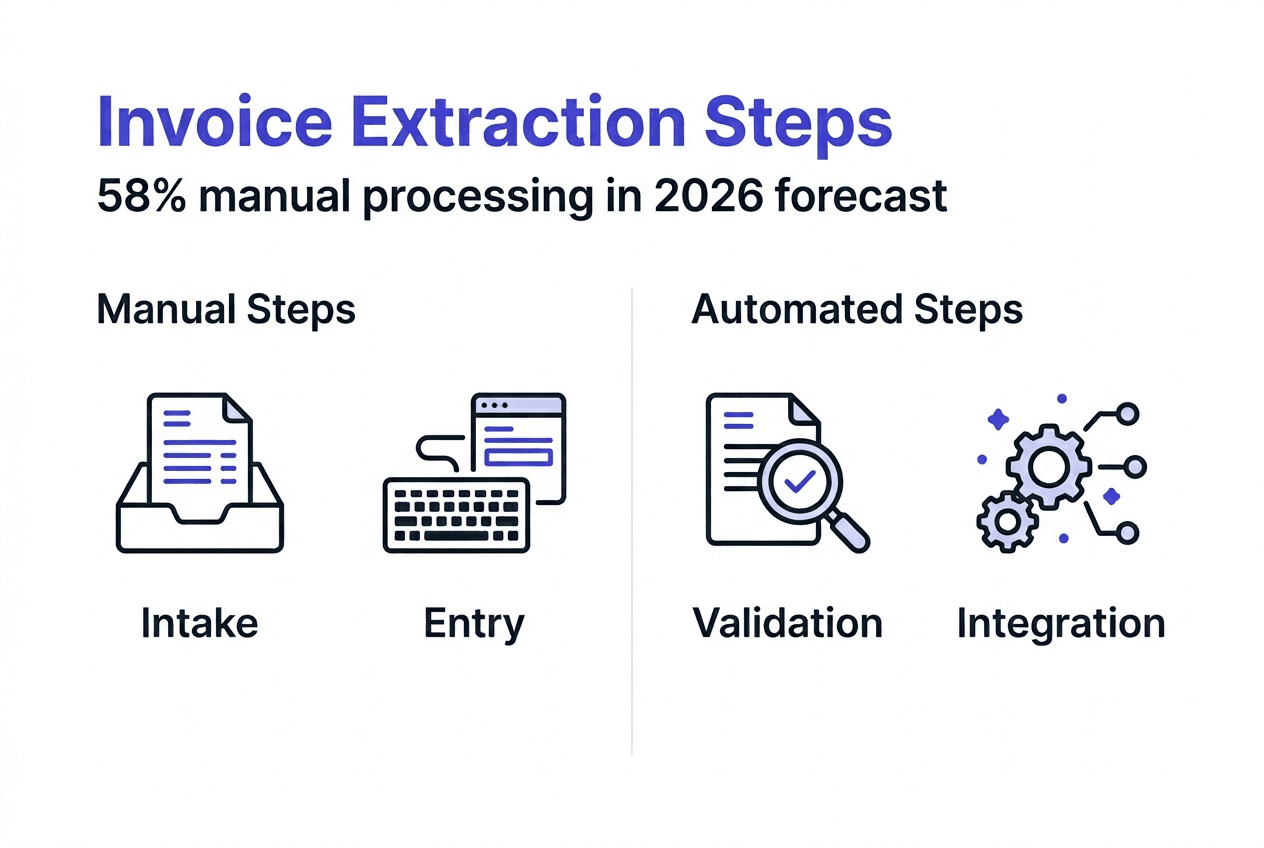
Accounting teams still manually key 58% of invoices, wasting hours on repetitive data entry and risking costly errors. This inefficiency drains resources and slows financial workflows. Automated invoice data extraction offers a systematic way to capture, validate, and post invoice information accurately while freeing your team for higher value work. This guide walks you through the essential steps to transform your invoice processing from manual drudgery to streamlined automation.
Table of Contents
- Understanding The Challenges Of Invoice Data Extraction
- Preparing For Automated Invoice Data Extraction: Tools And Prerequisites
- Step-By-Step Invoice Data Extraction Process
- Handling Exceptions And Verifying Extraction Accuracy
- Streamline Your Financial Data Management With Ai-Powered Tools
- Frequently Asked Questions
Key takeaways
| Point | Details |
|---|---|
| Manual invoice entry is widespread but inefficient | Over half of invoices are still manually processed, causing delays and errors |
| Effective extraction requires multiple automated steps | Success depends on structured intake, OCR, validation, exception handling, and ERP posting |
| AI combined with validation improves accuracy | Machine learning models achieve up to 90% accuracy, with validation rules catching inconsistencies |
| Exception handling is critical for smooth automation | Roughly 10% of invoices need human review for complex layouts or data anomalies |
| Automation drastically reduces processing time | Teams save hours per week by eliminating repetitive manual data entry tasks |
Understanding the challenges of invoice data extraction
Invoices arrive in countless formats, each with unique layouts, languages, and structural quirks. Diverse invoice layouts make extraction difficult, creating a nightmare for teams trying to standardize data capture. You might receive PDFs from one vendor, scanned images from another, and emails with embedded invoices from a third.
Manual data entry remains surprisingly common despite its drawbacks. The median company manually keys 58% of its invoices, leading to transcription errors, processing delays, and staff burnout. This manual approach scales poorly as invoice volume grows.
Key extraction challenges include:
- Varying invoice structures across vendors and industries
- Poor scan quality or low resolution images
- Multi-page invoices with complex line item tables
- Non-standard terminology and field labels
- Mixed languages in international operations
These complexities justify adopting automated extraction methods. Accounting teams face constant obstacles dealing with diverse invoice types and inconsistent document quality. Understanding these challenges helps you appreciate why systematic automation steps are necessary and how AI benefits invoice extraction by handling variability at scale.
Preparing for automated invoice data extraction: tools and prerequisites
Successful automation starts with the right foundation. Invoice capture can happen through digital uploads or scanned images requiring optical character recognition (OCR). Digital invoices provide cleaner data, while scanned documents need image preprocessing to enhance quality.
AI and machine learning models extract text, layout information, and spatial cues from invoice documents. Pre-processing with tools like Docling improves field extraction by normalizing formats and enhancing image clarity. These models learn to recognize invoice structures and identify key data fields regardless of layout variations.
Essential preparation steps include:
- Setting up document intake channels for email, upload portals, or API integration
- Configuring OCR engines to handle your specific document types
- Training or selecting AI models tuned to invoice structures
- Establishing validation rules for vendor names, amounts, dates, and tax calculations
- Creating exception workflows for flagged items needing review
Cloud platforms enable scalable workflows. Automation architecture often uses Microsoft Power Automate and Azure AI Document Intelligence to orchestrate extraction pipelines. These tools connect intake, processing, validation, and ERP posting in automated sequences.

| Tool Category | Purpose | Examples |
|---|---|---|
| Document Capture | Receive and organize invoices | Email connectors, upload portals, mobile apps |
| OCR Engine | Convert images to text | Azure AI, Tesseract, Google Vision API |
| AI Extraction | Identify and extract fields | Custom models, pre-trained invoice parsers |
| Validation | Check data accuracy | Business rule engines, duplicate detection |
| Integration | Post to accounting systems | ERP connectors, API middleware |
Pro Tip: Test your extraction tools with diverse invoice samples representing different vendors, formats, and quality levels. This reveals gaps in your setup before you process invoices at scale. Early testing helps you refine rules and improve accuracy across your actual invoice population.
Validation rules matter from day one. Configure checks for required fields, reasonable value ranges, matching purchase orders, and vendor master data. Strong validation catches errors immediately rather than letting bad data flow downstream into your invoice processing automation workflows.
Think about integration requirements early. Your extraction system needs to connect with accounting software, ERP platforms, or financial databases. Understanding these endpoints shapes your data structure and export formats. Proper integration ensures extracted data flows seamlessly into your AI-powered accounting document automation processes.
Step-by-step invoice data extraction process
Effective invoice data extraction follows a logical sequence. Each step builds on the previous one to transform unstructured invoice documents into validated, structured data ready for your accounting systems. Automation steps include intake, extraction, validation, and ERP posting to create an end-to-end workflow.
-
Invoice intake and classification: Invoices arrive through email, uploads, or API connections. Your system receives documents and classifies them by type such as standard invoice, credit memo, or purchase order. Classification determines which extraction template and validation rules to apply. Modern systems handle multiple file formats including PDF, JPEG, and PNG without requiring manual intervention.
-
Optical character recognition and data extraction: OCR engines convert images to machine-readable text. AI models then identify invoice structure, locate key fields, and extract data like vendor name, invoice number, date, line items, amounts, and tax details. Advanced models use layout analysis and spatial relationships to accurately capture data even when invoices vary widely in format. This step produces raw extracted data ready for validation.
-
Applying logic rules and field validations: Validation rules check extracted data against business logic and master data. The system verifies vendor information matches your vendor master, invoice numbers aren’t duplicates, amounts fall within expected ranges, and tax calculations are correct. Validation flags potential issues like missing purchase orders or mismatched totals. This quality gate prevents bad data from entering your accounting system.
-
Exception handling and human review: Items failing validation route to exception queues. Accounting staff review flagged invoices, correct errors, and approve for processing. Well-designed exception workflows highlight specific issues and provide context for quick resolution. This human-in-the-loop approach handles edge cases while maintaining high overall automation rates.
-
Posting validated data to accounting or ERP systems: Clean, validated data flows automatically into your accounting software or ERP platform. The system creates accounting entries, updates vendor accounts, and links invoices to purchase orders or contracts. Successful posting triggers confirmation notifications and archive processes. Your team gains real-time visibility into processed invoices without manual data entry.
Pro Tip: Monitor exception rates by vendor and invoice type. Regularly update validation rules based on common exception patterns to reduce false flags. As your system learns, exception rates should decline while accuracy improves. Track these metrics monthly to optimize your structured invoice data for accuracy.
Each step requires clear ownership and defined processes. Assign team members to monitor intake, manage exceptions, and handle system issues. Document your workflows so everyone understands how invoices move through extraction and what to do when problems arise. Clear processes prevent bottlenecks and ensure smooth operations.
Handling exceptions and verifying extraction accuracy
Most invoices process smoothly through automation, but exceptions inevitably occur. Automated extraction achieves up to 90% accuracy on standard invoices, leaving roughly 10% requiring human attention. Understanding exception patterns helps you build robust handling processes.
Common exception triggers include:
- Poor scan quality or illegible text
- Complex multi-page invoices with irregular layouts
- Vendor invoices outside your training data
- Duplicate invoice numbers or matching existing records
- Missing or invalid purchase order references
- Amount discrepancies between line items and totals
Validation rules serve as your quality control layer. They catch errors and inconsistencies before data reaches your accounting system. Configure rules to check field completeness, data type validity, value ranges, and business logic constraints. Strong validation dramatically reduces downstream correction costs.
Human review handles flagged exceptions efficiently. The remaining 10% of invoices need intervention due to extraction uncertainty or validation failures. Your exception workflow should present reviewers with clear issue descriptions, suggested corrections, and easy approval mechanisms. This keeps exception handling fast and accurate.
| Aspect | Manual Processing | Automated Processing |
|---|---|---|
| Speed | 5-10 minutes per invoice | 30 seconds per invoice |
| Error Rate | 3-5% data entry errors | Under 1% with validation |
| Scalability | Limited by staff hours | Handles volume spikes easily |
| Cost | High labor costs | Lower per-invoice cost |
| Consistency | Varies by operator | Uniform application of rules |
Verification goes beyond individual invoices. Periodically audit extracted data against source documents to measure accuracy. Sample invoices from different vendors and time periods to ensure your system maintains performance. Track accuracy metrics by vendor, invoice type, and extraction confidence scores.
You should also monitor false positive rates where validation incorrectly flags good invoices. Excessive false positives waste review time and frustrate staff. Tune your validation thresholds to balance catching real errors against minimizing unnecessary flags. This optimization improves AI accuracy in finance document processing over time.
Building feedback loops enhances system learning. When reviewers correct exceptions, feed those corrections back to improve extraction models and validation rules. This continuous improvement cycle gradually reduces exception rates and boosts automation success. Your system becomes more capable with each processed invoice.
Streamline your financial data management with AI-powered tools
Manual invoice processing drains time and introduces errors that automated extraction eliminates. BankStatementFlow delivers AI-powered financial document processing that transforms invoices, bank statements, receipts, and other financial documents into structured data with up to 99% accuracy.
Our platform handles password-protected PDFs, scanned images, and even phone photos without requiring specialized scanners. You can export extracted data to Excel, CSV, JSON, or XML formats that integrate directly with your existing workflows. The system supports multiple languages and regional formats, making it ideal for global operations.
Whether you need a PDF bank statement to Excel converter, credit card statement to Excel converter, or PDF inventory to Excel converter, BankStatementFlow provides the automation tools that accounting teams need to eliminate manual data entry and improve accuracy across all financial documents.
Frequently asked questions
What are the main steps in invoice data extraction?
Invoice data extraction follows five core steps: intake and classification, OCR and data extraction, validation against business rules, exception handling through human review, and posting validated data to accounting systems. Each step ensures accuracy and maintains data quality throughout the automation workflow.
How can AI improve the accuracy of invoice data extraction?
AI learns patterns from invoice structures and uses multimodal information including text, layout, and spatial relationships for robust extraction. Machine learning models adapt to vendor variations and continuously improve through feedback, reducing errors compared to manual input. AI benefits invoice data extraction by handling complexity at scale while maintaining consistency.
What should accounting teams do when exceptions occur during invoice processing?
Use validation rules to automatically flag exceptions requiring attention. Route flagged invoices to trained staff who review issues, correct extraction errors, and approve for posting. Well-designed invoice processing automation workflows present clear issue descriptions and suggested corrections to speed resolution while maintaining accuracy.
What tools are recommended for starting invoice data extraction automation?
Platforms like Microsoft Power Automate and Azure AI Document Intelligence provide enterprise-grade automation capabilities. OCR engines, AI-powered extraction services, and validation rule engines form the technical foundation. Review invoice automation architecture examples to understand how these components connect in production workflows.
How long does it take to implement invoice data extraction automation?
Basic automation can launch in weeks with cloud-based tools, while enterprise implementations take several months. Timeline depends on invoice volume, vendor diversity, integration complexity, and required accuracy levels. Start with a pilot covering your highest volume vendors to prove value before expanding scope.