
Managing invoice data across multiple formats, languages, and currencies creates daily headaches for financial managers in multinational companies. Manual processing leads to costly errors, compliance risks, and wasted hours. AI-powered invoice data structuring can improve accuracy up to 99%, transforming chaotic workflows into streamlined operations. This guide walks you through proven methods to structure invoice data effectively, from prerequisites through implementation to measurable outcomes.
Table of Contents
- Prerequisites: What You Need Before Structuring Invoice Data
- Standardizing Invoice Data Formats
- Leveraging AI For Invoice Data Structuring
- Handling Multilingual And Multi-Currency Invoices
- Integrating Structured Invoice Data Into ERP Systems
- Validation And Quality Assurance
- Common Mistakes And Troubleshooting
- Expected Results And Outcomes
- Discover AI-Powered Financial Document Solutions
- Frequently Asked Questions About Structuring Invoice Data
Key takeaways
| Point | Details |
|---|---|
| Prerequisites include AI tools and system integration readiness | You need AI-powered extraction tools, API-ready systems, and established validation rules before starting. |
| Standardizing invoice formats with UBL/PEPPOL reduces errors | Adopting international standards eliminates format inconsistencies and improves downstream processing. |
| AI enables accurate extraction from diverse, multilingual invoices | Machine learning handles images, encrypted files, and multiple languages with minimal manual intervention. |
| Validation cuts errors by over 50% and ensures compliance | Automated checks catch discrepancies early and maintain audit-ready records. |
| Proper integration and monitoring yield 99%+ accuracy and strong ROI | Companies typically see measurable improvements within 6-12 months of implementation. |
Prerequisites: what you need before structuring invoice data
Having previewed the key takeaways, we begin by ensuring you have the foundational knowledge and resources to start structuring invoice data efficiently. Success requires more than enthusiasm; you need specific tools and capabilities in place before touching your first invoice.
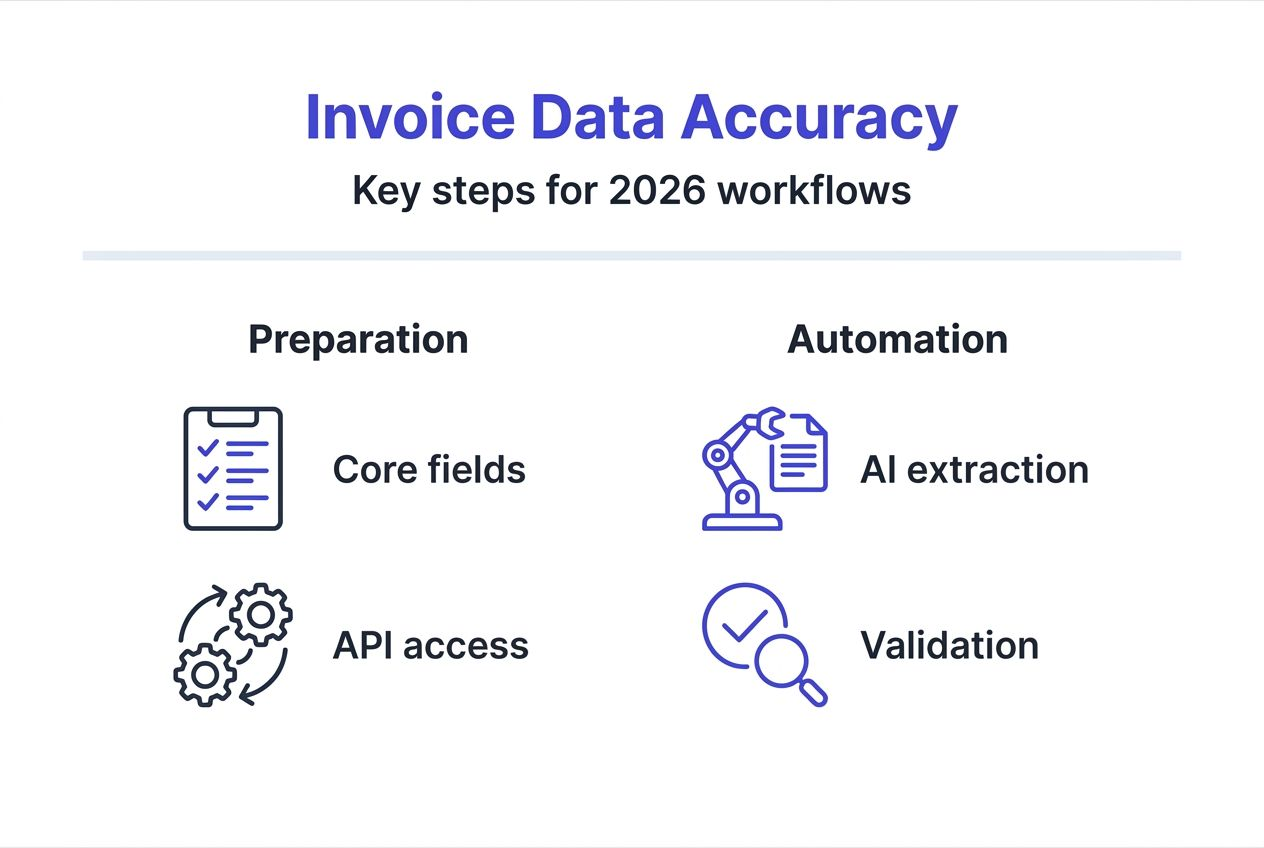
Start by understanding the core data elements in invoices: vendor details, line items, totals, tax codes, payment terms, and compliance identifiers. Your team must recognize format variations across PDF, XML, JSON, image scans, and email attachments. Access to AI-powered invoice data extraction tools supporting multiple data formats and languages is essential for handling this diversity without manual rework.
Your technology environment matters equally. Ensure your systems offer API access for seamless data transfer to ERP or accounting platforms. You’ll need integration points that accept structured data in standard formats like CSV, JSON, or XML. Establish validation rules upfront: acceptable value ranges, mandatory fields, format requirements, and business logic constraints. These rules protect data quality from the moment extraction begins.
Pro Tip: Invest time mapping your current invoice sources and formats before selecting tools. A comprehensive inventory prevents surprises and ensures your chosen solution handles your specific processing needs.
Prepare to handle challenging invoice types including password-protected PDFs, encrypted documents, and low-quality images from phone cameras. Your extraction tools must process these without requiring manual unlocking or scanning. Testing capabilities against your actual invoice samples during evaluation saves frustration later.
- Document all invoice data fields you need to extract and their business purposes
- Verify your ERP system supports automated data import via API or file upload
- Create a validation rule library covering mandatory fields, format requirements, and business logic
- Test extraction tools against representative samples including images and encrypted files
- Train staff on the new workflow and establish clear ownership for data quality monitoring
Standardizing invoice data formats
With prerequisites in place, the next step is to standardize your invoice data formats to enable smooth, error-reduced downstream processing. Format chaos creates processing bottlenecks; standardization eliminates them.

Adopting international standards like Universal Business Language (UBL) and Pan-European Public Procurement Online (PEPPOL) transforms invoice handling. UBL and PEPPOL standards reduce reconciliation errors and increase automation compatibility by providing consistent XML schemas that systems recognize instantly. These frameworks define exactly how to structure vendor information, line items, taxes, and totals, removing ambiguity.
Conversion techniques vary by source format. PDF and image invoices require optical character recognition (OCR) followed by intelligent field mapping to standard schemas. Native XML or JSON invoices need transformation logic to align with your chosen standard. Establish templates for each major vendor format, then apply consistent mapping rules. Your AI tools should learn these patterns, improving accuracy with each processed batch.
Standardization delivers immediate downstream benefits. ERP systems ingest standardized data without custom parsers for each vendor. Reconciliation processes run faster when all invoices share identical structures. Compliance reporting becomes trivial when tax and regulatory fields occupy predictable locations.
| Approach | Error Rate | Processing Time | Automation Level |
|---|---|---|---|
| Manual entry | 8-12% | 15-20 min/invoice | Low |
| Semi-automated | 3-5% | 5-8 min/invoice | Medium |
| Standardized AI | <1% | 30-60 sec/invoice | High |
Pro Tip: Start standardization with your highest-volume vendors. Quick wins build momentum and demonstrate ROI before tackling long-tail suppliers.
- Map vendor-specific formats to UBL or PEPPOL schemas for consistency
- Create reusable transformation templates for common invoice structures
- Validate converted data against schema definitions before downstream processing
- Monitor conversion accuracy and refine mapping rules based on exceptions
- Maintain a library of vendor format profiles to streamline onboarding new suppliers
Leveraging AI for invoice data structuring
After standardizing formats, employing AI technology automates and perfects the extraction of invoice data from diverse and complex sources. Machine learning excels where rule-based systems fail: handling variations, learning from corrections, and adapting to new formats.
AI-powered invoice extraction achieves up to 99% accuracy, handling images and encrypted PDFs without manual input. Modern AI systems use computer vision to locate fields in any layout, natural language processing to understand context, and pattern recognition to extract values correctly. They process phone photos as easily as pristine PDFs, automatically detecting and correcting for skew, rotation, or poor lighting.
Multilingual and multi-currency support comes standard in advanced AI platforms. The system identifies invoice language automatically, extracts text in the source language, then normalizes currency codes and amounts to your reporting standards. This capability proves invaluable for multinational operations receiving invoices in dozens of languages and currencies.
Integration with existing systems happens through APIs or batch file exports. Your AI platform extracts data, structures it according to your standards, then pushes completed records directly into your ERP or accounting system. This eliminates the error-prone manual transfer step that plagues traditional workflows. Real-time processing means invoices move from receipt to system entry in seconds, not days.
Pro Tip: Choose AI solutions that offer active learning capabilities. Systems that incorporate your corrections into their models improve accuracy over time, eventually handling vendor-specific quirks without human review.
“AI transformed our invoice processing from a three-day manual nightmare into a 30-minute automated routine. We went from 8% error rates to less than 1%, and our team now focuses on exceptions rather than data entry.”
- Deploy AI that handles diverse input types including PDFs, images, emails, and encrypted files
- Ensure the platform supports all languages and currencies your organization encounters
- Verify API compatibility with your ERP and accounting systems for seamless data flow
- Look for continuous learning features that improve accuracy based on your corrections
- Start with a pilot covering one department or vendor category before full rollout
Handling multilingual and multi-currency invoices
With AI extracting data accurately, the focus shifts to normalizing invoices from diverse languages and currencies for dependable global management. Raw extraction is only half the battle; consistent interpretation across locales determines true operational success.
Multilingual invoice processing presents unique challenges. Field labels vary by language, date formats differ by region, and tax terminology changes by jurisdiction. Your system must recognize that “Factura” (Spanish), “Rechnung” (German), and “Invoice” (English) all represent the same document type. Advanced AI uses contextual understanding rather than simple keyword matching, identifying fields based on position, format, and relationship to other data points.
Multi-language and currency normalization techniques are critical for maintaining accuracy in global invoice processing. Currency conversion requires more than exchange rates; you need to preserve original amounts for audit trails while calculating reporting currency equivalents. Date formats must convert from DD/MM/YYYY or MM/DD/YYYY to your standard format without misinterpretation. Tax identifiers like VAT numbers, GST codes, or sales tax percentages need recognition and proper categorization regardless of local naming conventions.
Maintaining consistent data quality across regions supports both compliance and operational reporting. Financial consolidation depends on comparable data structures. Tax authorities expect records in specific formats with proper local identifiers. Your normalization process must balance these requirements while keeping data accessible for daily operations.
- Implement locale-aware parsing that recognizes regional date, number, and address formats
- Maintain currency conversion logs with date-stamped exchange rates for audit purposes
- Create mapping tables linking regional tax terminology to standard categories
- Validate normalized data against jurisdiction-specific compliance rules
- Monitor exception rates by language and region to identify systematic issues
Integrating structured invoice data into ERP systems
Following normalization, integrating structured invoice data into ERP systems closes the automation loop, driving efficiency and accuracy. Manual data transfer between systems wastes the gains from automated extraction; seamless integration delivers full value.
API-driven integrations automate invoice data flow into ERP accounting modules, reducing entry time and errors. Modern ERP systems expose REST or SOAP APIs that accept structured invoice data in JSON or XML formats. Your integration maps extracted fields to ERP data structures, validates completeness, then posts transactions automatically.
- Configure API authentication and establish secure connections between your extraction platform and ERP system
- Map extracted invoice fields to corresponding ERP fields, accounting for differences in naming and structure
- Implement transformation logic for calculated fields like totals, taxes, and currency conversions
- Set up validation rules that check data completeness and business logic before posting
- Create exception queues for invoices that fail validation, routing them for manual review
- Schedule automated posting batches or enable real-time processing based on your workflow needs
- Establish audit logging to track all automated posts with timestamps and source documents
- Configure notifications for posting failures or validation exceptions requiring attention
- Monitor integration performance metrics including success rates, processing times, and error types
- Maintain documentation of field mappings and business rules for troubleshooting and updates
Time savings prove substantial. Manual entry averages 15-20 minutes per invoice; automated integration completes the same work in seconds. Consistency improves because machines don’t skip fields, misread numbers, or transpose digits. Your team shifts from data entry to exception handling and strategic analysis.
Data integrity and audit readiness demand attention throughout integration design. Preserve complete audit trails linking ERP entries back to source documents. Implement version control for invoices that require corrections. Maintain logs showing when data moved between systems, who approved postings, and what validations ran. These practices satisfy both internal controls and external audit requirements.
Validation and quality assurance
With data flowing into systems, rigorous validation ensures errors are caught early, maintaining compliance and confidence in processing. Trust but verify: automated extraction needs automated checking to deliver reliable results.
Schema validation provides the first defense against errors. Compare extracted data against defined schemas specifying required fields, data types, value formats, and allowable ranges. Reject invoices missing mandatory fields like vendor ID, invoice number, or total amount. Flag entries with malformed tax IDs or invalid currency codes. This structural validation catches extraction failures before they contaminate your financial records.
Cross-field consistency checks catch logic errors that pass structural validation. Invoice totals must equal the sum of line items plus taxes. Payment terms must align with vendor master data. Purchase order numbers should match approved POs in your system. Date sequences must make sense: invoice dates can’t precede PO dates. These business rule validations detect both extraction errors and fraudulent documents.
Applying validation rules reduces invoice data errors by over 50%. Automated exception handling routes flagged invoices to review queues organized by error type. Your team resolves genuine issues quickly while the system learns from corrections. Over time, validation becomes increasingly sophisticated as you add rules based on discovered edge cases.
Pro Tip: Establish real-time alerts for critical validation failures like duplicate invoice numbers or vendor mismatches. Immediate notification prevents processing delays and catches potential fraud attempts.
- Implement schema validation checking required fields, data types, and format compliance
- Add business logic validations covering calculations, relationships, and sequence requirements
- Create severity levels for validation failures: blocking errors versus warnings requiring review
- Route exceptions to appropriate queues based on error type and resolution authority
- Track validation metrics to identify systematic issues and measure improvement over time
Common mistakes and troubleshooting
After mastering validation, understanding and troubleshooting common issues helps sustain high accuracy and system robustness. Learning from others’ mistakes prevents costly detours in your implementation journey.
Neglecting automated validation rules causes up to 15% of processing errors. Organizations excited about AI extraction sometimes skip the validation layer, assuming technology eliminates all errors. Reality proves otherwise: even 99% accurate extraction means 1 in 100 invoices contains mistakes. Ignoring validation and format variances are top causes of errors in invoice data handling. Build comprehensive validation from day one, not after discovering problems.
Format inconsistencies plague implementations that skip standardization steps. Each vendor’s unique layout creates exceptions requiring manual intervention. Your team spends more time handling edge cases than processing mainstream invoices. Combat this by enforcing standards early, working with major vendors to adopt UBL or PEPPOL formats, and continuously monitoring format variations to update extraction templates.
Encrypted or image invoice handling gaps surface when organizations test only against ideal samples. Real-world invoices arrive password-protected, photographed at odd angles, or scanned at low resolution. Your AI tools must handle these challenging cases without routing everything to manual processing. Test thoroughly against representative samples during vendor selection and maintain capability to process difficult formats.
Overreliance on manual entry persists when teams don’t trust automation. Staff continue double-checking every extracted field, negating efficiency gains. Build confidence through phased rollout: start with high-volume, simple invoices to demonstrate accuracy, then gradually expand scope as trust grows. Share metrics showing error rate improvements to overcome skepticism.
- Establish comprehensive validation rules covering both structure and business logic from project start
- Enforce format standardization with major vendors and create robust templates for others
- Test AI tools against challenging real-world samples including encrypted, rotated, and low-quality images
- Build team confidence through phased rollout starting with straightforward invoice types
- Monitor exception rates by category to identify systematic issues requiring process or tool adjustments
Expected results and outcomes
Finally, we review the measurable benefits and business impacts you can expect from implementing these structuring best practices. Numbers tell the story: structured invoice data transforms financial operations from cost center to strategic advantage.
Effective invoice data structuring achieves up to 99% accuracy and significant ROI within 6-12 months. Error rates drop from 8-12% with manual processing to under 1% with AI-powered automation. Processing time per invoice shrinks from 15-20 minutes to 30-60 seconds. Your team redirects hours previously spent on data entry toward analysis, vendor negotiations, and strategic finance initiatives.
Time savings compound across your operation. A team processing 500 invoices monthly saves approximately 125 hours per month by eliminating manual entry. That’s 1,500 hours annually, equivalent to adding a full-time employee without payroll costs. Cash flow improves as faster processing enables early payment discounts. Compliance risk decreases with consistent, audit-ready records.
| Metric | Manual Processing | Semi-Automated | AI-Powered Structured |
|---|---|---|---|
| Accuracy Rate | 88-92% | 95-97% | 99%+ |
| Time Per Invoice | 15-20 minutes | 5-8 minutes | 30-60 seconds |
| Monthly Cost (500 invoices) | $3,750-5,000 | $1,250-2,000 | $500-750 |
| Error Correction Time | 25-30 hours/month | 10-15 hours/month | 2-3 hours/month |
| Staff Satisfaction | Low | Medium | High |
ROI benchmarks for multinational companies show payback periods of 6-12 months depending on invoice volumes and labor costs. Initial investment covers software licensing, integration development, and staff training. Ongoing costs remain minimal compared to manual processing expenses. Organizations processing 5,000+ invoices monthly typically achieve ROI within 6 months.
“We structured our invoice data across 15 countries and 8 currencies. Within 9 months, processing costs dropped 65%, accuracy reached 99.2%, and our finance team shifted focus from data entry to strategic analysis. The transformation exceeded every expectation.”
- Accuracy improvements from 88-92% (manual) to 99%+ (AI-powered structured data)
- Processing time reductions of 95%+ enabling faster close cycles and improved cash flow
- Cost savings of 60-85% compared to manual processing approaches
- Staff reallocation from repetitive data entry to high-value analytical work
- Enhanced compliance and audit readiness through consistent, traceable records
Discover AI-powered financial document solutions
After exploring how to structure invoice data expertly, discover practical AI tools to implement these methods effectively in your finance operations. The strategies outlined above require capable technology; choosing the right platform determines success.
BankStatementFlow delivers AI-powered document processing achieving the 99% accuracy discussed throughout this guide. The platform handles invoices alongside bank statements, receipts, and other financial documents, extracting and structuring data from diverse formats including PDFs, images, and encrypted files. Multi-language and multi-currency support make it ideal for multinational operations facing the challenges this article addresses.
Integration capabilities through API access enable seamless data flow into your ERP and accounting systems. Convert bank statements to Excel & CSV formats effortlessly, or output to JSON and XML for downstream processing. The platform eliminates manual data entry while maintaining audit trails and compliance readiness your finance operations demand.
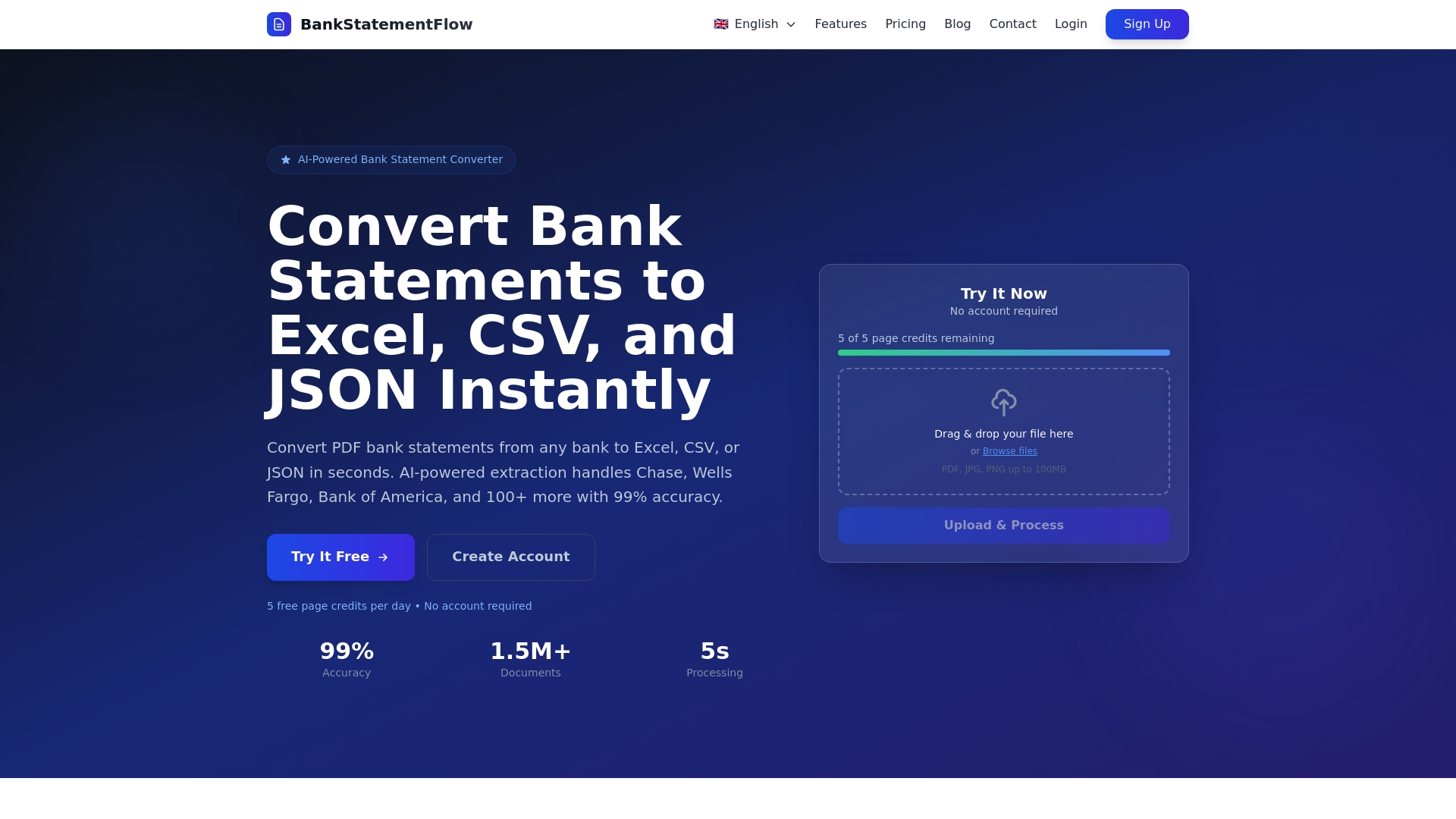
Explore how BankStatementFlow can transform your invoice processing workflow. Visit the website for product demonstrations, detailed feature information, and pricing tailored to your organization’s processing volumes. Join finance teams worldwide already benefiting from AI-powered document automation.
Frequently asked questions about structuring invoice data
What are the best AI tools for invoice data extraction?
Top-tier tools combine high accuracy (99%+), multi-format support (PDF, images, encrypted files), and strong integration capabilities. Look for platforms offering API access, multi-language processing, and active learning that improves with use. BankStatementFlow, Rossum, and Docsumo lead the market for enterprise needs. Evaluate based on your specific invoice volumes, format diversity, and system integration requirements.
How can I ensure my ERP system supports AI integration?
Verify your ERP exposes REST or SOAP APIs for data import into accounts payable modules. Most modern systems including SAP, Oracle, Microsoft Dynamics, and NetSuite provide API documentation. Contact your ERP vendor or implementation partner to confirm supported data formats (JSON, XML, CSV) and authentication methods. Request sandbox access for integration testing before committing to an AI platform.
What volume of invoices justifies investment in AI-powered structuring?
ROI becomes compelling at 200+ invoices monthly, with payback periods of 12-18 months. Organizations processing 500+ invoices monthly typically achieve ROI within 6-9 months. However, consider complexity beyond volume: if you handle multiple languages, currencies, or formats, AI delivers value at lower volumes through error reduction and consistency improvements that manual processing can’t match.
How often should validation rules be updated?
Review validation rules quarterly initially, then semi-annually once your system stabilizes. Monitor exception rates by rule type to identify ineffective or overly restrictive validations. Update rules immediately when you discover systematic errors, add new vendor formats, or face regulatory changes affecting invoice requirements. Continuous improvement prevents rule decay and maintains high accuracy.
Can AI handle handwritten or highly variable invoice formats?
Advanced AI systems process handwritten invoices using computer vision and pattern recognition, though accuracy rates drop to 85-95% versus 99%+ for printed text. Highly variable formats require more extensive training data but modern platforms adapt through active learning. Start with your most common formats to build confidence, then gradually expand to challenging cases. Maintain manual review queues for low-confidence extractions until accuracy improves.
What security measures protect sensitive invoice data during processing?
Enterprise AI platforms employ encryption in transit (TLS/SSL) and at rest (AES-256), role-based access controls, and compliance certifications (SOC 2, ISO 27001, GDPR). Data residency options keep information within specific geographic regions for regulatory compliance. Audit logs track all access and processing activities. Verify your chosen platform meets your organization’s security standards and request third-party security assessments before processing sensitive financial data.
Recommended
- Invoice Data Extraction: Boosting Accuracy With AI - BankStatementFlow Blog
- Invoice Processing Automation: From Chaos to Streamlined Workflows - BankStatementFlow Blog
- 7 Essential Types of Financial Documents Explained - BankStatementFlow Blog
- Complete Guide to QuickBooks Integration with AI Document Processing - BankStatementFlow Blog