Document Automation Examples: 99% Accuracy for Accounting

Accounting professionals face mounting pressure to process financial documents faster while maintaining accuracy. Manual data entry consumes hours each week and introduces errors that can cost firms thousands in compliance penalties and client trust. Document automation solutions powered by AI now achieve up to 99% accuracy, transforming how accounting teams handle bank statements, invoices, and receipts. This article explores key examples, comparisons, integration features, pricing, and use cases to help you choose the right tools for your practice.
Table of Contents
- Selection Criteria For Document Automation Solutions
- Examples Of Document Automation In Financial Accounting
- Comparison Of Leading Document Automation Solutions
- Integration And Security Features Of Document Automation Tools
- Pricing And Accessibility Of Document Automation Solutions
- Use Cases For Document Automation In Accounting
- Summary Comparison And Situational Recommendations
- Discover Bankstatementflow: Your Partner In Document Automation
- Frequently Asked Questions
Key Takeaways
| Point | Details |
|---|---|
| Error reduction | Automation can reduce data entry errors by up to 70%, significantly improving compliance. |
| Accuracy benchmarks | Leading tools offer accuracy ranging from 97% to 99%, minimizing rework. |
| Integration capability | Seamless connection with QuickBooks and Xero via API is critical for workflow efficiency. |
| Pricing flexibility | Solutions vary from $30/month for small firms to custom enterprise plans. |
| Processing speed | Automation speeds bank statement processing by 50%, freeing staff for analysis. |
Selection Criteria for Document Automation Solutions
Choosing the right document automation tool requires evaluating several factors that directly impact your accounting workflow. You need a solution that fits your firm’s size, document volume, and technical capabilities.
Accuracy and error reduction capabilities are paramount in accounting. Look for platforms that benchmark at 97% accuracy or higher to minimize manual corrections. Review how the tool handles complex documents like multi-page statements or receipts with poor image quality.
Integration capabilities determine how smoothly extracted data flows into your existing systems. Assess whether the platform offers API connections to QuickBooks, Xero, or your preferred accounting software. Native integrations save hours of manual data transfer and reduce entry errors.
Document type support matters more than you might think. Your tool should process encrypted PDFs, scanned images, and even phone photos without requiring specialized scanners. This flexibility lets you handle diverse client submissions efficiently.
Pricing structures and scalability affect long-term value. Compare monthly subscription costs, per-document fees, and whether plans accommodate firm growth. Small practices benefit from pay-as-you-grow models, while larger firms need volume discounts.
Security measures protect sensitive financial data and ensure compliance. Verify that vendors provide enterprise-grade encryption, regular security audits, and adherence to GDPR or other relevant regulations. Password-protected document handling without data loss is essential.
Pro Tip: Request a trial that processes your actual client documents, not generic samples. Real-world testing reveals how the tool handles your specific document variations and workflows.
Exploring automate document processing benefits helps you understand the broader efficiency gains beyond basic data extraction.
Examples of Document Automation in Financial Accounting
Several platforms have emerged as leaders in accounting document automation, each offering distinct features tailored to different firm needs.
BankStatementFlow achieves up to 99% accuracy and supports encrypted and image-based documents, making it ideal for firms processing diverse client submissions. The platform handles password-protected PDFs seamlessly and accepts phone photos of receipts, eliminating scanner requirements. Its AI engine learns from corrections, improving accuracy over time.

ABBY FlexiCapture delivers industry-leading 99% accuracy with extensive customization options. You can define custom extraction fields for specialized accounting forms and deploy the solution on-premises or in the cloud. The platform excels at processing high volumes with consistent quality.
Kofax provides reliable 97% accuracy with robust integration capabilities suited for mid-sized firms. It connects easily to popular accounting platforms and offers strong customer support. The tool handles multiple document types simultaneously, streamlining batch processing.
All three solutions export data to Excel, CSV, JSON, and XML formats, giving you flexibility in how you use extracted information. This versatility supports various accounting workflows from journal entries to audit trail documentation.
Key features to compare:
- Accuracy rates ranging from 97% to 99%
- Support for encrypted PDFs and image inputs
- Multi-language processing for international clients
- Custom field extraction for firm-specific forms
- API access for workflow integration
- Batch processing capabilities for volume handling
Understanding how to automate financial documents provides practical implementation guidance beyond tool selection.
Comparison of Leading Document Automation Solutions
A direct comparison helps you weigh each platform’s strengths against your specific requirements. This breakdown focuses on factors most relevant to accounting professionals.
| Feature | BankStatementFlow | ABBYY FlexiCapture | Kofax |
|---|---|---|---|
| Accuracy Rate | Up to 99% | Up to 99% | 97% |
| Document Types | Bank statements, invoices, receipts, checks | Wide variety including custom forms | Multiple financial documents |
| Encrypted PDF Support | Yes | Yes | Yes |
| Image Input | Phone photos, screenshots | Scanned images | Scanned images |
| QuickBooks Integration | API available | Yes | Yes |
| Xero Integration | API available | Yes | Yes |
| Export Formats | Excel, CSV, JSON, XML | Multiple formats | Excel, CSV, XML |
| Processing Speed | Fast | Very fast for high volumes | Fast |
| Deployment | Cloud | Cloud or on-premise | Cloud or on-premise |
| Starting Price | Affordable for small firms | Higher, enterprise focus | Mid-range |
ABBYY FlexiCapture and BankStatementFlow offer up to 99% accuracy, while Kofax is around 97%, though all three significantly outperform manual entry. The accuracy difference might seem small but compounds across thousands of documents monthly.
Processing speed varies based on document complexity and volume. BankStatementFlow optimizes for typical accounting documents, processing bank statements in seconds. ABBYY excels with large batch operations, while Kofax balances speed with integration depth.
Customization options differ significantly. ABBYY provides the most extensive field customization for specialized accounting forms. BankStatementFlow offers pre-configured templates for common financial documents with customization available. Kofax sits in the middle with good flexibility.
The financial document workflow automation guide details how these features combine in real accounting workflows.
Integration and Security Features of Document Automation Tools
Seamless integration transforms document automation from a standalone tool into a core part of your accounting workflow. The right connections eliminate manual data transfer and reduce error introduction points.
API integration enables seamless connection with QuickBooks and Xero, with enterprise-grade encryption ensuring GDPR compliance. These APIs push extracted data directly into general ledgers, bank reconciliation modules, or accounts payable systems. Real-time syncing keeps financial records current without staff intervention.
Custom data field support adapts automation to your firm’s specific workflows. You can define extraction rules for unique client requirements or specialized accounting forms. This flexibility ensures the tool grows with your practice rather than forcing workflow changes.
Password-protected document handling requires secure processing that preserves data integrity. Leading platforms decrypt files temporarily in secure environments, extract data, then dispose of decrypted versions. No sensitive information persists in accessible formats.
Enterprise security protocols protect client financial data through multiple layers:
- End-to-end encryption for data in transit and at rest
- Role-based access controls limiting staff permissions
- Audit trails documenting all document access and changes
- Regular third-party security assessments
- GDPR, SOC 2, and regional financial regulation compliance
Pro Tip: Verify that your chosen platform stores data in regions compliant with your jurisdiction’s financial regulations. Some vendors offer data residency options to meet specific compliance requirements.
Multi-language support extends beyond translation to handle regional date formats, currency symbols, and document layouts. This capability matters for firms serving international clients or processing foreign bank statements.
Explore financial document workflow integration and security for deeper technical implementation details.
Pricing and Accessibility of Document Automation Solutions
Understanding pricing structures helps you budget accurately and avoid unexpected costs as document volumes grow. Accessibility options determine whether your team can use the tool effectively.
Pricing tiers typically start around $30 per month for entry-level plans suited to small firms processing hundreds of documents monthly. Mid-tier plans ranging from $100 to $300 monthly accommodate growing practices with thousands of documents. Enterprise plans with custom pricing serve large firms requiring dedicated support and advanced features.
Cloud deployment offers the easiest accessibility with no local infrastructure requirements. Your team accesses the platform through web browsers from any location, supporting remote work naturally. Updates deploy automatically without IT involvement.
On-premise deployment suits firms with strict data control requirements or existing infrastructure investments. You maintain complete control over data storage and processing environments. This option typically costs more due to installation and maintenance needs.
Scalable plans accommodate business growth without platform switching. Look for providers offering smooth transitions between tiers as your document volume increases. Some vendors provide usage-based pricing that scales automatically.
Cost considerations for different firm sizes:
- Small firms benefit from affordable cloud solutions like BankStatementFlow with straightforward monthly pricing
- Mid-sized firms should evaluate per-document costs versus subscription tiers based on processing volume
- Large firms might favor ABBYY’s flexible deployment options despite higher initial costs
- All sizes should factor in integration development costs if custom API work is required
Free trials and money-back guarantees reduce adoption risk. Test platforms with your actual documents before committing to annual contracts.
Review pricing and accessibility options to understand total cost of ownership beyond subscription fees.
Use Cases for Document Automation in Accounting
Practical applications demonstrate how document automation solves specific accounting challenges with measurable improvements. These scenarios reflect common pain points across practices of all sizes.
Document automation reduces manual data entry time by up to 80% and speeds monthly bank statement processing by 50%. This transformation affects multiple accounting workflows:
-
Monthly bank reconciliation acceleration: Automate extraction of transactions from multiple bank statements simultaneously. The system categorizes transactions, flags duplicates, and matches entries to general ledger accounts. What once took days now completes in hours, allowing faster month-end closes.
-
Invoice and receipt processing error reduction: Capture vendor information, line items, tax amounts, and payment terms automatically. The 70% error reduction eliminates costly payment mistakes and improves vendor relationships. Your team focuses on exception handling rather than routine data entry.
-
Compliance documentation automation: Extract and organize information required for regulatory filings and audits. The system maintains consistent formatting and completeness across documents. Audit preparation time drops significantly when supporting documentation is pre-structured.
-
Multi-entity consolidation simplification: Process financial documents from multiple subsidiaries or clients in standardized formats. Automated extraction ensures consistent data structure across entities, simplifying consolidation and comparative analysis.
-
Client onboarding streamlining: New client documentation processing speeds up when automation handles initial document intake. Extract account numbers, balances, and transaction histories to populate your systems quickly. Clients appreciate faster service activation.
-
Tax preparation efficiency: Organize receipts, charitable contributions, and business expenses automatically throughout the year. Come tax season, information is already categorized and totaled, reducing preparation stress and potential deduction oversights.
Discover more bank statement automation benefits specific to financial analysis workflows.
Summary Comparison and Situational Recommendations
Making the final tool selection requires matching platform capabilities to your firm’s specific needs, size, and growth plans. This summary guides your decision based on common accounting practice profiles.
| Consideration | BankStatementFlow | ABBYY FlexiCapture | Kofax |
|---|---|---|---|
| Best For | Small to mid-sized firms | Large enterprises | Mid-sized firms |
| Accuracy | 99% | 99% | 97% |
| Ease of Use | Very user-friendly | Moderate learning curve | Moderate |
| Integration Depth | API for common platforms | Extensive custom options | Strong standard integrations |
| Price Point | Budget-friendly | Premium | Mid-range |
| Deployment Speed | Fast cloud setup | Longer implementation | Moderate setup time |
| Support Quality | Responsive | Enterprise-grade | Good |
Small firm recommendations focus on BankStatementFlow for its combination of high accuracy and affordable pricing. The platform handles typical accounting documents excellently without overwhelming features you won’t use. Quick setup means you start saving time within days.
Large firm considerations favor ABBYY FlexiCapture when extensive customization and deployment flexibility justify higher costs. The platform scales to enterprise volumes while maintaining accuracy. On-premise options satisfy strict data governance requirements.
Mid-sized firm guidance suggests evaluating Kofax for balanced integration capabilities and cost-effectiveness. The 97% accuracy suffices for most applications, and strong standard integrations reduce implementation complexity. As your firm grows, the platform scales smoothly.
Firm-specific workflow evaluation steps:
- Calculate current monthly document processing volume
- Identify which document types consume the most staff time
- Assess existing accounting software integration requirements
- Determine budget constraints and ROI expectations
- Review data security and compliance mandates
Pro Tip: Run parallel processing for one month, comparing automated extraction against manual entry. Measure time savings and error rates with your actual workflows before fully transitioning.
Review comprehensive document automation recommendations covering implementation planning and change management.
Discover BankStatementFlow: Your Partner in Document Automation
Ready to transform your accounting document processing with proven AI technology? BankStatementFlow delivers the accuracy and efficiency you need without the complexity.
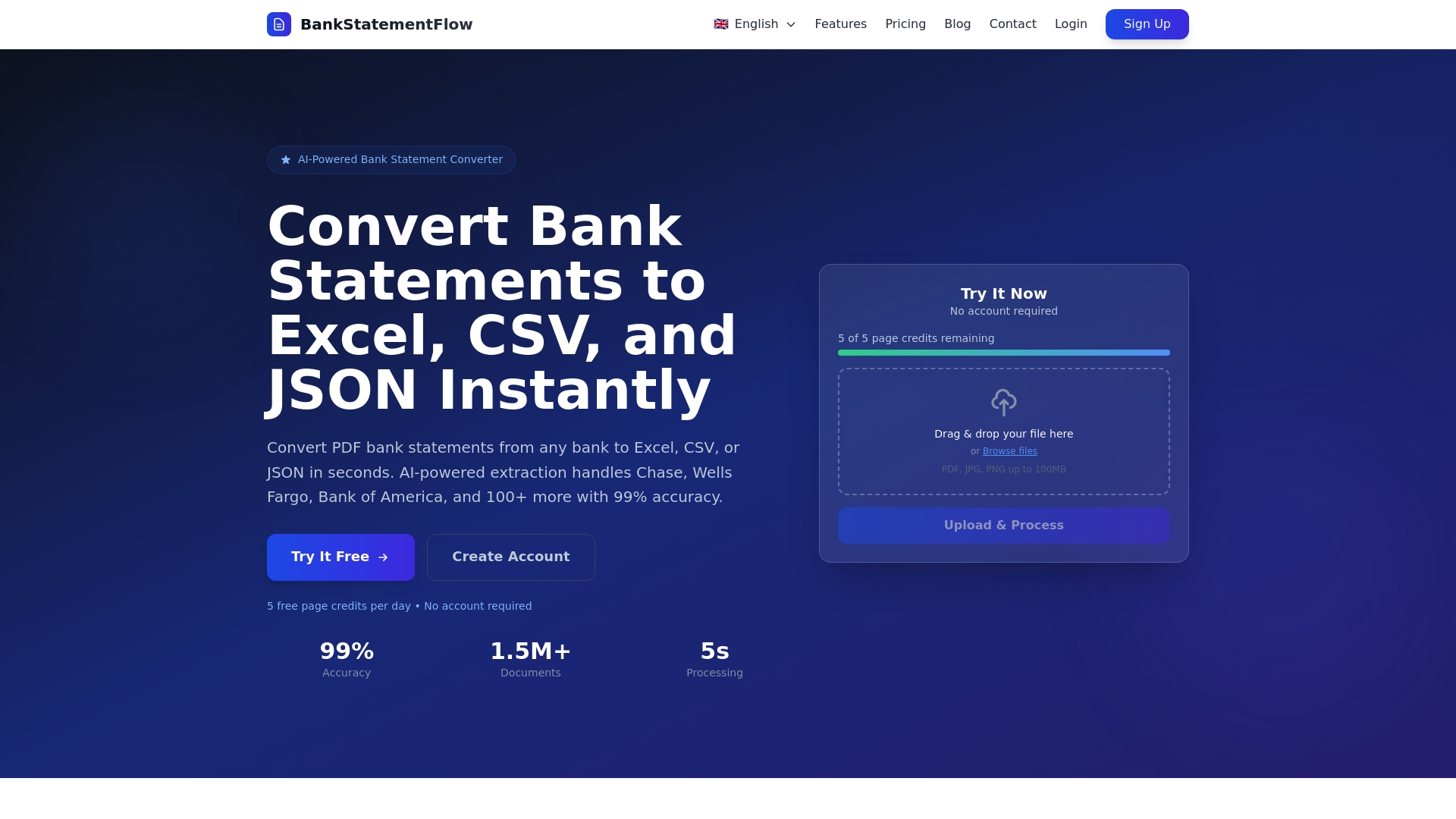
Our platform achieves up to 99% accuracy while supporting encrypted PDFs and image-based inputs from phone photos or screenshots. No scanner required. Process bank statements, invoices, receipts, and checks in seconds, exporting to Excel, CSV, JSON, or XML formats that integrate with your existing workflows.
Affordable pricing starts at levels suitable for small firms with scalable plans that grow with your practice. Our API connects seamlessly with QuickBooks, Xero, and other popular accounting platforms, automating data flow from document to ledger.
Explore our guide to automate financial documents for implementation best practices. Learn more about the benefits of document processing automation specific to accounting professionals. Visit BankStatementFlow to start your free trial today.
Frequently Asked Questions
What financial documents can automation tools process besides PDFs?
Modern automation platforms handle scanned images, phone photos of receipts, screenshots, and even handwritten documents with varying success rates. BankStatementFlow and similar tools process JPG, PNG, and TIFF formats alongside PDF files. The technology works with bank statements, invoices, receipts, checks, tax forms, and financial reports regardless of source format.
How secure is the data handled by document automation software?
Leading platforms employ enterprise-grade encryption for data in transit and at rest, meeting GDPR, SOC 2, and financial industry security standards. Data typically processes in secure cloud environments with access controls and audit logging. Providers conduct regular third-party security assessments. You maintain ownership of your data with options to delete it permanently after processing.
Can document automation integrate with my existing accounting software?
Most automation tools offer API connections to QuickBooks, Xero, Sage, and other major accounting platforms. Integration depth varies from simple data export to real-time synchronization. Check whether your specific accounting software version appears on the vendor’s supported integrations list. Custom API development handles less common platforms. Review AI accuracy in finance to understand integration capabilities.
What is the typical ROI timeframe for adopting document automation in accounting?
Small firms often see positive ROI within 3 to 6 months as time savings offset subscription costs. The return accelerates as staff redirect hours from data entry to higher-value advisory services. Mid-sized firms processing thousands of documents monthly may achieve ROI in 1 to 3 months. Calculate your specific ROI by multiplying hours saved per document by your average hourly cost, then comparing to monthly platform fees.