Top 4 bankstatements2excel.com Alternatives 2026
Managing financial data does not have to be a chore when the right tools are there to help. New solutions pop up every year and they offer smarter ways to handle tricky bank files. Some focus on fast conversions while others prioritize accuracy or user experience. With so many choices out there, certain platforms have started drawing attention for their unique features. Which ones truly stand out and what makes them different from the rest? The following options are worth a closer look if you are searching for a better way to turn bank statements into spreadsheets.
Table of Contents
BankStatementFlow
At a Glance
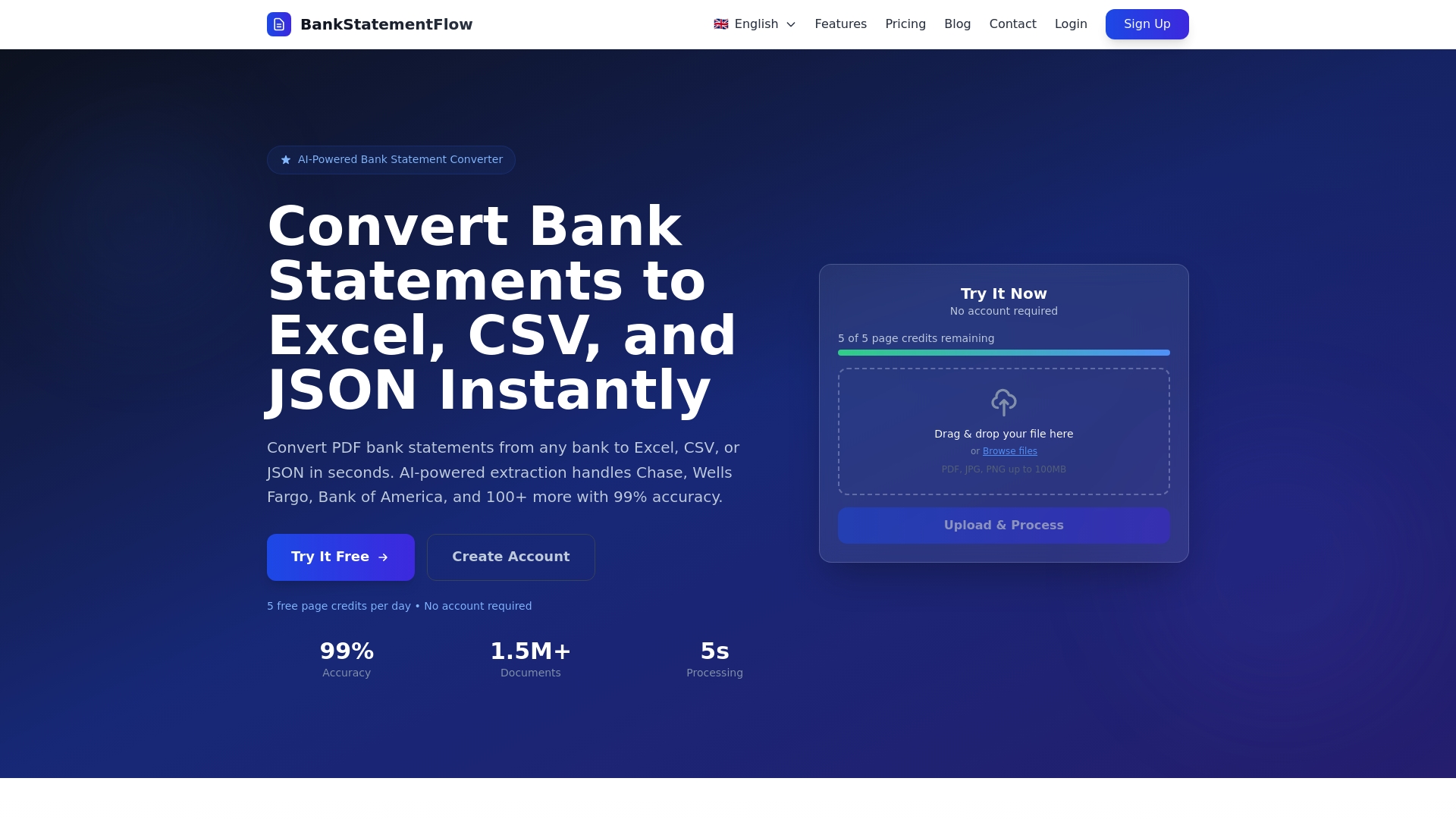
BankStatementFlow is the leading AI-powered platform for converting PDF bank statements and mixed financial documents into structured data formats with up to 99% accuracy. It processes files quickly and handles photos, screenshots, and password protected PDFs without extra steps.
- Bottom line: best-in-class accuracy and speed for accounting teams.
- Primary benefit: reduces manual entry time and error rates substantially.
Core Features
BankStatementFlow automates extraction and formatting into Excel, CSV, JSON, and XML while supporting documents from over 100 banks including Chase, Wells Fargo, and Bank of America. It accepts images and encrypted PDFs and returns structured output in seconds.
- Key capabilities include API connectivity and custom field extraction.
Pros
- High accuracy rate of 99%: The platform delivers near perfect extraction so you spend less time reconciling transactions.
- Fast processing times: Typical processing completes in around five seconds per document which accelerates month end work.
- Supports password protected and image files: You can upload screenshots or encrypted PDFs without separate decryption steps.
- Multiple export options: Exports to Excel, CSV, JSON, and XML which fits most accounting and BI workflows.
- API for seamless integration: The API lets you push structured data directly into ERP or accounting systems to automate downstream processes.
Who It’s For
Accounting professionals and financial teams in medium to large organizations that handle high volumes of bank statements and need reliable integration with existing systems will gain the most. The product suits firms that require fast turnaround and tight accuracy for audits and reporting.
- Typical users include accounting firms, internal finance teams, and procurement groups.
Unique Value Proposition
BankStatementFlow sets the standard by combining enterprise grade accuracy with flexible integration options. Its strength is not only extraction quality but operational fit for teams that must move large document volumes into systems without manual cleanup.
- What separates it: enterprise security, multi format exports, and API access designed for production workflows.
- Design choice advantage: supporting password protected files and images reduces ingestion friction common in real world client work.
Real World Use Case
A small accounting firm uses BankStatementFlow to automate transaction extraction for client statements then imports the cleaned Excel sheets into their accounting software. The firm reduced manual entry time by hours per client and lowered posting errors during reconciliations.
- Outcome: faster close cycles and fewer correction entries during audits.
Pricing
BankStatementFlow offers a free plan with 10 free pages per day and several paid tiers for higher volume processing. Starter is 5 dollars per month for 200 pages, Business is 10 dollars per month for 500 pages, Corporate is 20 dollars per month for 2000 pages, and custom enterprise solutions are available on contact.
- Note: consider file size limits when planning bulk uploads as typical limits are up to 100MB per file.
Website
Website: https://bankstatementflow.com
BankStatements2Excel
At a Glance
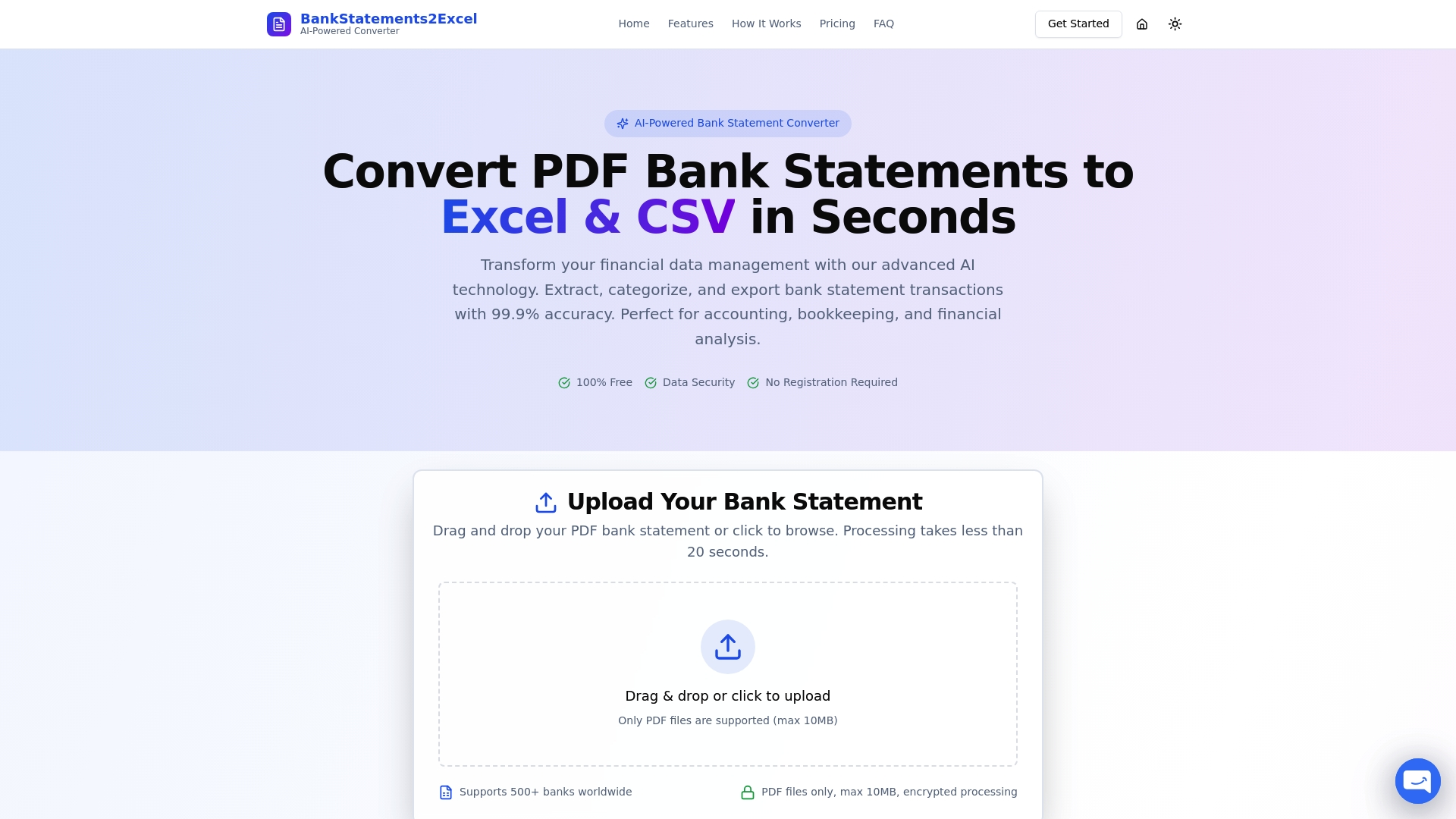
BankStatements2Excel converts PDF bank statements to Excel and CSV in seconds for accounting teams that need fast, accurate results. Its AI-powered conversion and 99.9% accuracy make it a practical choice for high volume reconciliation tasks.
Core Features
BankStatements2Excel offers rapid conversion under 20 seconds and supports over 500 banks worldwide for broad compatibility. The service provides data encryption, no data storage, and multiple export formats including Excel CSV and JSON for easy import into accounting systems.
Pros
-
Fast processing speeds: Conversions complete in under 20 seconds which shortens batch processing times for busy month ends.
-
High accuracy of data extraction: The 99.9% extraction rate reduces manual correction and lowers downstream reconciliation errors.
-
Strong data security and privacy measures: Encrypted transfers and no persistent storage decrease exposure of sensitive client information.
-
Wide bank support globally: Coverage for more than 500 banks increases the likelihood that client statements import cleanly without custom mapping.
-
No registration required for basic use: During maintenance mode basic conversion and testing are available without sign up which speeds evaluation.
-
Flexible export options: Multiple output formats let you drop extracted data directly into Excel based workflows or accounting tools.
Cons
-
Limited features during maintenance mode: The free tier limits pages and advanced features which restricts full production use for larger jobs.
-
File size restriction: The service accepts PDF files only up to 10MB which means multi statement batches or long PDFs need splitting first.
-
Paid plans temporarily unavailable: Full feature access and subscription plans are not currently offered while maintenance is underway which impacts long term planning.
Who It’s For
BankStatements2Excel fits accountants bookkeepers tax professionals and financial teams in medium to large organizations that prioritize fast accurate conversion and strict data handling. It suits teams performing frequent statement imports and month end reconciliations.
Unique Value Proposition
The product combines sub 20 second conversion times with near perfect extraction accuracy and privacy focused handling. That mix makes it useful when you need structured data quickly while minimizing manual review and protecting client confidentiality.
Real World Use Case
An accountant uploads multiple client PDF bank statements and receives clean Excel files for each client in less than a minute. The extracted dates amounts descriptions and balances feed straight into reconciliation templates and tax preparation workbooks.
Pricing
Free tiers are available during maintenance with charges applying for download pages outside the free limits. Paid plans and additional features will return soon and will include expanded page limits and enterprise options.
Website: https://bankstatements2excel.com
MoneyThumb
At a Glance
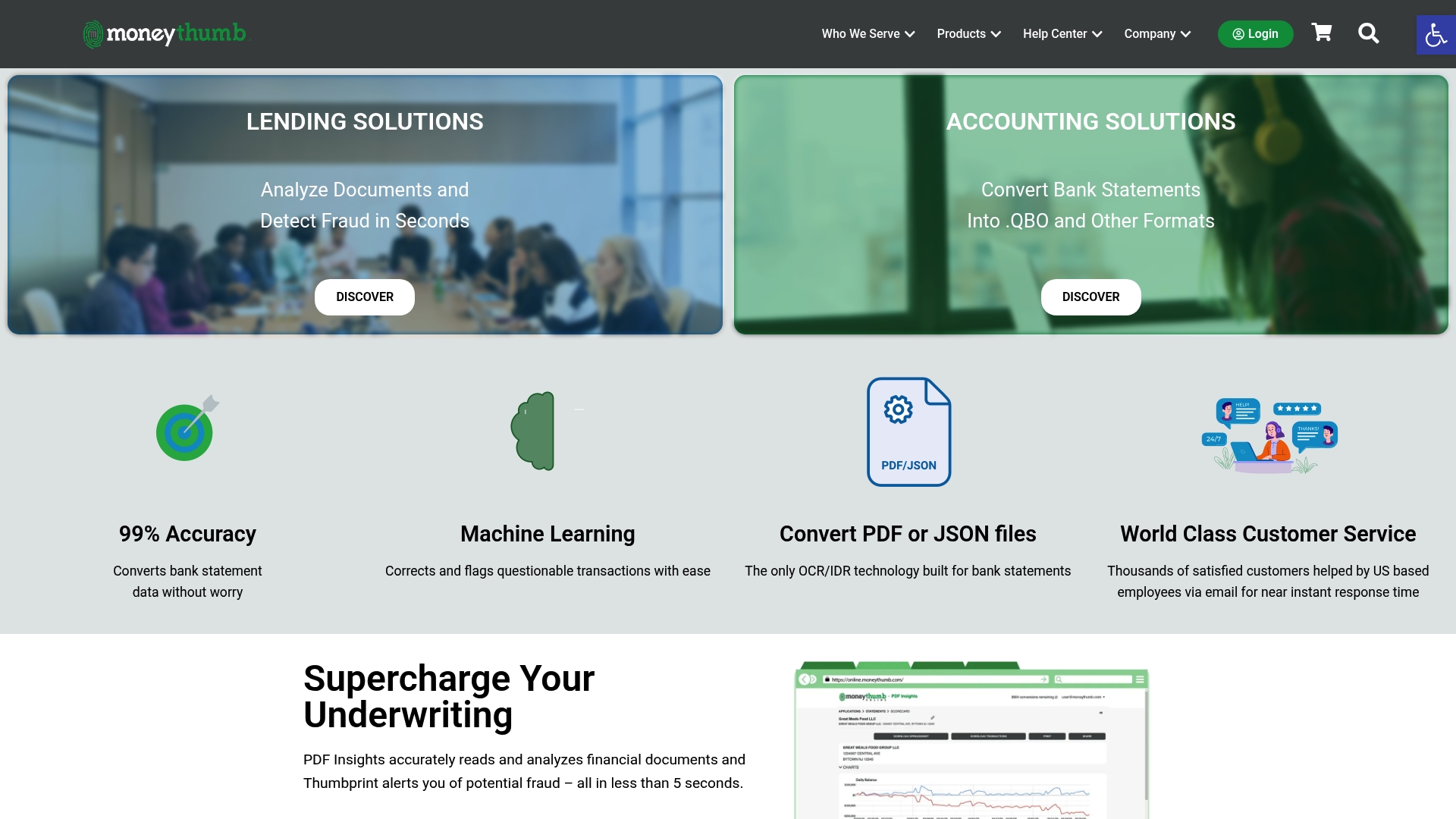
MoneyThumb automates financial document conversion and analysis with a clear focus on lenders, banks, and accounting teams. It promises high accuracy and integrated fraud detection while leaving pricing and deployment details opaque.
Core Features
MoneyThumb centers on automated financial document analysis and conversion that transforms PDFs and images into editable formats. The platform supports PDF Insights, multiple file formats, API access, and a fraud detection layer called Thumbprint to validate documents and detect anomalies.
Pros
-
High accuracy claim gives confidence for high volume workflows and reduces manual review effort for accountants and underwriters.
-
Wide format support lets you convert PDF, OFX, CSV, QBO, QIF, and QFX without juggling multiple tools or manual reformatting.
-
Time saving automation accelerates document processing for lenders and accounting teams and shortens cycle times for underwriting and reconciliation.
-
US based customer service offers direct vendor support that matters when a processing pipeline fails or a complex file set needs tuning.
-
Integrated fraud detection adds document authentication capability so you can flag suspicious statements before decision making.
Cons
-
Specific costs and licensing details are not listed on the website so budgeting and procurement require direct contact with sales.
-
The site provides limited information on whether solutions are desktop, cloud, or mixed deployment which complicates IT planning and security reviews.
-
The product emphasizes the financial services sector which may limit out of the box appeal for nonfinancial departments with atypical document types.
Who It’s For
MoneyThumb suits financial institutions, fintech firms, lenders, and accounting departments that process large volumes of bank statements and need reliable conversion and authentication. Small business owners and individuals also benefit but the platform targets teams with formal underwriting and compliance needs.
Unique Value Proposition
MoneyThumb combines broad format conversion with document authentication and API connectivity so you can extract structured data, validate documents, and feed results into lending or accounting workflows. That combination reduces false positives and supports faster, more reliable decision making.
Real World Use Case
A small bank uses PDF Insights to analyze applicant bank statements and generate underwriting scores. The result is loan decisions that move from days to minutes while reducing manual entry and improving audit trails for compliance.
Pricing
Pricing details are not specified on the website and interested users need to contact sales or request a quote to obtain licensing and deployment costs.
Website: https://moneythumb.com
Veryfi

At a Glance
Veryfi delivers enterprise grade multimodal document extraction and fraud detection through APIs, SDKs, and no code tools that remove the need for in house machine learning expertise. This makes it a practical option for accounting teams that need secure, accurate extraction without a heavy data science investment.
Plan a small pilot to validate accuracy on your specific statement formats.
Core Features
Veryfi combines Document capture SDKs, Data extraction APIs, and no code solutions such as an embedded AI experience builder and WhatsApp chatbot to handle receipts, invoices, checks, and bank statements. The platform also provides fraud detection and GenAI document verification alongside enterprise grade security including SOC 2 Type II, GDPR, HIPAA, and CCPA certifications.
Pros
- Comprehensive API and SDK support: Veryfi covers mobile and browser capture plus server side extraction so you can integrate with existing accounting systems without rebuilding workflows.
- High accuracy with deterministic AI models: The platform emphasizes deterministic approaches that reduce variability and improve extraction reliability for high volume processing.
- Ease of integration with no code options: Teams can prototype document flows using the embedded AI builder or chatbot without hiring machine learning specialists.
- Strong security and compliance certifications: SOC 2 Type II and regional privacy certifications support enterprise procurement and audit requirements.
- Wide industry and use case coverage: The tool supports finance, healthcare, retail, insurance, and real estate document types and formats.
Cons
- Pricing may vary based on volume and API usage and that variability can complicate budgeting for large scale projects.
- Some offerings such as the Lens SDK require custom pricing for high volume deployments which adds procurement friction for large teams.
- The platform exposes many configuration and integration options which new users can find complex when getting started.
Who It’s For
Veryfi targets businesses that require fast, accurate document processing across multiple industries and need API or SDK based integration with enterprise security. It fits accounting teams in medium to large firms, fintech platforms, insurance providers, and corporate finance groups that handle diverse document types and compliance constraints.
Unique Value Proposition
Veryfi combines enterprise grade security with a multimodal approach and deterministic AI to provide accurate extraction without bespoke model development. The mix of SDKs, APIs, and no code builders lets engineering and finance teams choose a lightweight or deeply integrated deployment path.
Real World Use Case
A financial technology app integrates Veryfi APIs to auto extract line item data from receipts and invoices. This reduces manual data entry, lowers fraud exposure via verification checks, and shortens invoice reconciliation cycles for accounting teams.
Pricing
Veryfi offers a free plan that processes up to 100 documents per month and paid plans that start at $500 per month with additional volume discounts. Evaluate expected monthly document volumes early to select the right plan and to flag any custom pricing needs for high throughput features.
Website: https://veryfi.com
Financial Document Conversion Tools Comparison
Below is a comprehensive comparison of tools designed to facilitate the transformation of PDF bank statements and other financial documents into structured data formats. This provides clarity to users seeking the most suitable tool for their organizational needs.
| Tool | Key Features | Pros | Cons | Pricing |
|---|---|---|---|---|
| BankStatementFlow | AI-powered accuracy of 99%, API connectivity, multiple export formats (Excel, CSV, JSON, XML) | High accuracy (99%), supports images/encrypted files, fast processing, robust integration | File size limit for bulk uploads | Free with 10 pages/day; $5/month for 200 pages; $20/month for 2000 pages; Enterprise tier available |
| BankStatements2Excel | Conversion in under 20 seconds, support for 500+ banks globally, multiple export formats | 99.9% accuracy, encrypted transfers, no data storage, no registration required during trial | Paid plans unavailable during maintenance, file size limited to 10MB | Free tier available during maintenance; paid plans returning soon |
| MoneyThumb | Automated conversion, fraud detection (Thumbprint), support for diverse formats (PDF, OFX, CSV, etc.) | Broad format support, integrated document authentication, US-based customer service | Opaque cost/pricing, limited deployment model information | Pricing details available via direct contact with sales |
| Veryfi | Multimodal document extraction, SDKs/APIs, no-code tools, deterministic AI models | High accuracy, SOC2 and GDPR compliant, supports multiple industries | Configurations may appear complex, flexible deployment pricing that varies by volume | Free for 100 docs/month; paid plans from $500/month |
Discover a Smarter Way to Convert Bank Statements
If you are exploring top alternatives to bankstatements2excel.com you understand how vital fast and highly accurate financial document processing is. Common challenges include handling password-protected PDFs, achieving near-perfect extraction, and integrating smoothly into your existing accounting workflows. BankStatementFlow addresses these pain points with AI-powered automation delivering up to 99% accuracy and rapid conversion to Excel, CSV, JSON, or XML formats. Its ability to process encrypted PDFs and images without extra hassle sets it apart for accounting teams demanding efficiency.
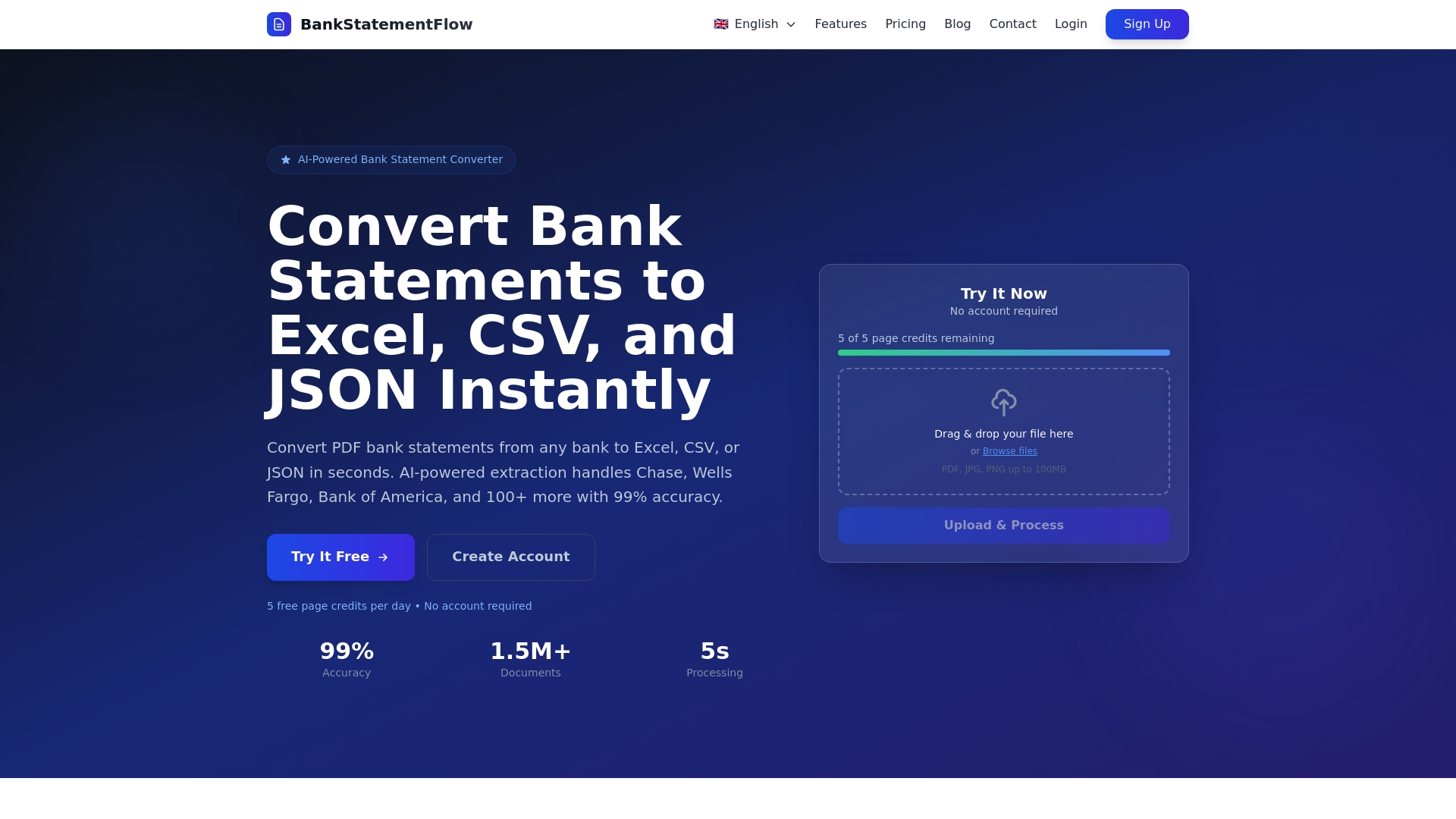
Why wait to reduce manual entry errors and accelerate month-end closes Experience the power of seamless financial data extraction at BankStatementFlow today. Explore how our platform’s advanced machine learning models and flexible API access make managing your financial documents effortless. Start optimizing your financial data processing now by visiting BankStatementFlow and transform your workflow immediately.
Frequently Asked Questions
What are the top alternatives to BankStatements2Excel in 2026?
BankStatements2Excel alternatives include platforms that also convert PDF bank statements into structured data formats efficiently. Explore tools like BankStatementFlow, MoneyThumb, and Veryfi to compare features and performance.
How can I choose the right bank statement conversion tool for my needs?
To choose the right tool, consider factors such as accuracy, speed, security, and supported file formats. Test a few platforms by converting sample documents to evaluate how each tool performs against your specific requirements.
What metrics should I use to evaluate alternatives to BankStatements2Excel?
Focus on key metrics such as conversion speed (e.g., seconds per document), accuracy rate (ideally above 99%), and data security protocols. Assess how each alternative integrates with your existing systems to ensure seamless operations.
How do I ensure data security when using bank statement conversion tools?
Ensure that the tool you choose uses data encryption and complies with privacy regulations. Review the tool’s security features, such as data transfer protocols and whether it stores data temporarily or not.
Can I process password-protected PDF bank statements with these alternatives?
Yes, many alternatives, like BankStatementFlow, support the processing of password-protected PDFs. Check the documentation for each tool to understand how to securely upload and convert these files without needing to decrypt them manually.
What type of output formats should I expect from bank statement conversion tools?
Most bank statement conversion tools provide output formats such as Excel, CSV, JSON, and XML. Make sure the tool you select aligns with the formats you require for your accounting or reporting processes.
Recommended
- PDF Bank Statement to Excel Converter | Free AI Tool
- Top 7 Bankstatementextract.com Alternatives in 2026 for Financial Analysts Seeking Efficient Solutions - BankStatementFlow Blog
- Credit Card Statement to Excel Converter | Free AI Tool
- Top 4 bankstatementdataextractor.com Alternatives in 2026 - BankStatementFlow Blog