Unlock benefits of automated document processing in 2026

Finance teams process thousands of documents monthly, from invoices to bank statements, often relying on manual data entry that consumes hours and introduces costly errors. Automated document processing transforms this burden into a strategic advantage, delivering speed, accuracy, and cost savings that manual methods cannot match. This guide explores the measurable benefits of automation, criteria for evaluating solutions, and how AI-driven intelligent document processing outperforms traditional OCR to revolutionize financial operations in 2026.
Table of Contents
- Criteria For Evaluating Automated Document Processing Solutions
- Top Benefits Of Automated Document Processing In Finance Operations
- Addressing Challenges And Edge Cases In Automated Document Processing
- Comparison Of Traditional Ocr Vs Ai-Driven Intelligent Document Processing
- Discover Bankstatementflow’s Ai-Powered Automation Tools
- What Types Of Financial Documents Benefit Most From Automation?
Key takeaways
| Point | Details |
|---|---|
| Time and cost savings | Automation reduces processing costs by 75-90% per document and accelerates workflows by up to 93%. |
| Accuracy improvements | AI-driven systems achieve 99%+ accuracy compared to 2-8% manual error rates, minimizing costly corrections. |
| Strategic workforce shift | Teams move from repetitive data entry to high-value analysis and decision-making activities. |
| AI superiority over OCR | AI-based intelligent document processing delivers 92-97% accuracy on unstructured docs versus 58% for traditional OCR. |
Criteria for evaluating automated document processing solutions
Selecting the right automated document processing system requires understanding core technologies and how they align with your finance workflows. IDP methodologies involve OCR for text extraction, NLP/ML for classification, contextual extraction, validation against business rules, and ERP integration. These components work together to transform unstructured documents into actionable data.
When evaluating solutions, prioritize systems that integrate seamlessly with your existing ERP and accounting platforms. Integration determines whether automation truly streamlines operations or creates new bottlenecks. Look for platforms offering API access, custom field extraction, and support for multiple export formats like Excel, CSV, JSON, and XML.
Validation capabilities separate basic OCR from intelligent processing. Your solution should apply business rules automatically, flag exceptions for human review, and maintain audit trails for compliance. This validation layer ensures data accuracy before it enters downstream systems.
Consider how solutions handle edge cases common in financial documents:
- Poor scan quality or rotated text
- Complex multi-page tables spanning invoices
- Handwritten notes on receipts
- Multilingual documents from global operations
- Password-protected or encrypted PDFs
Providers with domain expertise in finance understand these challenges and build preprocessing, specialized models, and heuristics to address them. A financial document automation guide 2026 helps you assess whether vendors truly grasp financial workflows.
Evaluation should include pilot testing with your actual document types. Request accuracy metrics, processing speed benchmarks, and references from similar organizations. A comprehensive document processing evaluation checklist ensures you cover technical requirements, security standards, and scalability needs before committing to a platform.
Top benefits of automated document processing in finance operations
Automation delivers measurable improvements across speed, cost, accuracy, and operational focus. Automated document processing using IDP and OCR achieves 70-93% faster processing times and 75-90% straight-through processing rates in financial operations. This speed translates directly into faster month-end closes, quicker vendor payments, and improved cash flow visibility.
Cost reductions represent the most compelling financial benefit. Cost reductions of 75-90% per invoice or process, with ROI of 5-10x in first year, from €15 to €3 per invoice, demonstrate how automation slashes labor costs while increasing throughput. These savings compound as document volumes grow, making automation increasingly valuable at scale.
Accuracy improvements eliminate the hidden costs of manual errors. Traditional data entry carries error rates between 2-8%, leading to payment mistakes, compliance issues, and costly reconciliation efforts. AI-driven systems reduce errors to less than 0.5%, protecting your organization from financial losses and regulatory penalties.
Key operational benefits include:
- Straight-through processing rates of 75-90% eliminate manual touchpoints for routine documents
- Complete audit trails automatically document every processing step for compliance reviews
- Real-time processing enables same-day visibility into financial data instead of week-long delays
- Scalability handles volume spikes without adding headcount or overtime costs
Pro Tip: Track the percentage of documents requiring human intervention as a key performance indicator. As your system learns, this exception rate should decrease steadily, maximizing your automation ROI.
Automation shifts your team’s focus from repetitive data entry to strategic analysis. Finance professionals spend their expertise on variance analysis, forecasting, and process improvements rather than typing numbers from invoices. This transformation elevates finance’s role from transaction processing to strategic business partnership. Explore more benefits of document processing automation and review bank statement processing ROI to quantify potential gains for your organization.
Addressing challenges and edge cases in automated document processing
Financial documents present unique challenges that basic OCR systems struggle to handle reliably. Edge cases include poor scan quality, rotated text, complex tables, handwriting, multilingual docs, micro-text; addressed via preprocessing, specialized models, heuristics. Understanding how advanced solutions overcome these obstacles ensures you select systems that maintain accuracy in real-world conditions.
Preprocessing techniques form the first line of defense against quality issues. Modern platforms automatically enhance image quality, correct rotation and skew, remove background noise, and normalize contrast before text extraction begins. These steps dramatically improve OCR accuracy on scanned documents, phone photos, and faxed copies that plague finance departments.
Complex table structures common in bank statements and multi-line invoices require specialized handling. AI models trained specifically on financial documents recognize table boundaries, associate headers with data rows, and maintain relationships between related fields across pages. This contextual understanding prevents the scrambled data that occurs when generic OCR treats tables as unstructured text.
Handwritten annotations, common on receipts and expense reports, demand different recognition approaches:
- Specialized handwriting recognition models trained on financial notation
- Confidence scoring that flags uncertain characters for human review
- Context validation that checks handwritten amounts against printed totals
Pro Tip: Test your automation system with your worst-quality documents first. If it handles faded faxes and crumpled receipts accurately, it will excel with clean scans.
AI-enhanced OCR achieves 92-97% accuracy on unstructured docs vs 58% traditional OCR; IDP market CAGR 28.5% to $5.2B by 2027, reflecting growing recognition that AI approaches deliver superior reliability. This accuracy gap matters enormously in finance, where a single misread digit can trigger payment errors or compliance violations.
Integration and training determine whether edge case handling works in production. Systems need exposure to your specific document variations through initial training periods. Continuous learning mechanisms improve accuracy over time as the system encounters new formats. Proper integration with validation rules catches remaining errors before they impact downstream processes. Learn how AI improve accuracy finance through adaptive learning and review document automation accuracy examples from real implementations.
Comparison of traditional OCR vs AI-driven intelligent document processing
Understanding the differences between traditional OCR and AI-driven IDP clarifies why modern finance operations demand intelligent processing. Traditional OCR template-based achieves 58% accuracy on unstructured docs; AI-based IDP reaches 99%+ accuracy and requires integration for ROI. This accuracy gap represents the difference between automation that creates new problems and automation that genuinely transforms operations.
Traditional OCR relies on template matching and character recognition without understanding document context or meaning. It extracts text but cannot distinguish invoice numbers from phone numbers or validate that extracted amounts match document totals. Every document variation requires new templates, creating maintenance burdens that negate automation benefits.

AI-driven IDP combines multiple technologies to understand documents like humans do. Natural language processing identifies field types and relationships. Machine learning classifies documents automatically and adapts to new formats without manual template creation. Validation engines apply business rules and cross-check extracted data for consistency.
| Feature | Traditional OCR | AI-Driven IDP |
|---|---|---|
| Accuracy on unstructured docs | 58% | 92-97% |
| Processing speed | Moderate, requires manual review | 70-93% faster with automation |
| Template maintenance | High, manual updates needed | Low, self-learning algorithms |
| Cost per document | €15 average | €3 average (75-90% reduction) |
| Straight-through processing | 20-40% | 75-90% |
| ROI timeline | 2-3 years | 5-10x in first year |
| Edge case handling | Poor, fails on variations | Excellent, adaptive preprocessing |
Empirical benchmarks show 25-52x productivity gains with AI document processing, demonstrating the transformative impact of intelligent systems. These gains stem from higher automation rates, faster processing, and reduced error correction cycles that traditional OCR cannot match.
Implementation complexity differs significantly between approaches. Traditional OCR demands extensive template configuration and ongoing maintenance as document formats evolve. AI-driven systems require initial training but then adapt automatically, reducing long-term support costs. Integration capabilities also favor IDP, with modern platforms offering APIs and connectors that traditional OCR lacks.
Market trends confirm the shift toward AI-driven approaches. The IDP market’s 28.5% compound annual growth rate to $5.2 billion by 2027 reflects enterprise recognition that intelligent processing delivers superior results. Organizations replacing traditional OCR report immediate accuracy improvements and cost reductions that justify migration investments. Discover how the AI document processing revolution reshapes finance operations and explore comprehensive document processing benefits available through modern platforms.
Discover BankStatementFlow’s AI-powered automation tools
Transforming your financial document workflows starts with the right technology partner. BankStatementFlow delivers AI-powered automation that achieves the accuracy, speed, and cost savings discussed throughout this guide.
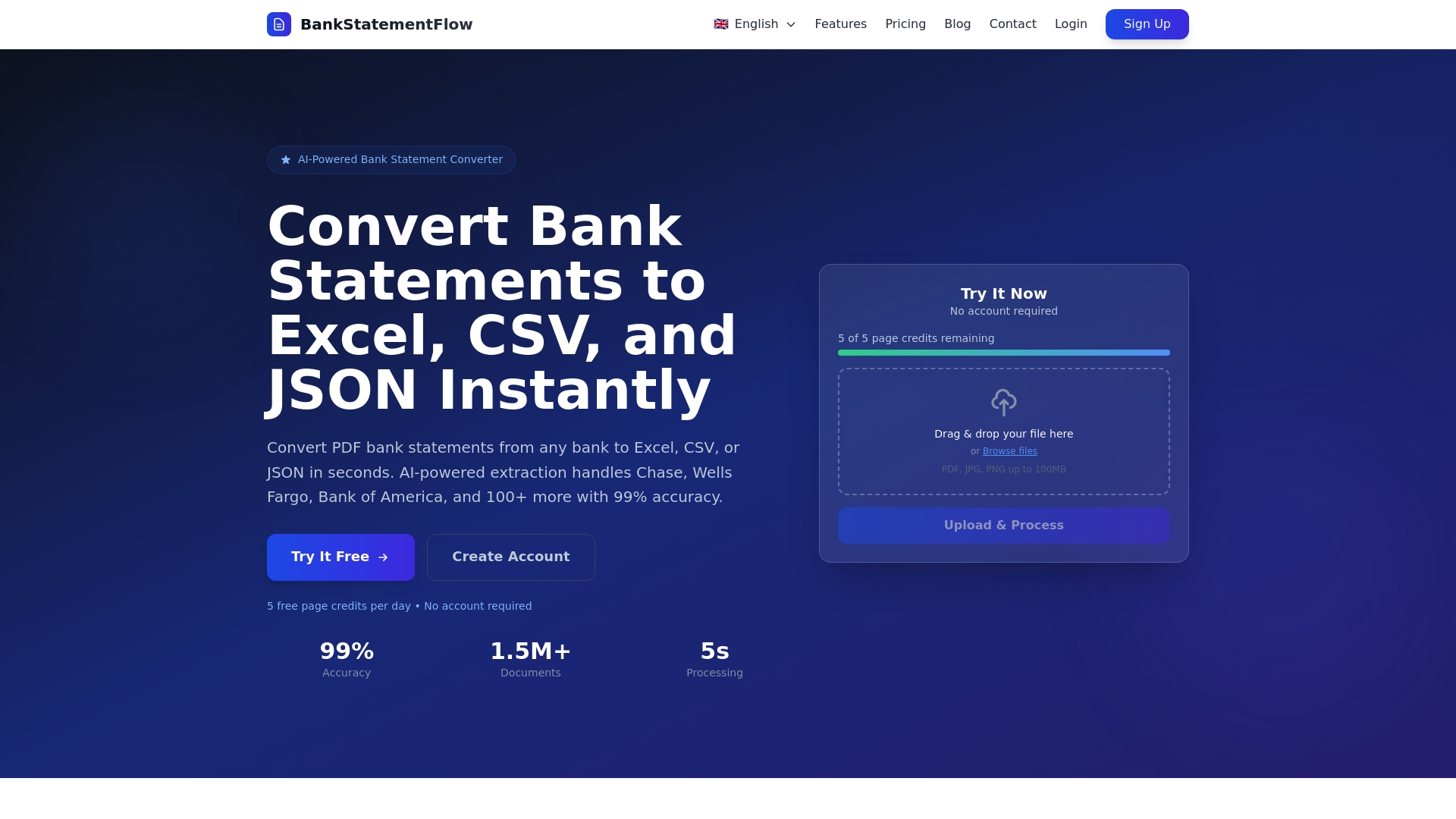
Our platform processes bank statements, invoices, receipts, and other financial documents with 99% accuracy, converting unstructured data into Excel, CSV, JSON, and XML formats effortlessly. Advanced machine learning handles password-protected PDFs, phone photos, and complex multi-page documents without requiring scanners or manual preprocessing. With support for multiple languages and regional formats, BankStatementFlow scales with global operations while maintaining enterprise-grade security. API access enables seamless integration with your existing ERP and accounting systems, automating workflows end to end. Explore AI powered bank statement conversion and review our document processing automation benefits blog to see how finance teams achieve 5-10x ROI in their first year.
What types of financial documents benefit most from automation?
Invoices, bank statements, receipts, purchase orders, contracts, and tax documents all gain significant value from automation. High-volume, repetitive documents like accounts payable invoices deliver the fastest ROI, often achieving 75-90% cost reductions within months. Bank statements and transaction records benefit from automated reconciliation that catches discrepancies traditional manual review misses.
Implementation timelines typically span 4-8 weeks for initial deployment, including system training on your document types and integration with existing platforms. Pilot programs often start with a single document type to prove value before expanding. Cloud-based solutions like BankStatementFlow offer faster deployment than on-premise systems, with some organizations processing documents within days of signup. Integration requirements depend on your technology stack, but modern platforms provide pre-built connectors for major ERP and accounting systems plus API access for custom workflows. Review our financial document processing checklist to assess your readiness and identify integration needs before starting implementation.
How does automated document processing improve accuracy compared to manual entry?
Accuracy improvements to 99%+ from 2-8% manual error rates represent the most compelling case for automation in finance. Manual data entry suffers from fatigue, distraction, and simple transcription mistakes that compound across thousands of documents. A single misplaced decimal in a payment amount can trigger vendor disputes, late fees, and damaged relationships.
AI-driven systems maintain consistent accuracy regardless of volume or complexity. They validate extracted data against business rules automatically, flagging anomalies that humans might overlook during repetitive tasks. This reliability eliminates costly error correction cycles and reduces the risk of compliance violations from inaccurate financial records.
What are some common challenges with implementing automated document processing?
Edge cases such as poor scan quality and handwriting are addressed with preprocessing and specialized AI models. Initial challenges often involve training systems on your specific document variations and establishing validation rules that match your business processes. Organizations sometimes underestimate the change management required, as staff accustomed to manual processes need training on exception handling and system oversight.
Integration complexity varies based on your existing technology landscape. Legacy systems may lack modern APIs, requiring custom development or middleware solutions. Data security and compliance requirements demand careful configuration, particularly for organizations handling sensitive financial information across multiple jurisdictions. Selecting vendors with proven finance expertise and robust support minimizes these implementation hurdles.
What ROI can finance teams expect from automated document processing?
ROI ranges from 5-10x in first year with 75-90% cost reductions per invoice. These returns stem from multiple sources including direct labor savings, faster processing enabling early payment discounts, reduced error correction costs, and improved cash flow visibility. Productivity gains of 25-52x mean teams handle dramatically higher volumes without proportional headcount increases.
ROI calculations should include both hard savings like reduced labor costs and soft benefits such as faster month-end closes and improved data quality for decision-making. Most organizations achieve payback within 6-12 months, with returns accelerating as automation rates improve through system learning. Larger document volumes and higher labor costs in your region increase ROI potential. Our financial document automation ROI guide provides frameworks for calculating expected returns based on your specific operational parameters and document volumes.
Recommended
- The AI Document Processing Revolution: How BankStatementFlow is Changing Business - BankStatementFlow Blog
- What is financial document automation? A 2026 guide - BankStatementFlow Blog
- Document security in finance for SMEs in 2026 - BankStatementFlow Blog
- Blog - BankStatementFlow | AI Document Processing Insights