Why Automate Document Extraction? 99% Accuracy Boost

Manual document extraction feels manageable until you calculate the hidden costs. Every mistyped number, every delayed approval, and every compliance gap traces back to the same root cause: relying on human hands to process thousands of documents. Automation solves far more than speed issues alone. It transforms accuracy, scalability, and audit readiness across your entire financial operation. This guide clarifies why automated document extraction has become essential and how to implement it successfully in your organization.
Table of Contents
- Understanding document extraction and its business impact
- The pitfalls of manual document extraction
- How automation transforms document extraction
- Key benefits of automating document extraction
- Implementing automated document extraction in your organization
- Next steps: How BankStatementFlow can help
- Frequently asked questions
Key Takeaways
| Point | Details |
|---|---|
| Eliminate manual errors | Automation drastically reduces costly mistakes that stem from manual document handling. |
| Speed up workflows | Automated extraction enables much faster turnaround for financial reporting and analysis. |
| Improve compliance | Automated systems create clear audit trails and increase transparency for regulatory checks. |
| Scale with confidence | Automation supports growth by handling bigger document volumes without added staff. |
| Boost data security | Sensitive financial information is protected through secure, automated processing. |
Understanding document extraction and its business impact
Document extraction converts unstructured or semi-structured documents into usable, structured data that systems can process, analyze, and store. For finance teams, this means transforming bank statements, invoices, loan applications, and receipts into clean datasets ready for reconciliation, reporting, and compliance reviews. The process captures key fields like transaction dates, amounts, account numbers, and vendor details, then organizes them into formats like Excel, CSV, or JSON.
Why does this matter? Financial organizations handle massive document volumes daily. A mid-sized accounting firm might process 500 invoices weekly. A corporate finance department reviews hundreds of bank statements monthly. Without structured extraction workflows, these documents create bottlenecks that ripple through every downstream process.
Common pain points include:
- Volume overload: Manual teams cannot scale with business growth
- Compliance pressure: Missing data fields create audit exposure
- Accuracy demands: Financial reporting requires zero-tolerance precision
- Format chaos: Documents arrive as PDFs, images, scans, and emails
- Time sensitivity: Delayed extraction means delayed decisions
The business impact extends beyond operational friction. Slowed workflows delay month-end close by days. Reporting lags prevent timely strategic decisions. Audit findings trigger expensive remediation projects. Labor costs climb as teams hire more processors to handle growing volumes. One Fortune 500 CFO calculated that manual document handling consumed 40% of their accounting team’s capacity, time that could have supported analysis and planning instead.
The pitfalls of manual document extraction
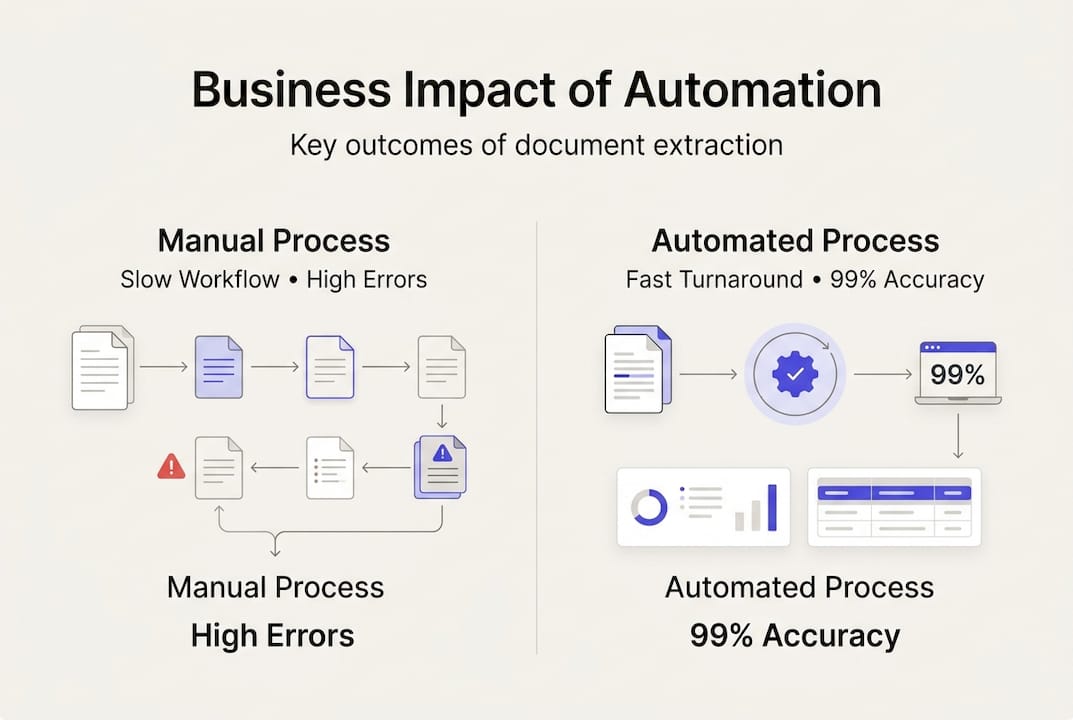
Manual data entry creates a deceptively expensive problem. The visible cost is labor hours spent typing numbers from PDFs into spreadsheets. The invisible costs dwarf that investment. Human errors occur in 1-5% of manual entries, depending on document complexity and processor fatigue. A single transposed digit in a financial statement can trigger incorrect tax filings, failed reconciliations, or compliance violations.
Consider the downstream effects:
- Approval delays: Missing or incorrect data forces documents back for review
- Reconciliation failures: Mismatched amounts create hours of investigative work
- Reporting errors: Bad data produces unreliable financial statements
- Audit findings: Documentation gaps expose organizations to regulatory penalties
- Customer friction: Invoice errors damage vendor relationships and payment cycles
Compliance risk deserves special attention. Regulatory frameworks like SOX, GDPR, and industry-specific standards demand complete, accurate documentation. Manual processes struggle to maintain consistent audit trails. When auditors request supporting documents, finance teams scramble to locate original files, verify data accuracy, and explain discrepancies. Each gap becomes a finding that requires formal remediation.
“The real cost of manual processing isn’t the salary of the data entry clerk. It’s the compounding effect of errors, delays, and missed opportunities that cascade through every financial process.”
Overlooked costs multiply quickly. Error correction consumes 15-20% of processing time. Audit remediations require expensive consultant hours. Delayed insights mean missed cost-saving opportunities. One regional bank calculated that manual loan application processing cost them $45 per document when accounting for labor, errors, and rework. Digital processing reduced that to $8 per document while improving accuracy.
How automation transforms document extraction
Automation replaces manual typing with intelligent software that reads, interprets, and extracts data from documents in seconds. Modern AI-powered platforms use machine learning to recognize document layouts, identify key fields, and validate extracted data against business rules. The transformation is immediate and measurable.
Speed improvements are dramatic. Tasks that required 10 minutes per document manually now complete in under 30 seconds. Monthly reporting cycles that stretched across five days compress into hours. Finance teams that once spent entire weeks on month-end close now finish in a single day. This velocity unlocks faster decision-making and more responsive financial operations.
Accuracy reaches 99% with properly configured automation. Machine learning models learn from corrections, continuously improving their extraction precision. Unlike human processors who tire and make mistakes, automated systems maintain consistent accuracy across thousands of documents. Error rates drop from 3-5% to under 1%, eliminating the costly rework cycle.

Pro Tip: Pair automation with clearly defined workflows and validation rules. The technology handles extraction, but your process design determines how effectively that data flows into downstream systems and decision-making.
Compliance and audit capabilities improve substantially. Automated systems create complete audit trails showing when documents arrived, who processed them, what data was extracted, and any changes made. This transparency satisfies regulatory requirements and simplifies audit responses. One multinational corporation reduced audit preparation time by 60% after implementing automated extraction with built-in compliance logging.
| Metric | Manual Process | Automated Process | Improvement |
|---|---|---|---|
| Processing time per document | 8-12 minutes | 20-40 seconds | 95% faster |
| Error rate | 3-5% | <1% | 80% reduction |
| Monthly processing capacity | 500 documents | 5,000+ documents | 10x scale |
| Audit prep time | 40 hours | 15 hours | 62% savings |
Real-world results validate these improvements. A regional accounting firm automated invoice processing and reduced their monthly close cycle from 7 days to 2 days. A corporate treasury department eliminated 200 hours of monthly manual work by automating bank statement extraction. These gains compound over time as teams redirect saved hours toward higher-value analysis and strategic planning.
Key benefits of automating document extraction
The primary gains from automation cluster around five core areas that directly impact financial performance and operational capability.
Efficiency gains transform team productivity. Automated extraction eliminates repetitive manual work, freeing finance professionals for analysis, planning, and strategic initiatives. Processing times drop by 90% or more. Teams handle 10x their previous document volumes without adding headcount. Month-end close accelerates, enabling faster reporting and decision-making.
Accuracy improvements reduce costly errors and rework. Extraction precision reaches 99%, virtually eliminating the data quality issues that plague manual processes. Consistent formatting and validation rules catch errors before they enter downstream systems. Financial statements become more reliable, and reconciliations complete without manual investigation.
Scalability removes volume constraints. Manual teams hit capacity limits that require expensive hiring to overcome. Automated systems scale effortlessly from hundreds to thousands of documents without performance degradation. Business growth no longer triggers proportional increases in processing staff. Seasonal volume spikes become manageable without temporary workers.
Audit and compliance capabilities strengthen governance. Automated logging creates complete audit trails showing document lineage, extraction details, and any modifications. Regulatory reporting becomes faster and more accurate. Audit preparation time drops significantly as all supporting documentation remains organized and accessible. Compliance risks decrease as consistent processes replace variable manual handling.
Security enhancements protect sensitive financial data. Automated systems enforce access controls, encrypt data in transit and at rest, and maintain detailed activity logs. Document security improves compared to manual processes where papers sit on desks and emails contain unencrypted attachments. Sensitive information like account numbers and transaction details remains protected throughout the extraction workflow.
| Benefit Category | Key Metrics | Business Impact |
|---|---|---|
| Efficiency | 90% time reduction | Faster close cycles, reduced labor costs |
| Accuracy | 99% extraction precision | Fewer errors, less rework, better decisions |
| Scalability | 10x capacity increase | Growth without headcount expansion |
| Compliance | 60% faster audit prep | Lower regulatory risk, easier reporting |
| Security | Enterprise-grade protection | Reduced data breach exposure |
These benefits compound over time. Initial efficiency gains enable teams to take on additional responsibilities. Improved accuracy builds trust in financial data across the organization. Scalability supports business growth without operational friction. Enhanced compliance reduces risk exposure and audit costs. Stronger security protects the organization from increasingly sophisticated threats.
Implementing automated document extraction in your organization
Successful automation requires strategic planning and systematic execution. Organizations that rush implementation without proper preparation often struggle with adoption and fail to realize expected benefits. Follow this proven pathway to bring automated document extraction into your daily workflows.
Assessment and planning phase:
- Map current workflows: Document how documents flow from receipt to final processing
- Identify pain points: Pinpoint where manual handling creates the biggest bottlenecks
- Set clear KPIs: Define success metrics like processing time, error rates, and cost per document
- Calculate baseline costs: Measure current labor hours, error correction time, and audit expenses
- Prioritize use cases: Start with high-volume, standardized documents that deliver quick wins
Pro Tip: Pilot automation on a limited set of documents before full rollout. Choose a high-volume, relatively standardized document type like vendor invoices or bank statements. Measure results carefully, refine your approach, then expand to additional document types.
Strategic planning and process redesign form the foundation for successful automation. Collaborate with IT and compliance teams from day one. IT ensures the automation platform integrates with existing systems like ERP, accounting software, and document management. Compliance validates that automated workflows meet regulatory requirements and maintain necessary audit trails.
Select tools that match your specific needs. Evaluate platforms based on accuracy rates, supported document types, integration capabilities, security features, and scalability. Request proof-of-concept testing with your actual documents. Many organizations discover that their documents have unique formatting or complexity that generic tools handle poorly.
Implementation and rollout:
- Configure extraction rules: Define which fields to capture and validation requirements
- Integrate with systems: Connect automation to your ERP, accounting, and reporting platforms
- Train your team: Ensure staff understand how to use the system and handle exceptions
- Monitor performance: Track KPIs daily during initial rollout to catch issues early
- Iterate and improve: Refine extraction rules based on real-world results and user feedback
Change management matters as much as technology selection. Finance teams accustomed to manual processes need clear communication about how automation changes their roles. Emphasize that automation eliminates tedious work, not jobs. Staff transition from data entry to data validation, exception handling, and analysis. This shift increases job satisfaction while improving organizational capability.
Measure results rigorously. Compare post-automation metrics to your baseline across processing time, accuracy, cost per document, and user satisfaction. Document the benefits to justify continued investment and expansion to additional use cases. Most organizations see ROI within 6-12 months, with benefits accelerating as automation expands across more document types and workflows.
Next steps: How BankStatementFlow can help
Automating document extraction has shifted from competitive advantage to operational necessity. Organizations that continue relying on manual processes face mounting costs, accuracy problems, and compliance risks that compound over time. The question is no longer whether to automate, but how quickly you can implement solutions that transform your financial operations.
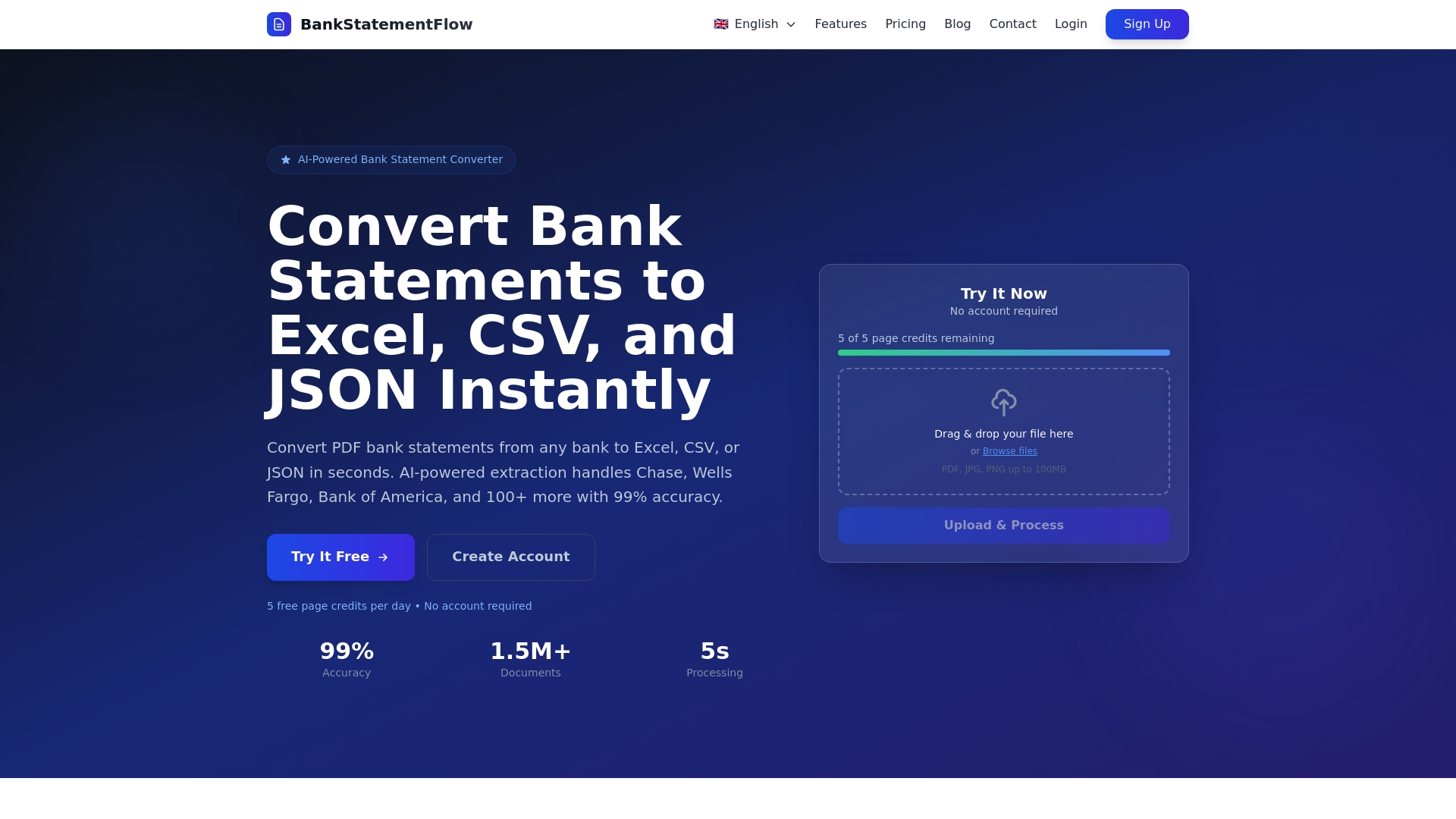
BankStatementFlow delivers AI-powered document extraction specifically designed for financial teams. Our platform achieves up to 99% accuracy across bank statements, invoices, receipts, and other financial documents. We handle password-protected PDFs, images from phone cameras, and documents in multiple languages and regional formats. The system extracts data in seconds and exports to Excel, CSV, JSON, or XML formats that integrate seamlessly with your existing workflows.
What sets BankStatementFlow apart is purpose-built functionality for finance operations. Custom field extraction captures the specific data points your processes require. Enterprise security protects sensitive financial information with encryption and access controls. API access enables integration with your ERP, accounting software, and reporting systems. Our platform scales effortlessly from hundreds to thousands of documents without performance degradation.
Finance teams at small businesses, large enterprises, and accounting firms use BankStatementFlow to eliminate manual data entry, reduce errors, and accelerate financial processes. See how automated extraction can transform your operations with a personalized demo that uses your actual documents.
Frequently asked questions
What types of documents benefit most from automated extraction?
Bank statements, invoices, and loan applications are prime candidates due to high volume and consistency needs. Any financial document with structured data fields and regular processing requirements delivers strong ROI from automation.
How accurate is automated document extraction compared to manual entry?
Automated extraction achieves up to 99% accuracy, significantly reducing human error. Manual processes typically produce 3-5% error rates, making automation 4-5 times more accurate while processing documents 10-20 times faster.
Will automation replace finance staff?
No, automation shifts focus to analysis and oversight, not replacement. Finance professionals transition from repetitive data entry to higher-value work like exception handling, data validation, and strategic analysis that drives business decisions.
What is the first step to automate document extraction?
Start by evaluating your current workflows and identifying bottlenecks where manual processing slows results. Map document volumes, measure processing times, and calculate error rates to establish a baseline for measuring automation benefits.
How long does it take to implement automated document extraction?
Implementation timelines range from 2-8 weeks depending on document complexity and integration requirements. Pilot projects with limited document types can launch in days, while enterprise-wide rollouts with extensive system integration require more planning and testing.