Role of AI in Accounting: Automate Documents for Accuracy

AI reduces financial document processing errors by over 90%, transforming how accounting teams handle bank statements, invoices, and receipts. This technology shift isn’t just about speed. It’s about accuracy that reaches 99%, freeing your team from manual data entry nightmares. You’ll discover how AI automates extraction, integrates with your current software, and maintains security standards your auditors demand.
Table of Contents
- Introduction To Ai In Accounting
- How Ai Automates Financial Document Processing
- Types Of Financial Documents Ai Can Process
- Accuracy Improvements From Ai
- Common Misconceptions About Ai In Accounting
- Integration Of Ai In Existing Workflows
- Security And Compliance Considerations
- Real-World Applications And Case Studies
- Framework For Selecting Ai Tools In Accounting
- Conclusion And Future Outlook
- Discover Bankstatementflow For Ai-Powered Financial Document Automation
- Frequently Asked Questions
Key takeaways
| Point | Details |
|---|---|
| AI automation | Eliminates manual financial document processing, boosting team efficiency by handling bank statements, invoices, and receipts automatically. |
| Accuracy reaches 99% | Machine learning reduces costly errors in data extraction, improving compliance and audit readiness. |
| Document versatility | Supports encrypted PDFs, multi-language formats, and complex layouts without requiring scanners. |
| Seamless integration | APIs connect AI tools with existing accounting platforms like QuickBooks, maintaining workflow continuity. |
| Security compliance | Enterprise-grade encryption and adherence to SOC 2 and GDPR protect sensitive financial data. |
Introduction to AI in accounting
AI in accounting refers to machine learning algorithms that automate the extraction and structuring of data from financial documents. These systems read bank statements, invoices, and receipts, then convert unstructured information into organized formats your team can use immediately.
Manual processing creates bottlenecks. Your staff spends hours typing numbers from PDFs into spreadsheets, and human error compounds with fatigue. One misplaced decimal in a bank reconciliation can trigger audit flags or regulatory penalties.
Early adopters report dramatic shifts in workflow efficiency. AI significantly improves efficiency and accuracy in financial document processing by handling repetitive tasks that previously consumed 40% of accounting team time. The technology identifies transaction patterns, categorizes expenses, and flags anomalies faster than manual review.
Key benefits emerge quickly:
- Time savings of 60-80% on document processing tasks
- Error reduction exceeding 90% compared to manual data entry
- Real-time data availability for financial reporting
- Scalability to handle growing document volumes without hiring
This shift represents more than productivity gains. It repositions your accounting team from data entry clerks to strategic analysts. The AI document processing revolution enables professionals to focus on interpretation, forecasting, and advisory services that drive business value.
How AI automates financial document processing
Optical Character Recognition (OCR) technology serves as AI’s eyes, scanning documents to identify text characters. Modern OCR exceeds simple text reading. It understands context, recognizing that a number preceded by a dollar sign represents currency, while the same digits near “Account” indicate an account number.
Machine learning models then interpret diverse document layouts. A bank statement from Chase looks different from one issued by Wells Fargo, yet AI adapts to both formats without manual configuration. These models train on millions of document examples, learning to locate transaction dates, amounts, and descriptions regardless of template variations.
Complex challenges dissolve with advanced techniques. Password-protected PDFs unlock automatically when credentials are provided. Encrypted documents decrypt during processing. Even phone photos of crumpled receipts become structured data. AI uses OCR and machine learning to handle unstructured, encrypted documents that would stall traditional systems.
Output flexibility matters for integration. AI converts extracted data into formats your existing tools accept:
- Excel spreadsheets for manual review and pivot tables
- CSV files for database imports and legacy system compatibility
- JSON for modern web applications and APIs
- XML for enterprise resource planning systems
The AI accuracy in financial document processing reaches industry-leading levels because models continuously learn from corrections. When a human flags an error, the system updates its understanding, improving future extractions. This creates a feedback loop where accuracy compounds over time.
Bank statement digitization exemplifies the transformation. What once required a team member to manually transcribe hundreds of transactions now happens in seconds, with validation checks that catch formatting inconsistencies humans miss.

Types of financial documents AI can process
Bank statements represent the foundation of financial document processing. AI extracts account numbers, transaction dates, descriptions, debits, credits, and running balances regardless of the issuing institution’s format. Monthly statements from regional credit unions process as efficiently as those from national banks.
Invoices present unique challenges with their vendor-specific layouts. AI identifies invoice numbers, line items, tax calculations, payment terms, and due dates even when vendors use completely different templates. The technology recognizes that “Net 30” and “Payment Due in 30 Days” mean the same thing.
Receipts vary wildly in quality and format. Faded thermal printer receipts, photographed handwritten receipts, and high-resolution scanned receipts all yield structured data. AI pulls merchant names, purchase dates, itemized charges, tax amounts, and totals from sources that would challenge human readers.
AI platforms support multi-language document processing, complex formats, and encrypted PDFs common in financial workflows. Your international subsidiaries can process documents in French, Spanish, German, or Mandarin without separate systems. Regional format variations like European date conventions or currency symbols are handled automatically.
Document source flexibility eliminates hardware dependencies:
- Scanned PDFs from multifunction printers
- Native digital PDFs downloaded from online banking portals
- Smartphone photos taken in poor lighting conditions
- Screenshots captured from accounting software
- Email attachments forwarded directly to processing queues
Encryption no longer blocks automation. Password-protected financial statements, common in banking and legal contexts, decrypt seamlessly when authorized users provide credentials. This maintains security while enabling automation.
The AI for invoice data extraction extends beyond simple field identification. Systems recognize purchase orders referenced on invoices, match line items to contracts, and flag discrepancies between ordered and billed quantities automatically.
Accuracy improvements from AI
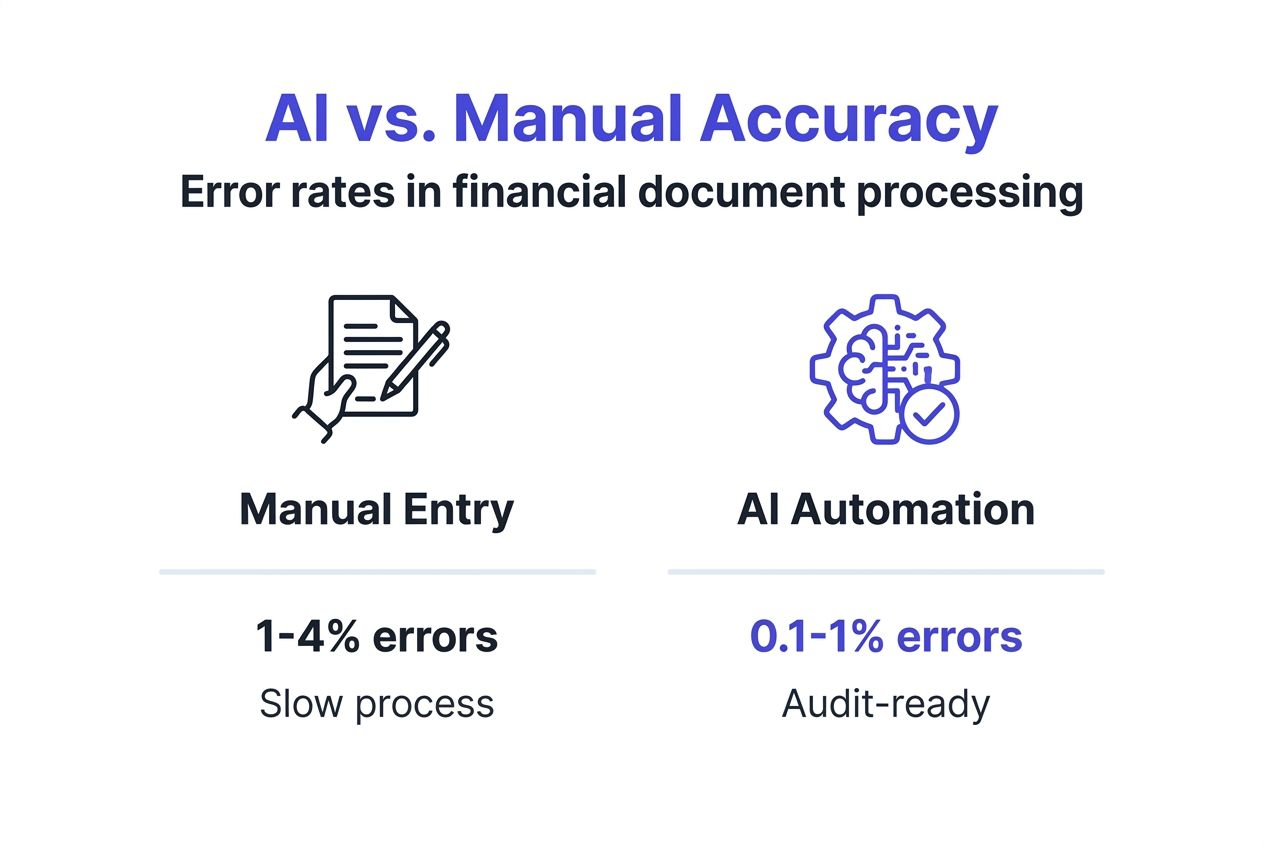
Error rates tell the story. Manual data entry averages 1-4% error rate depending on document complexity and operator fatigue. AI-powered processing can reduce data entry errors by over 90%, achieving accuracy up to 99%. That means 99 correct fields for every 100 extracted, compared to 96-99 with human processors on their best days.
Compliance implications multiply accuracy’s value. Financial regulators demand precise records for audits. A single transposed digit in tax reporting can trigger penalties exceeding the error’s monetary value. AI’s consistency eliminates the random mistakes that plague manual processes.
Audit preparation transforms from a stressful scramble to a routine procedure. When your general ledger matches source documents at 99% accuracy, auditors spend less time verifying basics and more time on substantive testing. This reduces audit fees and shortens the disruption period.
| Metric | Manual Processing | AI Processing |
|---|---|---|
| Error Rate | 1-4% | 0.1-1% |
| Processing Speed | 50-100 docs/day | 1000+ docs/day |
| Consistency | Varies by operator | Uniform across all documents |
| Audit Issues | 15-25 per quarter | 2-5 per quarter |
Pro Tip: Maintain AI accuracy by reviewing a random 5% sample of processed documents monthly. Feed corrections back into the system to refine its learning models. This small investment in quality control compounds accuracy improvements over time.
The improve accounting accuracy with AI impact extends beyond numbers. Your team’s confidence increases when they trust the data. Decision makers act faster when reports are reliable. Clients receive timely insights instead of delayed analyses waiting for data validation.
Real world accuracy matters most during period close. AI processes month-end statements overnight, delivering reconciled accounts by morning. Manual teams often work late into the first week of the new month, rushing to close books while new transactions accumulate.
Common misconceptions about AI in accounting
Myth: AI will replace accountants and eliminate jobs. Reality: AI does not replace human accountants but automates routine tasks, enabling focus on strategic roles. Your team shifts from data entry to analysis, client advisory, and process improvement. The technology handles repetitive document processing while humans interpret results, make judgment calls, and build client relationships.
Myth: AI implementation is plug and play, delivering instant results. Reality: Successful deployment requires 2-4 months of training, integration testing, and workflow adjustment. Your team needs to learn the platform, configure it for your document types, and establish validation procedures. Initial accuracy may start at 85-90% as the system learns your specific documents before reaching 99%.
Myth: AI costs too much for small accounting practices. Reality: Cloud-based SaaS platforms offer subscription pricing starting under $100 monthly for small volumes. You pay for documents processed rather than enterprise licenses. Cost savings from reduced labor hours typically offset subscription fees within the first quarter. A practice processing 500 documents monthly often saves 40+ staff hours, worth far more than the software cost.
Myth: AI makes too many mistakes with complex financial documents. Reality: Modern systems handle intricate layouts, poor-quality scans, and non-standard formats better than humans. Machine learning models trained on millions of documents recognize patterns across vast variation. They don’t get tired, distracted, or make typos.
Pro Tip: Set realistic expectations by starting with a pilot project on a single document type like bank statements. Measure accuracy and time savings over 30 days before expanding to invoices and receipts. This builds team confidence and identifies integration needs before full rollout.
Common implementation challenges include:
- Underestimating training time for staff and AI models
- Failing to establish clear validation procedures
- Skipping integration testing with existing accounting software
- Expecting perfection immediately rather than continuous improvement
- Not allocating resources for ongoing system refinement
The AI revolution misconceptions often stem from outdated information or vendor overpromising. Modern platforms deliver substantial value, but success requires proper planning, reasonable timelines, and commitment to the learning curve.
Integration of AI in existing workflows
API connectivity forms the bridge between AI document processing and your current accounting platform. Effective AI solutions provide API integration to maintain workflow continuity and enable seamless adoption. Your existing software sends documents to the AI system, receives structured data back, and imports it directly into the appropriate accounts.
Data flow preservation matters for team adoption. Staff continue using familiar interfaces rather than learning entirely new systems. The AI operates behind the scenes, appearing as an enhanced data entry feature rather than a replacement platform. This reduces resistance and training requirements.
Integration approaches vary by sophistication:
- Email forwarding for simple setups where documents sent to a specific address process automatically
- Direct API calls for developers building custom connections
- Pre-built connectors for popular platforms like QuickBooks, Xero, and NetSuite
- Batch upload interfaces for processing multiple documents simultaneously
Disruption minimizes through phased implementation. You start by running AI processing parallel to existing manual entry, comparing results to build confidence. Once accuracy validates, you transition to AI-primary processing with spot-check validation. Eventually, manual processing becomes the exception for unusual documents.
The AI integration with accounting software typically requires IT involvement for initial setup but minimal technical skill for daily operation. Finance staff upload documents or forward emails without writing code. The system handles extraction, formatting, and delivery of structured data automatically.
Real-world integration example: A mid-sized accounting firm configured their document management system to automatically send new bank statements to their AI processor. Extracted transactions flow into their practice management software, pre-categorized and ready for review. The five-minute daily task of checking results replaced two hours of manual entry.
Workflow continuity extends to exception handling. When AI confidence scores fall below thresholds, documents route to human review queues. Staff see highlighted fields needing verification rather than processing entire documents from scratch. This hybrid approach combines AI speed with human judgment.
Security and compliance considerations
Encryption protects data throughout the AI processing lifecycle. Enterprise-grade encryption and compliance with SOC 2, GDPR, and financial regulations are essential for AI document platforms. Documents encrypt during upload, remain encrypted during processing, and encrypt again for storage or transmission. Even platform administrators cannot view your financial data in plain text.
SOC 2 Type II certification validates security controls. This audit standard examines how platforms protect customer data through access controls, encryption, monitoring, and incident response. Annual audits verify ongoing compliance rather than one-time assessments. Your firm can present SOC 2 reports to clients and regulators as evidence of due diligence.
GDPR compliance becomes critical for firms handling European client data or operating internationally. AI platforms must demonstrate:
- Right to erasure capabilities for deleting personal financial data
- Data portability features for exporting information in standard formats
- Processing transparency showing how algorithms use customer information
- Consent management for optional data uses beyond core processing
Financial industry regulations add specific requirements. Banking sector platforms must meet standards for transaction data protection. Healthcare accounting requires HIPAA compliance when processing medical billing documents. Public company audit work demands controls meeting PCAOB standards.
Best practices for secure AI adoption include:
- Reviewing vendor security certifications before selection
- Restricting platform access to authorized personnel only
- Enabling multi-factor authentication for all user accounts
- Monitoring access logs for unusual activity patterns
- Establishing data retention policies aligned with regulatory requirements
Trust implications extend beyond technical controls. Clients expect their financial information to remain confidential. Vendor breaches can damage your firm’s reputation even when you weren’t directly responsible. Due diligence on security and compliance in AI protects both data and professional standing.
Regulatory examinations increasingly scrutinize third-party technology vendors. Examiners want to see vendor due diligence documentation, security assessments, and ongoing monitoring procedures. Selecting compliant AI platforms simplifies regulatory interactions and reduces examination findings.
Real-world applications and case studies
A Chicago-based accounting firm with 25 staff processed 8,000 client documents monthly through manual data entry. Implementation of AI document processing reduced their processing time by 75%, from 320 staff hours to 80 hours monthly. Mid-sized accounting firms have documented significant error reduction and workflow speedups using AI-powered document processing. Their error rate dropped from 2.5% to 0.3%, virtually eliminating the client callbacks that plagued month-end close.
User feedback reveals unexpected benefits beyond speed and accuracy:
- Staff morale improved as tedious data entry work disappeared
- Client satisfaction increased due to faster turnaround on monthly reports
- The firm accepted 40% more clients without adding staff
- Senior accountants spent more time on advisory services, increasing revenue per client
A manufacturing company’s accounts payable department transformed their three-way matching process. Previously, clerks manually compared purchase orders, receiving reports, and supplier invoices. AI now extracts data from all three documents and highlights discrepancies automatically. Processing time per invoice fell from 8 minutes to 90 seconds.
Cross-industry examples demonstrate AI’s versatility. A healthcare billing company processes 50,000 insurance explanation of benefits documents monthly. A real estate management firm handles thousands of tenant rent receipts and maintenance invoices. A legal practice extracts financial data from discovery documents during litigation. Each application required minimal customization because modern AI adapts to document variations.
“We recovered 15 hours per week that our team now spends on client advisory calls instead of data entry. The ROI exceeded our projections within the first quarter, and accuracy improvements reduced our professional liability insurance claims by eliminating most data errors.” — CFO of regional accounting firm
The AI revolution case studies consistently show adoption patterns following similar phases. Initial skepticism gives way to pilot testing, which reveals accuracy exceeding expectations. Teams then rush to expand AI to additional document types, and within six months, manual processing becomes the exception rather than the rule.
Lessons learned from successful implementations include starting with high-volume, standardized documents before tackling complex exceptions. Bank statements and standard invoices provide quick wins that build organizational confidence. Once the team trusts the technology, they tackle more challenging documents like international wire transfer confirmations or multi-currency statements.
Framework for selecting AI tools in accounting
The AAISS framework provides a structured approach to evaluating AI document processing platforms based on five critical dimensions. This methodology helps you compare vendors objectively and select solutions aligned with your specific needs.
Automation assesses how much manual work the platform eliminates. Look for systems handling document upload, data extraction, format conversion, and delivery to accounting software without human intervention. The best platforms process documents end-to-end, requiring human input only for exception handling.
Accuracy measures extraction reliability across your document types. Request vendor testing on your actual documents rather than relying on marketing claims. Accuracy above 95% is acceptable, above 98% is good, and above 99% is excellent. Lower accuracy creates more review work, reducing automation benefits.
Integration evaluates how smoothly the AI connects with your existing technology stack. Prioritize platforms offering:
- Pre-built connectors for your accounting software
- RESTful APIs for custom integration development
- Webhook support for real-time data delivery
- Batch processing capabilities for high volumes
- Mobile apps for field document capture
Security examines data protection measures and compliance certifications. Verify SOC 2 Type II reports, encryption standards, and industry-specific compliance like GDPR or HIPAA as relevant. Security failures can expose your firm to liability exceeding any cost savings.
Scalability determines whether the platform grows with your needs. Can it handle 10 times your current document volume without performance degradation? Does pricing scale reasonably, or do costs explode with growth? Will the vendor support your expansion into new document types or international operations?
| Feature | Entry-Level Platform | Enterprise Platform |
|---|---|---|
| Document Volume | Up to 1,000/month | Unlimited |
| Accuracy Guarantee | 95%+ | 99%+ |
| Integration Options | Email, manual upload | API, webhooks, native connectors |
| Security Certifications | SSL encryption | SOC 2, ISO 27001, GDPR |
| Custom Field Extraction | Limited | Fully customizable |
| Support Level | Email only | Dedicated account manager |
Evaluation steps for systematic tool selection:
- Document current processing volumes by type
- Identify integration requirements with existing software
- Define minimum accuracy thresholds based on error cost
- List security and compliance must-haves
- Estimate growth trajectory for scalability needs
- Request vendor trials with your actual documents
- Compare results using AAISS framework scoring
- Calculate total cost of ownership including implementation
Avoid selecting based solely on lowest price. Cheap platforms often deliver poor accuracy, requiring extensive manual correction that eliminates cost savings. The optimal choice balances capability with affordability while meeting your specific requirements.
Conclusion and future outlook
AI has transformed financial document processing from a manual bottleneck into an automated advantage. The technology delivers 99% accuracy, processes thousands of documents daily, and integrates seamlessly with existing accounting workflows. Your team escapes data entry tedium to focus on analysis, advisory services, and strategic initiatives that drive business value.
Adoption continues accelerating across firms of all sizes. What began as an enterprise-only capability now reaches small practices through affordable SaaS platforms. The barrier to entry has dropped from six-figure investments to monthly subscriptions comparable to basic software tools.
Emerging capabilities promise even greater automation. Natural language processing will soon extract insights from unstructured notes and emails. Predictive analytics will forecast cash flow from historical patterns. Blockchain integration will verify transaction authenticity automatically. The future trends of AI in accounting point toward fully autonomous bookkeeping for routine transactions.
Now is the time to explore AI solutions actively. Your competitors are already implementing these tools, gaining efficiency advantages that compound monthly. The learning curve is manageable, the cost is reasonable, and the benefits materialize quickly. Start with a pilot project on your highest-volume document type and experience the transformation firsthand.
Discover BankStatementFlow for AI-powered financial document automation
Ready to eliminate manual data entry and achieve 99% accuracy in your financial document processing? BankStatementFlow delivers the AI capabilities discussed throughout this guide in a platform built specifically for accounting teams.
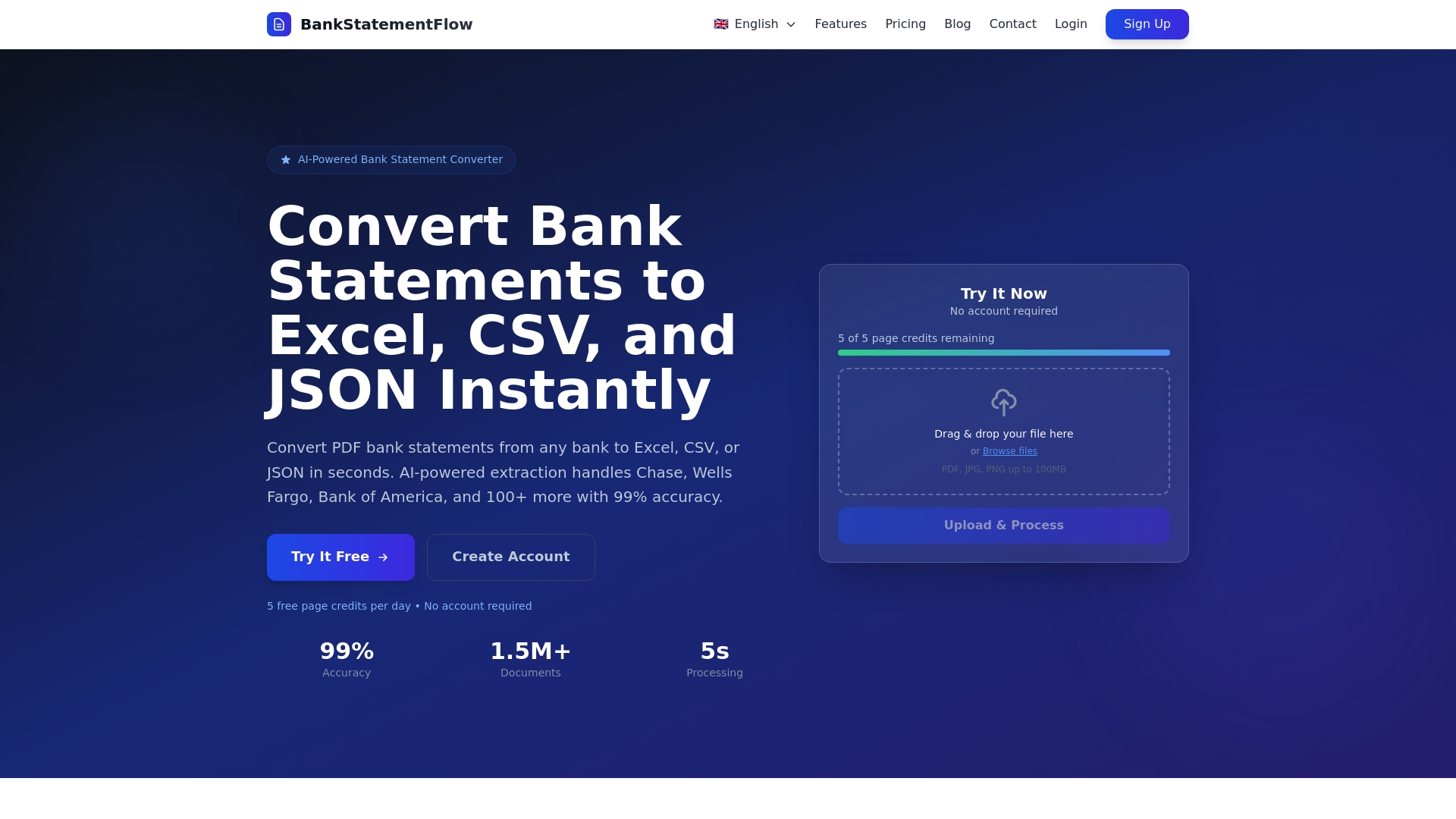
The BankStatementFlow AI platform handles bank statements, invoices, receipts, and encrypted PDFs with enterprise-grade security and SOC 2 compliance. API integration connects seamlessly with QuickBooks, Xero, and other accounting software you already use.
Experience how automating financial documents can recover 60-80% of your team’s processing time. Review AI accuracy case studies from firms that transformed their workflows and discover how your practice can achieve similar results. Start your free trial today and process your first 50 documents at no cost.
Frequently asked questions
What types of financial documents can AI efficiently process?
AI handles bank statements, invoices, receipts, encrypted PDFs, and documents in multiple languages with high accuracy. The technology adapts to complex layouts, poor-quality scans, and non-standard formats without requiring manual configuration. Even handwritten receipts photographed on smartphones convert to structured data automatically.
Does AI replace accountants and financial professionals?
AI automates repetitive data entry tasks but enhances rather than replaces accounting professionals. Your team shifts from manual processing to higher-value activities like financial analysis, client advisory, and strategic planning. Human expertise remains essential for interpreting results, making judgment calls, and building client relationships that technology cannot replicate.
How secure is AI processing of sensitive financial documents?
Enterprise-grade encryption protects data during AI processing, and platforms comply with SOC 2 and GDPR for secure document handling. Documents encrypt during upload, throughout processing, and during storage or transmission. Leading AI providers follow strict security and compliance protocols specifically designed for financial data protection. Annual security audits verify ongoing compliance with industry standards.
How can AI be integrated into existing accounting workflows?
AI tools provide APIs for seamless integration with accounting platforms, maintaining workflow continuity without disrupting operations. Your team continues using familiar software while AI operates behind the scenes, extracting data and delivering it directly into the appropriate accounts. Pre-built connectors for QuickBooks, Xero, and other popular platforms simplify setup. Planning and testing ensure smooth adoption with minimal learning curve.
Recommended
- AI in Finance: Unlocking Unmatched Accuracy - BankStatementFlow Blog
- AI in Finance: 99% Accuracy Transforms Document Processing - BankStatementFlow Blog
- Blog - BankStatementFlow | AI Document Processing Insights
- The AI Document Processing Revolution: How BankStatementFlow is Changing Business - BankStatementFlow Blog