Why Convert Financial Documents to Excel?

Manually entering figures from bank statements or invoices can drain time and undermine confidence in your numbers. For teams managing growing document stacks from worldwide partners, even a small error can trigger costly reporting issues. Financial document conversion powered by Intelligent Document Processing (IDP) solutions transforms unstructured files into reliable Excel data, freeing your analysts for high-impact work. Discover how machine-driven extraction helps your company reduce mistakes, keep pace with mounting volumes, and unlock deeper financial insight.
Table of Contents
- What Is Financial Document Conversion?
- Key Benefits of Excel-Based Financial Data
- How AI Automation Improves Accuracy and Speed
- Real-World Applications for Finance Teams
- Risks, Alternatives, and Common Mistakes
Key Takeaways
| Point | Details |
|---|---|
| Financial Document Conversion Enhances Efficiency | Automation reduces manual data entry time, allowing finance teams to focus on analysis instead. |
| Improved Accuracy with AI Technology | AI-powered document conversion achieves accuracy rates above 99%, reducing errors in financial reporting. |
| Excel Streamlines Data Analysis | Converted data in Excel provides a unified workspace, accelerating reporting cycles and enhancing decision-making. |
| Cost Savings from Increased Productivity | Automating document processing can save accounting teams thousands in labor costs annually by recovering time spent on manual tasks. |
What Is Financial Document Conversion?
Financial document conversion transforms unstructured paper or digital documents into organized, machine-readable data formats like Excel. Rather than manually typing numbers from invoices, bank statements, or receipts, conversion technology extracts this information automatically and structures it for analysis.
At its core, this process uses technology to replace tedious manual data entry. Instead of your team spending hours copying figures from one format to another, the system pulls data directly from source documents and places it where you need it.
How Conversion Works
Intelligent Document Processing (IDP) technologies power modern conversion. These systems use AI-powered data extraction combined with optical character recognition (OCR), machine learning, and natural language processing to read documents accurately.
The process unfolds in three stages:
- Capture - The system scans documents (PDFs, images, or encrypted files) and converts them into readable data
- Extract - AI identifies relevant fields like invoice amounts, dates, vendor names, and account numbers
- Validate - Machine learning algorithms verify accuracy and flag inconsistencies for review
This differs significantly from basic scanning. Traditional scanners create image files. Conversion systems create structured, searchable data.
What Documents Can Be Converted
Financial teams convert a wide range of documents regularly:
- Bank statements and transaction records
- Invoices and purchase orders
- Expense receipts and reimbursement forms
- Loan agreements and financial contracts
- Tax returns and compliance documents
- Credit card statements
- Payment remittances and reconciliation files
The technology handles different document types, languages, and regional formats—critical for organizations with international operations.
Below is a quick reference for document types and unique challenges during conversion:
| Document Type | Common Challenge | AI Solution |
|---|---|---|
| Bank Statements | Varying formats by bank | Template matching, OCR |
| Invoices | Handwritten or scanned | Field extraction, NLP |
| Tax Returns | Multi-page, complex | Data mapping, validation |
| Expense Receipts | Poor image quality | Image cleanup, validation |
| Contracts | Legal language, ambiguity | Entity recognition, review |
Conversion accuracy matters. A single misread amount creates cascading errors in reconciliation, reporting, and financial analysis.
Why This Matters for Your Team
Manual document processing consumes roughly 10-15 hours per week for small accounting teams. This time adds up to thousands of dollars annually in labor costs. Conversion eliminates that bottleneck entirely.
Your analysts spend less time copying data and more time analyzing trends, identifying discrepancies, and providing strategic insights. The finance function shifts from operational work toward higher-value activities.
Accuracy improves dramatically too. Human data entry introduces errors at a rate of approximately 1-3% depending on document complexity. Conversion systems maintain accuracy rates above 99% consistently.
Pro tip: Start by converting your highest-volume documents first—typically bank statements or vendor invoices. This delivers maximum time savings while you evaluate the system’s accuracy on your specific document types.
Key Benefits of Excel-Based Financial Data
Once your financial documents are converted to Excel, the real power emerges. Excel transforms raw numbers into strategic assets your team can analyze, manipulate, and act on immediately. This shift from data capture to data utility defines why conversion matters.
Unified Data Analysis and Reporting
Excel consolidates fragmented financial information into a single workspace. Instead of toggling between email attachments, folders, and systems, your team works from one organized spreadsheet. This eliminates confusion about which version is current.

Consolidation enables faster reporting cycles. Monthly financial statements that once took three days now take hours because data lives in one place, properly formatted, and ready for analysis.
Built-In Functions for Financial Modeling
Excel provides robust functions for financial planning including NPV, IRR, and IF statements that automate complex calculations. These functions reduce manual computation and human error dramatically.
Your analysts can build:
- Budget models and variance analysis
- Forecasting scenarios and sensitivity testing
- Cash flow projections and break-even analysis
- Trend analysis and ratio calculations
Once formulas are set up, recalculating takes seconds instead of hours.
Superior Data Visualization
Pivot tables and charts transform numbers into visual stories stakeholders understand instantly. A dashboard showing spending by department or revenue trends over time communicates far better than spreadsheet columns.
Visualization accelerates decision-making because patterns become obvious. Outliers jump out. Trends reveal themselves without digging through rows of data.
Excel’s visualization tools help executives spot problems and opportunities in seconds rather than through lengthy written reports.
Flexibility and Customization
Excel adapts to your specific processes. Unlike rigid accounting software, you customize columns, formulas, and layouts exactly as your team needs them. New requirements? Add a column. Change a calculation? Modify one formula.
This flexibility means Excel works for your workflow, not the opposite way around.
Improved Accuracy Through Automation
Formulas eliminate recalculation errors. Once you build a budget model, formula errors get caught immediately. Manual recalculation errors simply don’t exist when spreadsheets do the math.
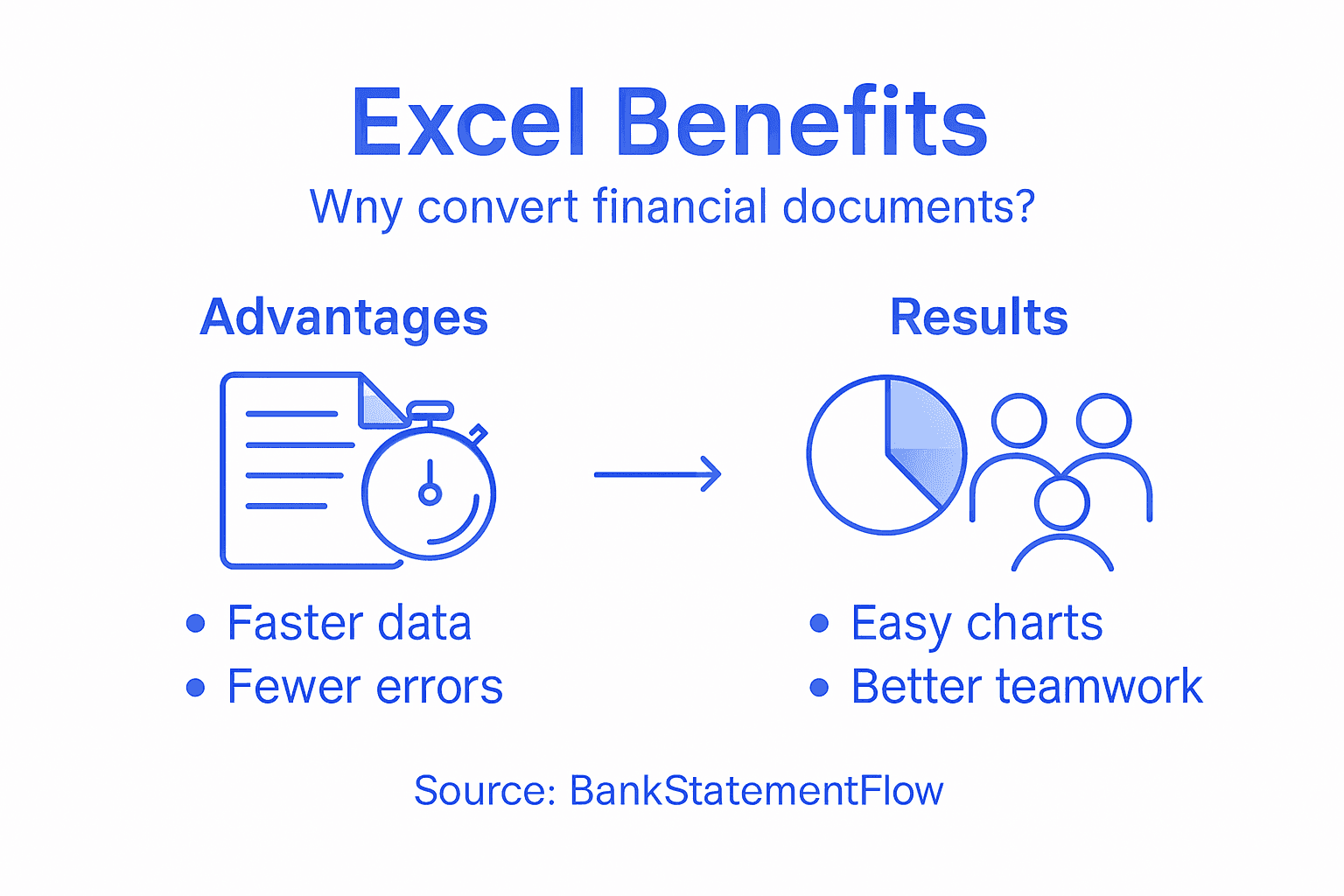
Data validation rules catch bad entries before they propagate through your analysis. Combined with document conversion accuracy above 99%, your entire pipeline becomes far more reliable.
Accessibility and Collaboration
Excel files work everywhere. Share via email, cloud storage, or your existing system. No special software required. Your entire team can access, review, and add comments using tools they already know.
Collaboration happens naturally because Excel is universal.
Pro tip: Build a template in Excel after your first conversion batch succeeds. Standardized layouts across team members make consolidation faster and reduce formula errors when compiling department submissions.
How AI Automation Improves Accuracy and Speed
AI-powered document conversion eliminates the accuracy problems that plague manual data entry. Your team gains speed and precision simultaneously, a combination manual processes simply cannot match.
Accuracy That Exceeds Human Performance
Human data entry introduces errors at rates between 1-3% depending on document complexity. A single mistake cascades through your entire financial system, corrupting reconciliation, analysis, and reporting.
AI-driven financial document processing achieves accuracy near 99% through optical character recognition, natural language processing, and deep learning algorithms. The system learns from your document patterns over time, becoming more accurate with each batch processed.
This means fewer reconciliation issues. Your analysts spend time on analysis instead of hunting down data entry mistakes.
Processing Speed That Changes Workflows
AI systems process documents in milliseconds. A batch of 50 invoices that takes your team 2-3 hours completes in minutes. This speed transforms your operational capacity entirely.
Consider the time savings across typical document types:
- Bank statement processing: 2-3 hours to 5 minutes
- Invoice extraction: 1 hour to 2 minutes per 20 documents
- Expense report compilation: 4 hours to 10 minutes
- Reconciliation file matching: 3-4 hours to under 10 minutes
These hours add up to weeks annually per team member.
Reduced Operational Costs
Faster processing means fewer labor hours required. A small accounting team spending 10-15 hours weekly on document processing recovers approximately 520-780 hours annually. At average loaded costs, this represents $15,000-$25,000 in annual labor savings for a single team.
Scale this across multiple departments or locations, and the financial impact becomes substantial.
Here’s how manual and AI-powered financial document processing compare:
| Attribute | Manual Processing | AI-Powered Conversion |
|---|---|---|
| Accuracy Rate | 97-99% (prone to errors) | Over 99% consistently |
| Typical Speed | Hours per batch | Minutes or seconds |
| Labor Cost | High, recurring | Low, mostly setup |
| Scalability | Limited, slows with volume | Strong, no quality loss |
| Error Detection | Relies on users | Automated, proactive |
| Collaboration | Often siloed | Centralized, instant |
Automation eliminates not just errors, but the entire category of work that produces those errors in the first place.
Fraud Detection and Compliance
AI systems identify suspicious patterns humans might miss. Classification algorithms flag unusual invoices, duplicate payments, or amounts that deviate from historical norms automatically. This proactive detection prevents fraud before it causes damage.
Compliance monitoring happens simultaneously with data extraction. Regulatory requirements get built into the workflow rather than added as an afterthought.
Scalability Without Quality Loss
Traditional processes degrade under volume. Add more documents, and error rates climb because manual work fatigues. AI maintains consistent accuracy regardless of volume.
Process 100 documents or 10,000 documents monthly—accuracy stays above 99%. Your team can handle growth without adding headcount proportionally.
Real-Time Decision Making
Fast data availability enables better decisions. Finance teams can provide week-old insights instead of month-old reports. This speed matters when cash flow decisions depend on current information.
Your organization becomes more responsive to market conditions because financial data reflects today’s reality, not last month’s.
Pro tip: Start with your most error-prone document type. Compare AI-processed results against your current manual results for the first two weeks. This validation proves accuracy to skeptical stakeholders while building team confidence in the system.
Real-World Applications for Finance Teams
Document conversion solves specific, painful problems your finance team faces every single day. These aren’t theoretical benefits—they’re concrete improvements that change how your team works.
Invoice Processing and Approval Cycles
Vendor invoices pile up. Your team manually enters amounts, dates, vendor names, and account codes into your system. Each invoice takes 5-10 minutes to process, and errors require rework.
With conversion, invoices extract in seconds. Automated financial document workflows pull data directly into your accounting system, triggering approval workflows automatically. A 50-invoice batch that consumed a full workday now processes in minutes.
Approval cycles accelerate dramatically. Bottlenecks disappear because data entry no longer blocks the workflow.
Bank Reconciliation
Monthly bank reconciliation creates deadline stress. Your team downloads statements, manually matches transactions, and investigates discrepancies. This process typically consumes 8-12 hours monthly per accountant.
Conversion extracts all transactions automatically into Excel. Your reconciliation software matches them instantly. What took an afternoon now takes 30 minutes.
Expense Report Consolidation
Employees submit receipts in various formats—phone photos, PDFs, screenshots from email. Your team enters each receipt manually into your expense management system.
Conversion processes all receipt types simultaneously:
- Extracts merchant names, amounts, dates, and categories
- Flags duplicate submissions automatically
- Routes expenses to correct cost centers
- Generates summary reports for approval
Weekly expense processing shrinks from 4 hours to under 30 minutes.
Financial Planning and Forecasting
AI applications enable smarter financial planning by analyzing historical transaction patterns. Your team extracts data from multiple periods and identifies spending trends automatically.
This historical data feeds into forecasting models, revealing seasonal patterns and growth trajectories that manual analysis misses.
Compliance and Risk Management
Regulatory requirements demand accurate document retention and audit trails. Manual processes create compliance risk because documents scatter across email, shared drives, and individual computers.
Conversion creates centralized, searchable records with automatic flagging for unusual transactions. Anomaly detection identifies suspicious patterns before they become problems.
Real-Time Financial Insights
Traditional monthly reporting provides week-old information. By then, opportunities pass and problems worsen undetected. Conversion enables weekly or even daily reporting because data extraction becomes instant.
Your leadership team makes decisions based on current financial reality, not historical snapshots.
Teams that convert documents spend 20+ hours weekly on manual data work. That time transforms into analysis, strategy, and growth initiatives.
Cross-Departmental Collaboration
Finance teams often struggle to get timely data from operations or sales. Manual collection and consolidation delays reporting. With conversion, departments submit documents through a standard process, and finance extracts data automatically.
Collaboration improves because finance receives consistent, clean data without chasing down multiple formats.
Pro tip: Map your current document workflows by tracking time spent on each task for two weeks. Most teams discover one or two processes consuming disproportionate time—start there, measure the improvement, then expand to other workflows.
Risks, Alternatives, and Common Mistakes
Document conversion isn’t a cure-all. Understanding the limitations and pitfalls helps you implement the solution correctly and avoid costly mistakes.
Excel Spreadsheet Risks
Excel itself introduces risks when used improperly. Common spreadsheet risks include version control chaos, outdated data recycling, and manual formula errors that cascade through your analysis.
These problems emerge when teams:
- Share multiple versions via email instead of centralizing files
- Forget to update formulas when data sources change
- Lack formal approval workflows for financial spreadsheets
- Fail to document which spreadsheet version is authoritative
- Create dependencies on individual employees who understand the formulas
One person updates their copy while others work from an older version. Financial reporting becomes inconsistent and unreliable.
Data Quality Garbage In, Garbage Out
Conversion accuracy depends on source document quality. Heavily damaged PDFs, handwritten documents, or extremely poor image quality create extraction challenges. Even 99% accuracy systems struggle with severely degraded inputs.
Set realistic expectations about what conversion can accomplish. If your source documents are poor quality, invest in document improvement first.
Integration and System Compatibility
Excel exists in isolation unless you deliberately connect it to other systems. Manual data movement between Excel and your accounting software reintroduces the problems conversion was supposed to solve.
You need:
- API connections to your accounting system
- Defined workflows that move data automatically
- Regular reconciliation to catch integration failures
- Governance around who updates what
Without these elements, Excel becomes another data silo.
Security and Data Privacy Concerns
Financial data deserves protection. Data security in financial document processing requires encryption, access controls, and audit trails. Basic Excel files stored on shared drives create compliance violations.
Your conversion platform must support enterprise security including role-based access, encrypted storage, and detailed audit logs.
When Manual Processing Makes Sense
Small volumes don’t justify automation. If your team processes 20 invoices monthly, the time savings don’t justify setup and learning costs. Conversion makes sense when monthly volumes exceed 100-200 documents.
Simple documents with consistent formats work fine manually. Complex documents with varied layouts justify automation investments.
Common Implementation Mistakes
Teams often fail by:
- Starting with too many document types simultaneously
- Refusing to adjust processes to match the system
- Skipping validation of converted data
- Failing to train team members adequately
- Treating conversion as a one-time project instead of ongoing process improvement
Successful implementation requires phased rollouts, process redesign, and team buy-in.
Conversion solves specific problems. If your real problem is lacking financial discipline or outdated processes, automation simply makes bad operations faster.
Alternative Approaches
Full automation isn’t your only option. Hybrid approaches combine manual review with automated extraction, catching errors before they propagate. This costs more upfront but provides security for high-value transactions.
Outsourcing to service bureaus handles overflow but sacrifices control and creates delays. Works well for seasonal spikes, not ongoing operations.
Custom software development provides perfect fit but requires significant investment and maintenance.
Pro tip: Before committing to conversion, run a two-week pilot with your highest-volume document type. Compare converted results against your current process for accuracy and time savings. Use this data to build a business case for full rollout rather than guessing.
Unlock the Full Potential of Your Financial Data with Automated Document Conversion
The article highlights a critical challenge faced by finance teams today manual financial document processing that drains valuable time and introduces costly errors. You want accuracy rates above 99 percent and the ability to convert unstructured documents like bank statements, invoices, and receipts into structured, Excel-ready data without extensive manual effort. The goal is clear to reduce labor-intensive tasks and empower your team to focus on strategic analysis rather than repetitive data entry.
BankStatementFlow offers a powerful AI-driven solution tailored to these exact needs. Our platform automates extraction from diverse financial documents with exceptional speed and precision regardless of format or language. By transforming your documents directly into Excel or other structured formats, you eliminate manual errors and accelerate workflows across invoice processing, reconciliation, and expense management.
Take the next step to transform your financial operations today. Experience firsthand how BankStatementFlow can deliver high accuracy, rapid processing, and seamless integration into your existing systems. Start with a risk-free trial at https://bankstatementflow.com and watch hours of manual work become minutes. With cutting-edge AI powering your document conversion you gain the confidence, speed, and flexibility finance teams need to thrive.
Explore detailed benefits and real-world applications now at BankStatementFlow and make manual financial data processing a thing of the past.
Frequently Asked Questions
What is financial document conversion?
Financial document conversion is the process of transforming unstructured paper or digital financial documents into organized, machine-readable data formats such as Excel, allowing for easier analysis and reporting.
How does the document conversion process work?
The document conversion process involves three stages: Capture (scanning documents), Extract (using AI to identify relevant data fields), and Validate (ensuring accuracy through machine learning algorithms).
What types of financial documents can be converted?
A wide range of financial documents can be converted, including bank statements, invoices, expense receipts, tax returns, and financial contracts.
What are the benefits of converting financial documents to Excel?
Converting financial documents to Excel allows for unified data analysis, improved accuracy, enhanced data visualization, and greater flexibility in financial modeling, leading to more strategic insights and decision-making.
Recommended
- PDF Bank Statement to Excel Converter | Free AI Tool
- How to Export Financial Data to Excel Effortlessly - BankStatementFlow Blog
- PDF Invoice to Excel & CSV Converter | Free AI-Powered Tool
- Credit Card Statement to Excel Converter | Free AI Tool
- Finance Recruitment Trends in Birmingham (2026) | IBACO Recruitment