What Is Bank Statement Parsing and Why Accuracy Matters

Sorting through bank statements from multiple banks and formats can quickly become a major bottleneck for financial teams trying to keep books in order. With statements arriving as PDFs, Excel files, and even scanned paper documents, manual entry not only wastes time but also invites costly mistakes. Parsing technology transforms this process by converting unstructured bank data into clean transaction records your accounting systems can trust, helping you stay focused on analysis instead of data entry headaches.
Table of Contents
- Defining Bank Statement Parsing And Its Core Concepts
- Types Of Bank Statement Formats And Data Sources
- How AI Powers Accurate Data Extraction
- Practical Uses In Financial Workflows And Automation
- Risks, Common Pitfalls, And Security Considerations
Key Takeaways
| Point | Details |
|---|---|
| Automated Parsing Efficiency | Bank statement parsing automates data extraction, significantly reducing manual entry time and increasing accuracy in financial workflows. |
| Importance of Parsing Accuracy | Achieving high accuracy (99%) is crucial as errors in parsing can lead to incorrect financial analyses and decisions. |
| Handling Diverse Formats | Understanding the variety of bank statement formats is essential for effective parsing, as each format presents unique challenges. |
| AI-Driven Improvements | Leveraging AI technologies in parsing enhances the system’s ability to adapt to new statement layouts and improves overall accuracy. |
Defining Bank Statement Parsing and Its Core Concepts
Bank statement parsing is the automated process of extracting structured transaction data from raw bank statement documents. Instead of manually typing numbers into spreadsheets, parsing technology reads your statements and converts them into organized, usable data.
Here’s what makes parsing different from manual data entry:
- Automatic extraction: The system identifies transaction details like dates, amounts, and merchant names without human intervention
- Format flexibility: Handles statements from different banks, layouts, and even handwritten or scanned documents
- Rapid processing: Converts dozens or hundreds of statements in minutes instead of hours
The core challenge in parsing involves transforming unstructured bank statement data into clean, structured records that your accounting systems can use. Your bank’s PDF layout differs from another bank’s format. Amounts appear in different column positions. Some statements include fees and transfers, others don’t.
How Parsing Technology Works
Modern parsing relies on two main technologies working together. Optical character recognition (OCR) reads text from scanned documents and PDFs, converting images into readable data. Machine learning models then understand the context, identifying which numbers represent deposits versus withdrawals.
The system learns patterns by processing thousands of statements. It recognizes that a transaction on Tuesday with a vendor name likely represents a business expense. A recurring amount on the 15th of each month might be a loan payment.
Key capabilities include:
- Extract transaction dates and amounts with high accuracy
- Identify merchant names and transaction descriptions
- Categorize transactions by type (deposit, withdrawal, transfer, fee)
- Validate data consistency across multiple statements
- Flag unusual patterns or potential errors
Why Accuracy Matters in Your Workflow
For your accounting team, accuracy directly impacts your financial records and compliance. A single misread amount compounds across reconciliation processes. When you extract $1,500 as $15,000, your cash flow analysis becomes unreliable.
Inaccurate parsing forces manual verification work, defeating the automation purpose. Your team spends time correcting errors instead of analyzing trends or responding to financial issues.
Parsing accuracy of 99% means one error per 100 transactions—acceptable for automation, but those errors still require correction in your workflow.
Common parsing errors include:
- Confusing similar-looking characters (1 vs. I, 0 vs. O)
- Misreading decimal positions in amounts
- Extracting text from column headers as transaction data
- Missing transactions from complex layouts
Pro tip: Start with small statement batches when implementing parsing to validate accuracy rates against your specific statement formats and identify any systematic errors before processing large volumes.
Types of Bank Statement Formats and Data Sources
Bank statements arrive in multiple formats, each with different structures and parsing complexity. Your accounting team likely receives statements as PDFs, but you might also handle Excel files, encrypted documents, or digital formats from online banking portals.
Understanding these formats matters because parsing difficulty varies dramatically. A clean CSV file extracts in seconds. A scanned paper statement requires optical character recognition and manual verification.
Paper and PDF Statements
Traditional paper statements and PDFs remain common despite digital alternatives. Banks mail physical documents, and many businesses still prefer printed records for filing and audits.

The challenge: layout varies by bank and account type. Your checking account statement might show transactions in rows with columns for date, description, and amount. Another bank formats the same data differently, placing amounts on the right side with descriptions spanning multiple lines.
PDF statements introduce additional complexity:
- Scanned PDFs (images) require OCR technology to extract text
- Native PDFs preserve text but vary in layout and structure
- Multi-page statements require data continuity across sections
- Headers and footers get mistaken for transaction data
Paper and PDF statements are the most difficult format to parse accurately due to inconsistent layouts, but they remain standard for many small and medium enterprises.
Digital Structured Formats
Digital formats like CSV, Excel, and XML solve layout problems by using standardized structures. Different types of bank statements include formats specifically designed for automated processing.
Common digital formats include:
- CSV files: Simple comma-separated values with consistent columns
- Excel spreadsheets: User-friendly with built-in formulas and sorting
- OFX (Open Financial Exchange): Standard format for bank-to-software connections
- CAMT.053: ISO 20022 standard for international bank transactions
- XML formats: Hierarchical structure supporting complex, multi-account data
These formats enable rapid, accurate parsing because structure is predictable. Your parsing system knows exactly where to find dates, amounts, and descriptions.
Here is a comparison of major bank statement formats and their parsing complexity:
| Statement Format | Parsing Complexity | Typical Challenges | Best Use Case |
|---|---|---|---|
| PDF (Scanned/Image) | High | OCR errors, layout variability | Legacy records, paper archives |
| PDF (Text/Natively Digital) | Moderate | Inconsistent column placement | Standard digital bank statements |
| CSV/Excel | Low | Occasional header issues | Automated imports, modern banking |
| OFX/XML/CAMT.053 | Lowest | Rare formatting mismatches | Cross-bank, international transfers |
Data Sources Beyond Banks
Your financial data comes from multiple sources beyond traditional bank statements. Digital banking platforms provide transaction exports. Payment processors deliver settlement reports. Accounting software generates transaction logs.
Each source uses different terminology and categorization methods. Understanding your data sources helps your team validate parsed results and catch errors early.
Common sources your team likely handles:
- Bank portals and online banking systems
- Credit card statements and processor platforms
- Accounting software transaction exports
- Invoice and payment processing systems
- Mobile banking screenshots and email attachments
The variety creates parsing challenges because one system labels a transaction as “ACH Debit” while another calls it “Electronic Transfer.”
Pro tip: Map all your data sources and their formats at the start of implementation—knowing which statements arrive as PDFs versus structured files helps you plan parsing workflows and set realistic accuracy expectations for each source.
How AI Powers Accurate Data Extraction
Artificial intelligence transforms bank statement parsing by combining multiple technologies that work together seamlessly. Traditional methods struggle with layout variations and handwritten text. AI systems learn from thousands of documents and adapt to new formats automatically.
The magic happens when you combine three core technologies into one unified system. Each solves specific problems that manual or simple automation methods cannot handle.
The Three AI Technologies Working Together
Optical character recognition (OCR) reads text from scanned documents and images. But basic OCR fails when statements are low-quality, rotated, or contain unusual fonts. AI-enhanced OCR learns context clues to correct misread characters automatically.
Natural language processing (NLP) understands meaning behind words and numbers. It recognizes that “Transaction” and “Payment” refer to the same concept, even though they use different terminology. This contextual understanding prevents categorization errors.
Deep learning models process patterns across millions of documents. These neural networks identify which numbers are amounts, which dates are transaction dates, and which text is merchant information. Unlike fixed rules, deep learning adapts to new statement layouts without reprogramming.
Together, advanced OCR combined with natural language processing overcomes traditional limitations that plague older systems.
How AI Learns and Improves
AI-powered parsing systems improve over time rather than remaining static. When your system encounters a new statement format, it analyzes the structure, learns the layout, and processes similar statements more accurately on the next attempt.
Key advantages of AI learning:
- Handles variability: Different banks, account types, and regional formats require no manual reconfiguration
- Corrects context errors: When a character looks like “0” but should be “O,” AI uses surrounding context to choose correctly
- Flags confidence issues: The system marks low-confidence extractions for human review instead of guessing
- Adapts to handwriting: Scanned statements with handwritten notes get processed accurately
Your accounting team doesn’t need to rewrite parsing rules for each new bank statement variant. The AI learns automatically.
Real-World Impact on Your Workflow
This AI capability directly reduces your team’s manual work. Scanned PDF statements that previously required 20 minutes of verification now need only five minutes because the AI extraction reaches 99% accuracy instead of 75%.
Common improvements your team will experience:
- Fewer amount misreads and decimal position errors
- Faster processing of multi-page statements
- Better handling of statements with unusual formatting
- Reduced false positives and validation errors
AI systems overcome layout variability and format inconsistency—the two biggest obstacles in traditional parsing—by learning dynamically from each document processed.
The system validates its own work by cross-checking extracted data against transaction patterns. If an amount seems unusually large compared to historical data, the system flags it automatically.
Pro tip: Feed your AI system a diverse sample of your actual bank statements during setup so it learns your specific formats and terminology, rather than relying only on generic training data.
Practical Uses in Financial Workflows and Automation
Bank statement parsing isn’t just a nice-to-have feature—it’s a practical tool that solves real problems in your daily accounting work. Your team uses parsed data across multiple processes, from reconciliation to compliance reporting.
Once statements are automatically extracted into structured data, your workflows become faster and more reliable. You stop waiting for manual data entry and start getting insights immediately.
Bank Reconciliation at Speed
Bank reconciliation is where parsing delivers immediate value. Your accountants currently match extracted statement data against ledger entries line by line. Parsing automates the matching process by converting statements into formats your accounting software understands.
Traditional reconciliation takes hours per statement. Parsing reduces this to minutes because data already exists in the correct format. Your team reviews the system’s matches rather than creating them manually.
Reconciliation benefits:
- Automatic line-item matching against GL accounts
- Real-time detection of unmatched transactions
- Faster identification of discrepancies and errors
- Reduced time accountants spend on data entry
Cash Flow Analysis and Forecasting
Accurate, timely transaction data enables better cash flow predictions. When statements arrive as PDFs and require manual extraction, your cash flow analysis lags behind reality by days or weeks.
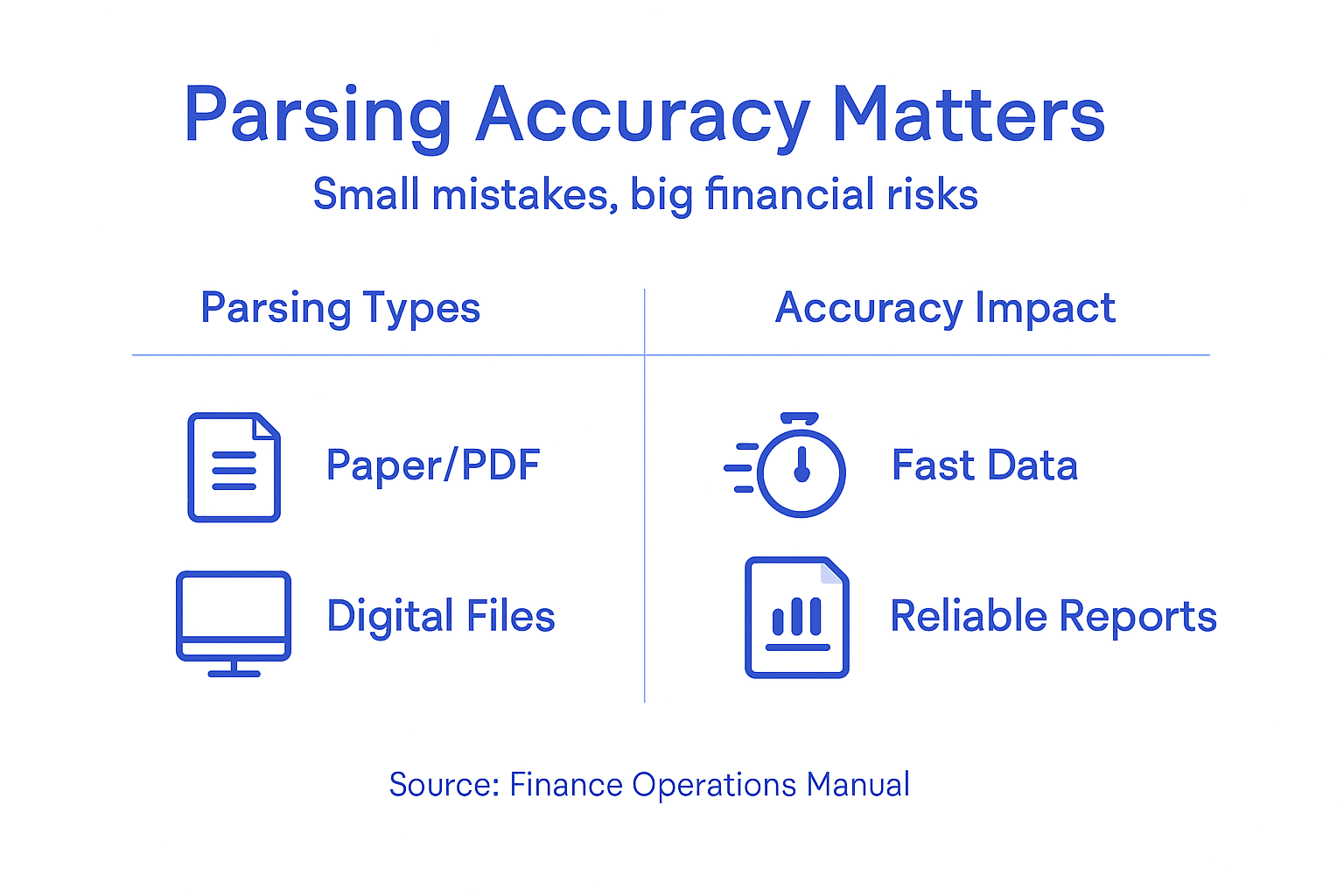
With automated parsing, your team accesses transaction data within hours of statement generation. This lag time matters when you’re forecasting seasonal cash needs or identifying liquidity issues early.
Your finance team can analyze patterns like:
- Peak spending months and seasonal variations
- Average transaction sizes by category
- Payment processing delays and timing issues
- Vendor payment patterns
These insights drive better working capital decisions and reduce emergency borrowing needs.
Compliance and Audit Readiness
Financial document workflow automation ensures consistent, auditable processes. Regulators increasingly expect documented data extraction procedures, not informal spreadsheet management.
Parsing creates an audit trail automatically. Every transaction is extracted, timestamped, and logged. Your auditors can verify exactly how data moved from bank statements into your records.
Compliance advantages:
- Documented extraction processes for regulatory review
- Consistent handling of all statements across periods
- Reduced risk of manual entry errors causing compliance issues
- Automated backup and archival of source documents
Parsing transforms statement processing from a manual, error-prone task into a documented, repeatable workflow that auditors and regulators expect.
Multi-Currency and Multi-Bank Consolidation
Larger enterprises manage accounts across multiple banks and currencies. Each bank provides statements in different formats with different terminology. Manual consolidation becomes incredibly time-consuming.
Parsing normalizes all this data into one standardized format. Your consolidation process becomes automated rather than manual. Currency conversion, inter-company transactions, and bank reconciliation happen consistently across all accounts.
Pro tip: Start your automation implementation with your highest-volume, most time-consuming manual process—typically daily bank reconciliation—so your team sees immediate time savings and ROI from day one.
Risks, Common Pitfalls, and Security Considerations
Automating bank statement parsing introduces new risks alongside its efficiency benefits. Your accounting team gains speed, but you also inherit security obligations and potential failure points. Understanding these risks helps you implement safeguards that protect both your data and your financial records.
Automation isn’t a set-it-and-forget-it solution. It requires ongoing monitoring and governance to maintain accuracy and security.
Data Security and Confidentiality Risks
Bank statements contain sensitive financial information—account numbers, transaction patterns, and vendor details. When you automate extraction, this data moves through multiple systems before reaching your final reports.
Data confidentiality breaches and encryption vulnerabilities represent significant risks in automated financial processing. A single compromised extraction system exposes your entire statement database to unauthorized access.
Key security concerns:
- Unencrypted data storage on cloud servers or local machines
- Weak access controls allowing unauthorized employee viewing
- API integrations that expose credentials in logs
- Unencrypted file transfers between systems
- Inadequate backup security
Your parsing platform must implement encryption at rest and in transit. This means data is scrambled when stored and when moving between systems. Only authorized personnel should access extraction logs.
The key risks and controls for automated statement parsing are summarized below:
| Risk Area | Primary Risk | Example Safeguard |
|---|---|---|
| Data Security | Exposure of sensitive info | Encryption in transit and at rest |
| AI Over-Reliance | Undetected parsing errors | Mandatory human review for outliers |
| Bias/Generalization | Poor accuracy on unfamiliar formats | Diverse training data, manual audits |
| Compliance | Untracked process changes | Log extractions and document controls |
Over-Reliance on Imperfect AI
Parsing systems reach 99% accuracy, but that remaining 1% causes real problems. Your team might trust the system too much and skip validation steps that catch those errors.
When an AI system misreads $15,000 as $150,000, how do you catch it? Only through secondary review processes. Many teams reduce manual checks to save time, which defeats automation’s purpose if errors propagate uncorrected through your records.
Common over-reliance pitfalls:
- Eliminating all human review of extracted data
- Assuming high accuracy rates apply to your specific statement formats
- Failing to audit error patterns from the system
- Skipping reconciliation because “the system is accurate”
Algorithmic Bias and Format Generalization
AI models trained on certain bank statement types perform poorly on unfamiliar formats. If your parsing system learned from primarily American bank statements, it struggles with European or Asian formats.
Algorithmic bias isn’t intentional discrimination—it’s a blind spot. Your system performs perfectly for standard transactions but fails on unusual layouts or non-standard entries. These errors cluster around specific statement types, creating systematic mistakes.
Your team needs processes to identify and correct these systematic failures. Regular audits reveal whether certain banks or account types generate higher error rates than others.
Parsing accuracy of 99% across all statements masks the reality that accuracy varies by format, and your weakest formats might reach only 85% accuracy.
Compliance and Governance Failures
Regulators expect documented procedures and consistent controls. Implementing parsing without governance frameworks creates compliance exposure. Your auditors need to verify that:
- All statements are processed consistently
- Error correction follows documented procedures
- Access to data is logged and restricted
- Original documents are retained
- Changes to extraction rules are tracked
Without these controls, auditors question your financial statement reliability. They might require manual reprocessing of statements to verify accuracy.
Pro tip: Establish a secondary review process for high-value transactions and unusual patterns before automating extraction fully, maintaining human oversight as your control layer against systemic AI failures.
Boost Your Financial Accuracy with AI-Powered Bank Statement Parsing
Accuracy matters when parsing bank statements. Manual errors and inconsistent formats slow your workflow and put your financial data at risk. If you are tired of costly mistakes caused by misread amounts or confusing layouts, it is time to let advanced technology handle the complexity. BankStatementFlow combines AI-powered optical character recognition and deep learning to deliver up to 99 percent accuracy no matter the bank statement format, language, or complexity.
Discover how our platform transforms raw, unstructured statements into clean, structured data ready for reconciliation and analysis. Experience faster processing times, reduced manual effort, and comprehensive security that keeps your sensitive information safe. Take control of your financial document workflows today with BankStatementFlow. Get started now and see immediate improvements in accuracy and efficiency by visiting Bank Statement Parsing Solutions and learn more about how financial document workflow automation can revolutionize your business.
Frequently Asked Questions
What is bank statement parsing?
Bank statement parsing is the automated process of extracting structured transaction data from raw bank statement documents, allowing organizations to convert unstructured information into usable formats without manual data entry.
Why is accuracy important in bank statement parsing?
Accuracy is critical because even a single misread amount can lead to significant inaccuracies in financial records, affecting cash flow analysis, reconciliation processes, and compliance results.
What are the common challenges in parsing bank statements?
Common challenges include inconsistent layouts across different banks, misreading of similar-looking characters, and the difficulty in extracting text from scanned documents or PDFs, which may require additional Optical Character Recognition (OCR) technology.
How does AI enhance the accuracy of bank statement parsing?
AI enhances accuracy by using advanced Optical Character Recognition (OCR), Natural Language Processing (NLP), and deep learning models to learn from thousands of documents, adapt to new formats, and correct errors based on context, ensuring more reliable data extraction.
Recommended
- Bank Statement Analysis: Best Practices for Financial Data Management - BankStatementFlow Blog
- Challenges in Processing Bank Statements – Impacts on Financial Teams - BankStatementFlow Blog
- 7 Common Bank Statement Errors and How to Fix Them - BankStatementFlow Blog
- Bank Statement Digitization: Streamlining Financial Workflows - BankStatementFlow Blog