Bank Statement Digitization: Streamlining Financial Workflows

Manual data entry from a stack of statements often feels like an endless hurdle for financial analysts managing global operations. With growing pressure to improve both accuracy and speed, bank statement digitization stands out as a practical way to swap tedious workflows for real-time insights. As financial teams confront increasing statement volume and complex regional formats, this guide cuts through common myths and shows how automated solutions can help your team focus on analysis, not repetitive data collection.
Table of Contents
- Bank Statement Digitization Defined and Debunked
- How AI Automates Data Extraction and Processing
- Key Features and Output Formats Explained
- Top Use Cases in Modern Finance Teams
- Security, Compliance, and Integration Risks
- Comparing Manual vs. Automated Approaches
Key Takeaways
| Point | Details |
|---|---|
| Bank Statement Digitization | Transforming paper statements into structured data automates data extraction, significantly reducing processing time and minimizing errors. |
| High Accuracy and Customization | Modern digitization systems achieve up to 99% accuracy and allow for custom field extraction tailored to specific workflows. |
| Integration and Workflow Optimization | Effective digitization integrates seamlessly with existing systems, streamlining account reconciliation and enhancing analytical capabilities. |
| Cost-Effectiveness | Automating data processing not only reduces manual labor costs but also enables analysts to focus on strategic tasks that drive business decisions. |
Bank Statement Digitization Defined and Debunked
Bank statement digitization transforms paper or PDF bank statements into structured, machine-readable data. At its core, it’s the process of converting unstructured financial documents into organized formats that your systems can actually use. Rather than manually copying numbers from a statement into a spreadsheet, digitization extracts key information automatically—account balances, transaction dates, amounts, payees—and organizes it into formats like CSV, Excel, JSON, or XML. This shift from analog to automated represents a fundamental change in how financial teams handle data.
The concept sounds simple enough, but there’s substantial confusion around what digitization actually involves and what it can accomplish. Digital transformation in banking has sparked multiple misconceptions that prevent teams from fully adopting these solutions. Some analysts believe digitization requires replacing entire financial systems. Others think it only works for standardized bank statements, not the mix of encrypted PDFs, phone photos, and regional formats that real businesses deal with. Still others assume the technology remains too complex or error-prone for sensitive financial data. None of these assumptions hold up to scrutiny.
Here’s what digitization actually delivers:
- Automatic data extraction from statements in any format, including password-protected PDFs and mobile phone screenshots
- High accuracy rates (up to 99%) through machine learning algorithms that improve with use
- Multiple language and regional format support for global corporations managing statements across different countries
- Custom field extraction so you can pull whatever data matters to your specific workflows
- API integration that connects directly to your existing financial systems without manual workarounds
- Reduced processing time from hours of manual work to minutes of automated handling
The real value of digitization lies not in the technology itself, but in what your team can accomplish when freed from tedious data entry tasks.
Why does this matter for your role? Challenges in processing bank statements directly impact your ability to deliver timely financial analysis. When your team spends 20 hours monthly retyping transaction data, they’re not analyzing variance, identifying trends, or providing strategic insights. They’re stuck in data entry. Digitization reverses this equation. Your analysts focus on actual analysis while machines handle extraction.
The technology works differently than many assume. Instead of requiring perfect-quality scanned documents, modern digitization handles messy real-world inputs. An employee photographs a bank statement with their phone? It works. A statement arrives as a PDF from a vendor in Germany with regional formatting? It works. A document is password-protected? The system handles that too. Machine learning algorithms have been trained on millions of statements across different banks, formats, and languages, so they recognize patterns that old rule-based systems would miss.
Another common misconception: that digitization only extracts obvious fields like account number and balance. In reality, you define what data matters. Need to pull vendor names from memo fields? Extract transaction descriptions to categorize spending? Identify recurring charges? Custom field extraction lets you specify exactly what information your workflows require.
The accuracy question deserves attention because it’s genuinely important. Early digitization tools struggled with precision, which made financial teams rightfully skeptical. Current platforms achieve 99% accuracy by using advanced machine learning that learns from corrections. When the system makes an error, it learns from that example. Over time, accuracy improves continuously. For mid-sized corporations processing hundreds of statements monthly, this difference between 85% and 99% accuracy translates directly to reduced reconciliation work and fewer downstream errors.
Consider also what digitization enables operationally. Multi-language support means a global corporation doesn’t need separate processes for American, Canadian, and European statements. API access means your development team can build the system into existing workflows rather than creating manual bridges between tools. Different export formats mean you’re not locked into one platform’s output structure.
Where digitization sometimes disappoints is in expectations about what comes next. Extracting data from a statement is half the problem. Reconciling that data, analyzing it, and turning it into business intelligence requires additional work. Digitization accelerates the first part of that journey significantly, but your team still owns the analysis and decision-making. Think of it as removing the obstacle blocking your team from doing their actual job.
Pro tip: Start with digitizing your highest-volume statement types to demonstrate value before expanding to more complex formats—this approach builds internal confidence while delivering quick wins.
How AI Automates Data Extraction and Processing
Artificial intelligence has fundamentally changed how financial teams extract data from bank statements. Instead of manually reading each line and typing values into a system, AI-powered extraction works in seconds by recognizing patterns across thousands of statements. The process begins the moment you upload or import a document—whether it’s a PDF, scanned image, or even a phone screenshot. Machine learning algorithms immediately analyze the document’s structure, identify key fields, and pull out the relevant information automatically.
The magic happens in multiple layers. First, the system uses optical character recognition (OCR) to convert images and PDFs into readable text. But OCR alone isn’t enough—it misses context and structure. Next, AI applies natural language processing (NLP) to understand what the text actually means. It recognizes that “5,432.17” appearing next to “Closing Balance” is different from the same number appearing next to “Interest Earned.” The system learns to distinguish between transaction descriptions, account numbers, dates in different formats, and currency symbols across regions. When automating financial documents for your workflows, this contextual understanding becomes critical—the AI doesn’t just extract numbers, it extracts meaning.
Here’s what happens during the extraction process:
- Document intake accepts PDF files, scanned images, photos, encrypted documents, and other formats without requiring preprocessing
- Layout analysis maps the document structure to identify tables, headers, and data sections
- Field recognition locates specific data points using trained models that understand banking statement conventions
- Data validation checks extracted values against expected formats and flags anomalies for review
- Format conversion transforms extracted data into your specified output (Excel, CSV, JSON, XML)
- Learning iteration improves accuracy with each correction you provide, making the system smarter over time
The most sophisticated AI extraction systems aren’t perfect on day one—they’re built to learn from your corrections and improve continuously with every statement processed.
What makes modern AI different from older automation tools is adaptive learning. Traditional rule-based systems relied on hardcoded logic: “If the field is in position X on page Y, extract it.” But real bank statements don’t follow standard templates. A statement from a regional bank in Singapore looks completely different from one from a major American bank. The formatting changes. The language might be different. The order of fields varies. AI-powered systems handle this variability because they recognize patterns rather than following rigid rules. They’ve been trained on millions of statements across different banks, countries, and account types, so they adapt to new variations automatically.

Accuracy improvements happen through a feedback loop. When your team reviews extracted data and corrects errors, the system learns from those corrections. It might have initially misread a date format, pulled a memo field into the wrong category, or confused similar-looking numbers. Each correction strengthens the model. Over hundreds of statements, this adds up significantly. A system starting at 92% accuracy might reach 98% accuracy within a month of regular use on your specific bank statement formats.
The processing speed difference is dramatic. A financial analyst manually extracting data from 50 bank statements might spend 8-12 hours on that task. AI handles the same 50 statements in roughly 5-10 minutes. Your team doesn’t wait for batch processing overnight—extraction happens in near-real time. For global corporations receiving statements from dozens of accounts across multiple banks and regions, this speed advantage compounds. What would require hiring additional staff to process manually becomes manageable with AI handling the extraction layer.
Integration with your existing workflows matters significantly. Rather than exporting data and manually moving it between systems, AI extraction platforms offer API connections that push extracted data directly into your general ledger, accounting software, or data warehouse. This eliminates manual data transfers, reduces transcription errors, and keeps financial records updated continuously rather than in periodic batches.
One practical consideration: AI extraction works best when you give it clean inputs. A statement that’s heavily redacted, has water damage, or uses extremely unusual formatting might struggle. Most real-world statements don’t have these issues, but knowing the technology’s boundaries helps you set realistic expectations. Edge cases exist, but they’re genuinely rare in standard business operations.
Pro tip: Configure custom field extraction for any data your team actually uses in analysis—extracting standard fields like balance and transactions is table stakes, but pulling memo notes, reconciliation codes, or transaction categories specific to your business is where automation truly pays off.
Key Features and Output Formats Explained
Bank statement digitization platforms offer a range of features designed specifically for how financial analysts actually work. These aren’t generic document processing tools—they’re built with your workflows in mind. The most valuable features address the specific pain points your team faces daily: handling documents in different formats, extracting data precisely as you need it, and getting that data into systems you already use. Understanding what’s available helps you maximize the tool’s potential and integrate it seamlessly into your processes.
Core features that matter most to financial teams include custom field extraction, which lets you define exactly what data to pull from each statement. Rather than accepting whatever a generic system extracts, you specify the fields your analysis requires. Need to pull vendor payment terms from memo lines? Extract subsidiary information from statement headers? Identify transaction categories from description fields? Your platform should accommodate these specific needs. This capability separates tools built for accountants from those actually designed for analysts.
Here’s what sets modern platforms apart:
- Multi-format document support handles PDFs, scanned images, photos, encrypted documents, and regional variations without preprocessing
- Custom field extraction lets you define data points relevant to your specific workflows and analysis requirements
- API integration pushes extracted data directly into your systems without manual transfers or file exports
- Batch processing handles 100+ documents simultaneously, perfect for month-end closes or quarterly reviews
- Quality control dashboards show extraction confidence levels and flag items requiring human review
- Multi-language support processes statements from different countries and regions automatically
- Password-protected PDF handling manages encrypted or secured documents without requiring manual decryption
- Audit trails document what was extracted, when it was reviewed, and what corrections were made for compliance purposes
The most powerful feature isn’t the one that extracts the most data—it’s the one that extracts the data your team actually needs in the format your systems require.
Output formats deserve specific attention because they determine how easily extracted data flows into your existing infrastructure. Different systems speak different languages. Your general ledger might require CSV format. Your data warehouse prefers JSON. Your analyst might need Excel for variance analysis. The best platforms don’t force you into one format—they offer flexibility.
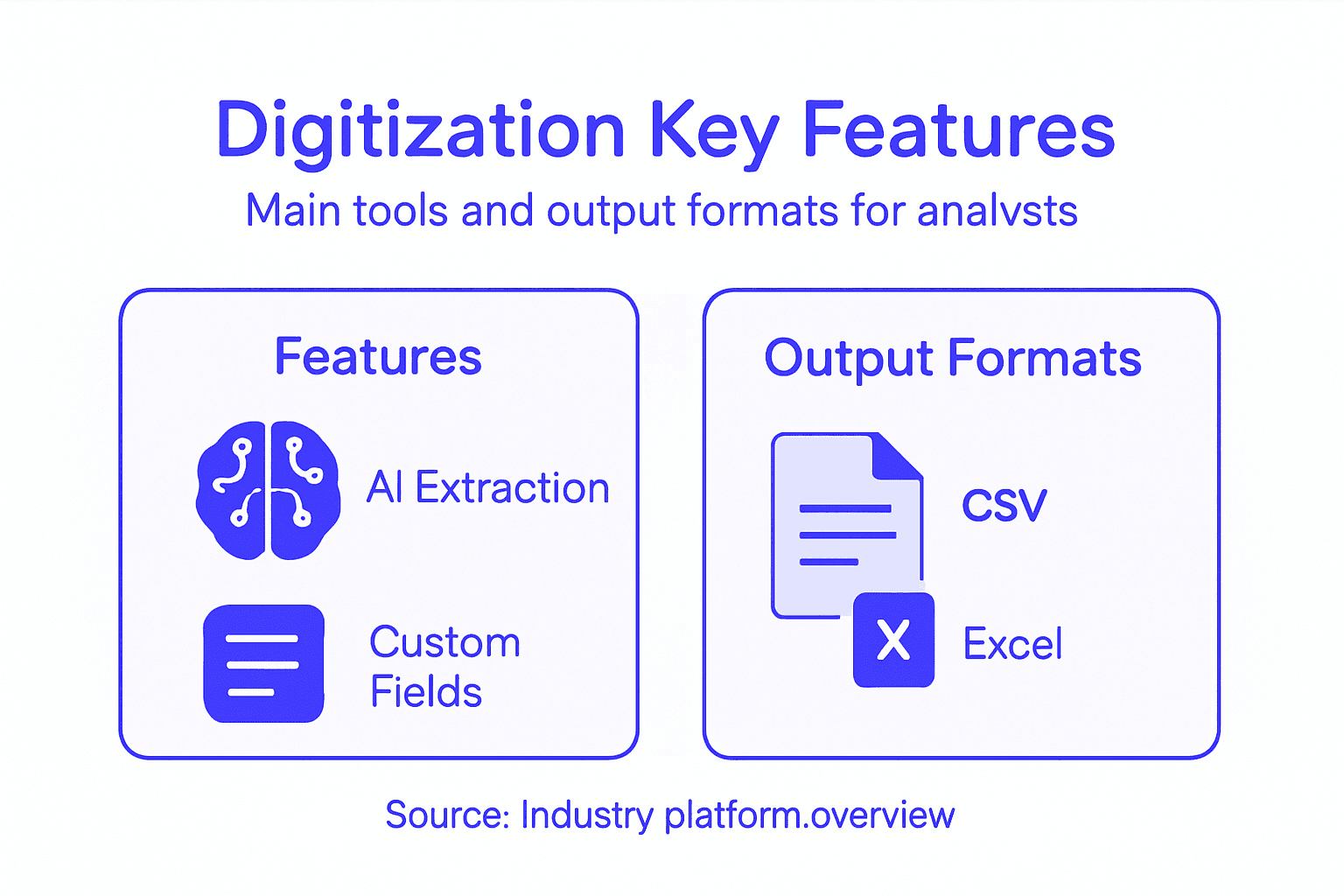
Understanding Output Format Options
CSV (Comma-Separated Values) remains the workhorse format. Nearly every financial system accepts CSV. It’s simple, universally compatible, and works perfectly for spreadsheet analysis. If you’re uploading data into Excel or importing into accounting software, CSV is your default choice. The trade-off is that CSV loses hierarchical structure—complex nested data doesn’t translate well.
Excel format gives you formatted spreadsheets directly, not just raw data. Column headers, formatting, and multiple sheets come out of the box. Financial analysts often prefer this because they can immediately analyze without reformatting. You avoid the step of pasting CSV into a blank Excel template.
JSON (JavaScript Object Notation) handles complexity better than CSV. If your extracted data includes nested fields, multiple transactions per statement, or variable-length records, JSON maintains that structure. This format works beautifully with modern APIs and data warehouses. Development teams appreciate JSON because it integrates cleanly with software systems.
XML (Extensible Markup Language) serves specific enterprise needs. Many large organizations have legacy systems expecting XML. If your bank or corporate systems require XML specifically, you need a platform supporting it. Most teams won’t use XML, but when you need it, alternatives won’t work.
The platform you choose should handle custom field extraction and output flexibility so you’re not locked into formats that don’t match your workflow. Some platforms excel at extraction but offer limited output options—that’s a critical limitation. Others handle multiple formats beautifully but charge premium prices for that flexibility.
Practical output considerations matter significantly. An extracted CSV file with thousands of rows needs organization. Does the platform add metadata—extraction date, confidence scores, statement identifiers? Can you sort by extraction quality to review uncertain entries first? Do you get all extracted data in one file or separated by field type? These operational details affect how efficiently your team processes the output.
Many platforms also offer custom export templates. Rather than receiving raw extracted data, you define how the output should look. A template might combine extracted transaction data with statement metadata, format dates consistently, and organize information by transaction type. This means less post-processing work for your team.
Integration depth matters too. The simplest approach is file-based export—you download a CSV and import it manually. Better platforms offer API access where data flows directly into your systems automatically. The best solutions handle both, giving you flexibility depending on your immediate needs.
This table summarizes popular bank statement digitization output formats and their best use cases:
| Format | Ideal Use Case | Strengths | Limitations |
|---|---|---|---|
| CSV | Spreadsheet import, general ledger uploads | Simple, universal compatibility | No nested data support |
| Excel | Analyst reviews, quick analysis | Built-in formatting, multi-sheet | Less API-friendly |
| JSON | Data warehouses, API feeds | Handles complex nested records | Not ideal for basic spreadsheets |
| XML | Legacy system integrations | Structured, enterprise-friendly | Rarely used for manual reviews |
For global corporations, regional format support becomes essential. A statement from a German bank might use different decimal separators and date formats than an American statement. A Japanese bank statement follows different conventions entirely. Robust platforms handle these variations automatically without requiring you to manually adjust each statement type.
Pro tip: Before committing to a platform, test it with your most complex statement types and request output in your exact preferred formats—this single test reveals whether the tool will integrate smoothly or create additional work for your team.
Top Use Cases in Modern Finance Teams
Bank statement digitization isn’t a theoretical technology—it solves real problems your team faces every month. The most successful implementations focus on specific use cases where automation delivers immediate, measurable value. Understanding these practical applications helps you identify which areas will benefit most in your organization and prioritize your implementation roadmap accordingly. Different teams leverage digitization differently, but certain patterns emerge consistently across mid-sized global corporations.
Automated bank reconciliation stands at the top of most finance leaders’ priority lists. Reconciling bank statements remains one of the most time-consuming, error-prone tasks in accounting. Your team receives statements from dozens of accounts across multiple banks and regions. Someone manually matches transactions, investigates discrepancies, and documents everything. With digitization, transactions extract automatically into your accounting system. The reconciliation process shifts from manual matching to exception-based review—your team focuses only on items that don’t match automatically. A process that consumed 40 hours monthly for one analyst now takes 6-8 hours. That’s not a small improvement; that’s reclaiming significant capacity.
The reconciliation workflow typically looks like this:
- Bank statements arrive and upload automatically or manually to your digitization platform
- Transaction data extracts and flows directly to your general ledger or accounting software via API
- Reconciliation software automatically matches extracted transactions to recorded entries
- Your team reviews only the unmatched exceptions instead of manually verifying thousands of transactions
- Discrepancies get resolved quickly because the data is already structured and searchable
Cash flow forecasting and analysis becomes significantly more accurate and timely with digitized statements. Instead of working with statements that arrived yesterday, you’re working with data extracted and available within minutes. For corporations managing global cash positions across multiple currencies and accounts, this speed advantage matters enormously. Real-time visibility into available balances, upcoming obligations, and transaction patterns enables better decision-making. Your treasury team can forecast cash needs more accurately and identify optimization opportunities that static weekly reporting misses.
Real-time cash visibility transforms treasury management from reactive problem-solving to proactive strategy.
Fraud detection and compliance monitoring leverage digitized statement data in ways manual review cannot. Machine learning algorithms trained on your historical transactions can identify unusual patterns—unexpected large transfers, unusual payee activity, transactions outside normal business hours, geographic anomalies. These patterns surface automatically rather than relying on someone noticing something amiss while reviewing statements. For organizations subject to automated reconciliation and compliance reporting requirements, this capability directly reduces compliance risk.
Critical Use Cases Across Finance Functions
Accounts payable optimization improves significantly when invoice data pairs with bank statement data. When you receive an invoice and create a payment, digitized statements let you track whether that payment actually cleared and when. You eliminate duplicate payments because you see immediately whether a transaction posted. You identify early payment discount opportunities because you know exactly when funds will be available. For corporations processing thousands of invoices monthly, this translates to millions in captured discounts and eliminated errors.
Vendor and supplier management benefits from detailed transaction analysis. Which vendors consistently delay invoicing? Which payment methods are most reliable? Which relationships show irregular patterns that might indicate problems? These insights emerge naturally from analyzing digitized transaction data. You can trend supplier payment performance, identify relationship risks early, and optimize payment timing.
Audit readiness improves dramatically because digitized statements create audit trails automatically. When your external auditors request transaction verification, you’re not scrambling through filing cabinets of PDF statements. You have timestamped records of what was extracted, when it was reviewed, and what corrections were made. Audit preparation shifts from firefighting to documentation review—your team demonstrates control and accuracy rather than hoping the auditors don’t find problems.
Multi-currency management becomes operationally feasible with digitization. Managing statements in different currencies, exchange rate fluctuations, and regional formatting variations creates enormous complexity manually. Digitization handles these variations automatically. Your German subsidiary’s statements process identically to your Canadian subsidiary’s statements. Exchange rate impacts get calculated consistently. This standardization is invisible to your team but eliminates hours of manual reconciliation complexity.
Period-end closing acceleration represents one of the most tangible benefits. Month-end close involves waiting for bank statements, manually reconciling them, and resolving discrepancies before you can close the books. With real-time transaction tracking and automated workflows, your team can close the books days earlier. For organizations with tight reporting timelines, this is transformational—you reduce close time from 10 days to 6-7 days, enabling faster reporting to leadership and external stakeholders.
The common thread across all these use cases: digitization frees your team from data preparation work and redirects them toward analysis and decision-making. Your analysts stop being data entry technicians and become actual analysts.
Pro tip: Start your digitization implementation with your highest-volume, most time-consuming manual process—this delivers quick wins, builds team confidence, and demonstrates clear ROI before expanding to other use cases.
Security, Compliance, and Integration Risks
Moving financial data to automated systems introduces legitimate concerns that deserve serious attention. Bank statement digitization involves handling sensitive information—account numbers, transaction details, balances—that cybercriminals actively target. Beyond security threats, your organization must navigate evolving regulatory frameworks, ensure third-party vendors meet your standards, and integrate new systems without disrupting existing workflows. Understanding these risks upfront helps you implement digitization responsibly rather than discovering problems after deployment.
Data security represents the most immediate concern. When statements move from physical PDFs to cloud-based extraction platforms, that data becomes a digital asset requiring protection. The risks include unauthorized access, data breaches during transmission, inadequate encryption, and improper storage practices. Not all digitization platforms provide equivalent security. Some encrypt data in transit but store it unencrypted. Others lack proper access controls, meaning anyone in your organization could theoretically access sensitive financial information. Vendor selection matters enormously—a platform built by a financial technology company typically implements stronger security than a general document processing tool adapted for finance.
Key security considerations include:
- Data encryption in transit (TLS/SSL) and at rest (AES-256 or equivalent)
- Access controls limiting who can view, extract, or modify statement data
- Audit logging documenting all system access and data manipulation
- Vendor security certifications such as SOC 2 Type II or ISO 27001
- Data residency ensuring information stays within required geographic boundaries
- Incident response procedures defining what happens if a breach occurs
- Regular security assessments through penetration testing and vulnerability scanning
The most secure digitization platform is worthless if your team doesn’t understand how to handle extracted data responsibly once it leaves the system.
Compliance risks emerge from multiple directions simultaneously. Regulatory requirements vary by jurisdiction, industry, and account type. A global corporation with accounts in the United States, European Union, and Asia-Pacific regions faces different compliance obligations in each location. Your digitization system must accommodate these variations. European regulations under GDPR require specific data protection measures. United States regulations under SOX and GLBA impose audit trail requirements. Industry-specific regulations—healthcare, finance, insurance—add additional layers. The challenge is ensuring regulatory compliance during digital transformation without creating operational friction that slows down your team.
Common compliance challenges include:
- Data retention policies defining how long extracted data must be preserved
- Audit trail requirements documenting extraction, review, and correction history
- Access restrictions limiting who can see certain account or transaction data
- Cross-border data transfers managing data movement between countries
- Regulatory reporting integration ensuring extracted data feeds compliance systems
- Record preservation maintaining evidence in formats regulators recognize
Integration Risks with Existing Systems
Legacy system compatibility represents a significant integration challenge. Many mid-sized corporations run accounting systems implemented 10-15 years ago. These older platforms weren’t designed to accept real-time API data feeds from modern cloud applications. Integration often requires custom development, middleware platforms, or manual file transfers that defeat the purpose of automation. If your general ledger system can’t accept JSON or CSV imports through API, you’re back to manual data entry for certain fields.
Data quality degradation occurs during integration when systems interpret extracted data differently. Your digitization platform extracts a transaction date formatted as “2024-01-15.” Your legacy accounting system expects “01/15/2024.” Without proper mapping and transformation, the system either rejects the data or imports it incorrectly. These mismatches multiply across hundreds of transactions daily, creating reconciliation nightmares rather than solving them.
Third-party vendor risks deserve serious consideration. When you select a digitization platform, you’re trusting that vendor with sensitive financial information. If that vendor experiences a security breach, gets acquired by a competitor, or goes out of business, your data is at risk. Service level agreements should specify what happens if the vendor fails. Data should remain your property, not locked in the vendor’s systems. Exit strategies should allow you to export all data in usable formats if you decide to switch platforms.
Change management failures happen when organizations underestimate implementation complexity. Your team has performed bank reconciliation the same way for years. Switching to automated extraction requires new workflows, different skills, and cultural adjustment. If leadership doesn’t communicate why digitization matters and how it changes daily work, your team resists or fails to adopt best practices. The technology works perfectly, but your team continues manual processes in parallel, defeating the purpose.
Audit trail and governance gaps emerge when digitization implementations lack proper controls. Auditors want to see evidence that extracted data was reviewed, discrepancies were investigated, and corrections were authorized. If your system doesn’t log these activities automatically, you’re creating compliance exposure. Similarly, if anyone can access anyone else’s account data, you lack segregation of duties.
Pro tip: Before selecting a digitization platform, require your vendor to complete a detailed security questionnaire, provide SOC 2 or ISO 27001 certification, and clarify data ownership and exit procedures in writing—this single step prevents most security and integration headaches downstream.
Comparing Manual vs. Automated Approaches
The choice between manual and automated bank statement processing isn’t theoretical—it directly impacts your team’s capacity, accuracy, and ability to focus on actual analysis. Understanding the practical differences helps you make an informed decision about whether digitization aligns with your organization’s needs and constraints. Both approaches have legitimate use cases, but the financial case for automation becomes increasingly clear when you examine actual workflow metrics.
Manual processing dominates in many mid-sized organizations simply because it’s familiar. Your team receives statements, opens each one, reads through transactions, and enters relevant data into spreadsheets or accounting systems. The process is straightforward and requires minimal technology investment. But the hidden costs accumulate quickly. A single analyst processing 50 bank statements monthly spends approximately 40-50 hours on this task alone. That’s roughly one week per month dedicated to data entry rather than analysis. For a team of three analysts, that’s effectively one full-time employee doing nothing but retyping information that already exists in digital form.
Manual processing creates predictable problems:
- Transcription errors occur when analysts misread numbers or transpose digits (5,432 becomes 5,342)
- Inconsistent formatting when different team members handle data differently
- Bottlenecks during month-end when all statements arrive simultaneously and queue for processing
- Difficulty with exceptions because reviewing irregularities requires manual investigation
- Limited audit trails since the work happens in spreadsheets without systematic logging
- Scaling challenges because adding more accounts means hiring additional staff
- Knowledge dependencies when critical processes live only in one person’s head
Manual processing doesn’t fail because people are careless—it fails because humans performing repetitive data entry tasks are inherently prone to occasional errors at scale.
Automated approaches invert these dynamics. Bank statements upload to a platform, AI extracts relevant data in minutes, and your team reviews results rather than performing initial extraction. The accuracy improves because machines consistently apply the same recognition logic across every statement. Transcription errors essentially disappear because no human is retyping numbers. Your team’s bottleneck shifts from “how fast can we extract data” to “how thoroughly should we review extracted data,” which is a fundamentally different and more valuable question.
Automation delivers measurable operational improvements:
Here’s how manual and automated bank statement processing compare across major workflow metrics:
| Criteria | Manual Approach | Automated Approach |
|---|---|---|
| Processing Time | 40-50 hours/month | 5-10 hours/month |
| Error Rate | Frequent transcription mistakes | Minimal, machine-level accuracy |
| Scalability | Requires hiring more staff | Easily scales without extra hires |
| Audit Trail | Limited, often just in spreadsheets | Robust, automatic logging and tracking |
| Integration | Manual data entry or uploads | Direct API/data feed to systems |
| Analyst Focus | Mainly data entry | Analysis, forecasting, strategic tasks |
- Time reduction from 40+ hours monthly to 5-10 hours for the same 50 statements
- Error elimination through consistent machine processing rather than variable human effort
- Scalability without proportional headcount increases—100 statements takes only slightly longer than 50
- Standardization ensuring all statements process identically regardless of format or origin
- Audit readiness with automatic logging of extraction, review, and correction activities
- Speed to insight allowing faster month-end close and more frequent reporting
- Team capacity freeing your analysts for variance analysis, forecasting, and strategic work
Comparing Specific Workflows
Consider month-end bank reconciliation specifically. Manually, your team waits for statements, extracts data, matches transactions in your general ledger, investigates discrepancies, and documents everything. This process typically requires 3-5 business days before you can close the books. With automated document processing benefits, statement data flows directly into your reconciliation system the moment statements arrive. Unmatched items surface immediately. Your team focuses on the 5-10 exceptions rather than verifying thousands of matching transactions. You close the books in 1-2 days instead of waiting until late in the month.
For cash flow forecasting, manual approaches rely on static weekly or daily snapshots. By the time your team manually extracts and analyzes statement data, it’s already outdated. Automated extraction provides near-real-time visibility. Your treasury team sees actual cash positions minutes after transactions post, enabling better decision-making about short-term borrowing or investment.
Global corporations face multiplication of these challenges. If your organization has statements from 15 different banks across 8 countries, manual processing becomes virtually impossible at scale. Each bank formats statements differently. Regional formatting variations (decimal separators, date formats) require manual adjustment. Different languages might be involved. Manual processing would require a large team handling regional variations locally. Automation standardizes this chaos—the same system processes a Singapore statement identically to a German statement, automatically handling format and language variations.
Cost analysis reveals the economic reality. An analyst earning $75,000 annually spending 20% of their time on manual statement processing costs your organization $15,000 annually in salary for that specific function. A digitization platform costs typically $200-500 monthly ($2,400-6,000 annually). The payback occurs within months. Beyond direct cost savings, you’re recapturing skilled analyst time for higher-value work. That same analyst now spends those 160 hours annually on forecasting, variance analysis, and business partnership—activities that actually drive decision-making.
Pro tip: Calculate your actual manual processing cost by tracking how many hours your team spends on statement extraction monthly, multiply by fully-loaded hourly cost, and compare against digitization platform costs—most teams discover automation pays for itself in 2-3 months.
Unlock Efficiency and Accuracy with AI-Powered Bank Statement Digitization
Handling bank statements manually consumes valuable time and creates risks of costly errors. If your financial team struggles with tedious data entry, inconsistent formats, or delays in monthly closes the article highlights how AI-driven digitization can transform your workflows. By automating data extraction from diverse statement types including encrypted PDFs and phone images, your team gains:
- Up to 99% accuracy through advanced machine learning
- Rapid processing speeds that reduce hours of work to minutes
- Flexible output formats like Excel, CSV, JSON, and XML
- Seamless integration via API with existing financial systems
Don’t let manual processes slow down your financial analysis or increase compliance risk. Discover how BankStatementFlow provides a secure, scalable SaaS platform designed to tackle the exact challenges outlined in the article. Whether you manage multi-country operations or need custom field extraction, our solution adapts to your unique needs.
Ready to reclaim your team’s time and improve accuracy? Visit BankStatementFlow now to explore how our AI-powered automation can accelerate your bank statement processing and strengthen your financial workflows. Start your transformation today and experience true operational freedom.
Frequently Asked Questions
What is bank statement digitization?
Bank statement digitization is the process of converting paper or PDF bank statements into structured, machine-readable data, allowing for automatic data extraction of key information like account balances, transaction dates, and amounts.
How does AI improve bank statement digitization?
AI enhances bank statement digitization through pattern recognition and machine learning, allowing systems to automatically extract relevant data from various document formats with high accuracy, even from messy or complex inputs.
What are the key benefits of automating bank statement processing?
Automating bank statement processing significantly reduces processing time, minimizes transcription errors, and frees up financial analysts to focus on value-added activities like analysis and decision-making rather than tedious data entry.
Can digitization platforms handle different document formats?
Yes, modern digitization platforms support various document formats including PDFs, scanned images, and even encrypted documents, ensuring they can effectively process diverse bank statements without requiring preprocessing.
Recommended
- Master Financial Document Workflow Automation for Teams - BankStatementFlow Blog
- How Small Businesses Save 20+ Hours Weekly with Document Automation - BankStatementFlow Blog
- How to Automate Bank Statement Processing Easily - BankStatementFlow Blog
- 7 Essential Types of Financial Documents Explained - BankStatementFlow Blog
- Cash Flow | Pilon al sanatatii financiare
- Business Plan: Maîtriser la Rédaction de la Section Financière