Why Extract Bank Statement Data for Finance Teams

Processing daily bank statements can feel like a never-ending chore for finance teams at small and medium-sized businesses. The diversity of formats from American, Canadian, and European banks makes manual data entry risky and inefficient. By adopting automated extraction powered by OCR and AI, your team sidesteps typos and wasted hours, gaining fast, accurate data you can rely on. This article clarifies how extraction systems truly work, debunks common myths, and guides you toward smarter solutions for greater efficiency.
Table of Contents
- Bank Statement Data Extraction Defined and Debunked
- Types of Bank Statement Sources and Formats
- How Automated Extraction Improves Accuracy
- Top Use Cases Across Financial Processes
- Risks, Compliance, and Security Considerations
Key Takeaways
| Point | Details |
|---|---|
| Automated Extraction Increases Efficiency | Automating bank statement data extraction reduces processing time from hours to minutes, enhancing overall productivity. |
| Accuracy and Consistency Measurement | The technology achieves 99% accuracy, significantly minimizing manual entry errors and ensuring consistent formatting across various statement types. |
| Integration with Financial Systems | Extracted data can be directly integrated into accounting software via API, streamlining workflows and reducing manual data imports. |
| Security and Compliance Are Critical | Implementing a secure extraction solution must adhere to regulatory standards, protecting sensitive financial data from breaches and ensuring compliance. |
Bank Statement Data Extraction Defined and Debunked
Bank statement data extraction is the automated process of converting unstructured financial documents into organized, usable data. Rather than manually typing information from PDFs or images, extraction technology reads the document, recognizes key data points, and outputs them in structured formats like CSV or JSON.
Here’s what actually happens under the hood:
- Optical Character Recognition (OCR) reads text from images and scanned documents
- Natural Language Processing (NLP) identifies transaction dates, amounts, and account holders
- Pattern matching finds consistent data structures across different bank templates
- Data validation ensures extracted figures are accurate and complete
The challenge is real. Banks use dozens of different statement layouts and formats. A Wells Fargo statement looks nothing like a HSBC statement. Advanced table detection methods help normalize these variations into standardized, structured formats that your accounting team can actually use.
Bank statement extraction eliminates manual entry errors and recovers hours your team currently spends copying numbers into spreadsheets.
Common misconceptions cloud this topic. Many assume extraction means simple copy-paste automation. Wrong. The technology must handle encrypted PDFs, phone photos of statements, scanned documents with poor quality, and statements in multiple languages and regional formats.
When extraction works correctly, your financial analysts gain several advantages:
- Speed - Process 100+ statements in minutes instead of hours
- Accuracy - 99% data reliability removes reconciliation headaches
- Consistency - Every field extracts the same way, every time
- Integration - Send data directly into your accounting software via API
- Scalability - Handle volume growth without hiring additional staff
The reality is that converting unstructured bank statement images into structured data requires sophisticated technology combining OCR, NLP, and heuristic methods. This isn’t magic, but it’s genuinely transformative for teams managing large volumes of financial documents.
Why should you care? Processing challenges with bank statements directly impact your team’s efficiency and financial accuracy. Manual extraction introduces typos, missed transactions, and inconsistent formatting. Extraction automation eliminates these friction points entirely.
Pro tip: Start by measuring how many hours your team currently spends on statement entry each month, then compare that against automation costs to see your actual ROI quickly.
To better understand the challenges in bank statement extraction, compare manual entry with automation in key areas:
| Factor | Manual Data Entry | Automated Extraction |
|---|---|---|
| Error Rate | High: Prone to typos | Very Low: Machine consistency |
| Processing Speed | Slow: Hours for 100+ documents | Fast: Minutes for same volume |
| Labor Requirement | Requires large teams | Scales with minimal oversight |
| Adaptability to Formats | Difficult: Format retraining | Adaptive with machine learning |
| Data Integration | Needs manual import/export | Direct API to accounting systems |
Types of Bank Statement Sources and Formats
Your finance team likely receives bank statements from multiple sources, each with its own quirks. Understanding these variations is crucial because extraction software must handle every format your company encounters.
Here are the primary sources your team deals with:
- Direct bank downloads - PDFs from online banking portals (most common)
- Email attachments - Statements sent directly by your bank
- Physical mail - Paper statements that need scanning
- Bank APIs - Real-time data feeds from larger institutions
- Third-party platforms - Aggregators like Plaid or Yodlee
The format variety makes extraction tricky. Chase uses one PDF layout. Bank of America uses another. International banks add even more complexity with different languages, date formats, and currency symbols.
Your extraction solution must recognize all these formats automatically, without manual configuration for each bank.
Document types vary significantly across financial institutions:
- PDF statements - Standard digital format, usually optimized for printing
- Scanned images - Physical statements converted to JPG or PNG
- CSV exports - Pre-structured data from some online banking platforms
- OFX files - Open Financial Exchange format used by many banks
- Excel spreadsheets - Some institutions export directly to XLS format
Regional differences matter too. US banks format dates as MM/DD/YYYY. European banks use DD/MM/YYYY. Decimal separators differ by country (comma in Europe, period in the US). Currency codes appear in different positions.
Password-protected PDFs add another layer. Your team receives encrypted statements regularly, requiring extraction technology that handles decryption automatically. Phone photos and screenshots represent informal sources your accounting team might provide when traveling or working remotely.
The real complexity emerges from bank statement parsing accuracy across diverse formats. Each institution redesigns their layout periodically, meaning extraction systems must adapt continuously.
Your extraction platform must support:
- Multiple file formats simultaneously
- Encrypted and password-protected documents
- Image files (phone photos, screenshots)
- Multiple languages and regional formats
- High-volume processing without format-specific setup
Pro tip: Audit your current statement sources and document every bank, format, and template you receive—this baseline helps you choose extraction software that handles your specific needs without requiring custom configuration.
How Automated Extraction Improves Accuracy
Manual data entry from bank statements introduces errors at every step. Your accountant types a transaction amount incorrectly. A date gets flipped. A decimal point lands in the wrong place. These mistakes cascade through your financial records.

Automated extraction eliminates most human error by removing the manual typing process entirely. The system reads the document once and extracts data consistently, every single time.
Here’s where accuracy gains happen:
- No transcription errors - System reads directly from source, eliminating typing mistakes
- Consistent formatting - Dates, amounts, and fields normalize automatically
- Field validation - Extracted data gets checked against logical rules before output
- Duplicate detection - Automatic identification of repeated entries
- Currency standardization - Amounts convert and format correctly across regions
The technology handles complexity your team struggles with manually. AI-powered extraction using machine learning and optical character recognition significantly reduces error rates in financial document processing. Character error rates drop dramatically compared to manual methods.
Automated extraction achieves 99% accuracy because machines don’t get tired, distracted, or make transcription mistakes.
Beyond pure accuracy, automation improves data quality in practical ways:
- Faster detection of anomalies - Unusual transactions flag automatically
- Better categorization - Transaction types assign consistently
- Reduced reconciliation time - Cleaner data requires fewer corrections
- Audit-ready records - Extraction timestamps and methods document automatically
- Compliance confidence - Standardized processes meet regulatory requirements
Your team currently spends hours reconciling manually entered data. Natural language processing and layout intelligence enable extraction systems to understand transaction context and normalize inconsistent data fields across multiple bank formats. This means fewer corrections and revisions.
The real win: your financial analysts stop doing clerical work and start analyzing data. They review extracted transactions for insights rather than verifying whether “2024” got typed correctly.
Accuracy improvements compound over time:
- Month 1: Fewer data entry errors
- Month 3: Faster month-end closes
- Month 6: Better financial forecasting from cleaner historical data
- Year 1: Strategic decisions based on reliable information
Pro tip: Calculate your current error rate by comparing manual entries against original statements for one month, then project that error percentage against your annual transaction volume to quantify the accuracy risk you’re currently accepting.
Top Use Cases Across Financial Processes
Bank statement extraction isn’t just about digitizing documents. Your finance team applies this technology across multiple workflows, each solving specific pain points in your daily operations.
Here’s where extraction creates immediate value:
- Accounts payable reconciliation - Match vendor payments against statements automatically
- Cash flow forecasting - Feed clean transaction data into projection models
- Month-end close - Accelerate reconciliation by eliminating manual statement review
- Compliance and audit preparation - Standardized data ready for regulatory requirements
- Fraud detection - Flag unusual patterns quickly across transaction volumes
- Customer credit assessment - Extract financial health indicators for lending decisions
Each use case solves a different bottleneck. Your accounts payable team spends days matching invoices to bank deposits. Extraction automates this matching, cutting reconciliation time from hours to minutes.
Extraction pays for itself fastest in high-volume processes where your team repeats the same task monthly.
Cash flow management gets dramatically better with clean, structured data. Instead of manually compiling transactions from multiple bank statements, your financial analyst imports extracted data directly into forecasting software. Quarterly projections that took a week now take a day.
Month-end close acceleration matters to your CFO. You currently lose 2-3 days waiting for manual statement reconciliation before finalizing books. Extraction eliminates this bottleneck. Your team reviews suspicious transactions while most reconciliation happens automatically.
Document processing automation specifically accelerates financial workflows by eliminating manual data entry steps. This speed advantage compounds across your department.
Large enterprises see extraction value in credit decisioning workflows. Lending teams evaluate customer financial statements for credit lines. Manual extraction introduces delays and inconsistencies. Automated extraction standardizes the evaluation process, enabling faster approvals.
Fraud detection teams leverage extracted data differently. They analyze transaction patterns across multiple accounts and time periods. Clean, structured data allows them to build detection models that flag suspicious activity automatically.
Specific use cases by team:
- Accounting - Month-end reconciliation, transaction categorization
- Controllers - Intercompany transaction verification, consolidation prep
- Treasury - Liquidity management, banking relationship optimization
- Credit teams - Customer financial assessment, decision automation
- Audit - Compliance documentation, audit trail generation
Pro tip: Prioritize extraction for your highest-volume, most time-consuming process first—this delivers fast ROI and builds internal support for expanding automation across other workflows.
Risks, Compliance, and Security Considerations
Extraction technology handles your most sensitive financial data. Bank statements contain account numbers, transaction details, and confidential business information. One security failure exposes everything. Your extraction solution must protect this data with the same rigor your bank does.
The primary risks are straightforward:
- Data breaches - Unauthorized access to extracted financial information
- Compliance violations - Failure to meet regulatory requirements like GDPR or SOX
- Audit trail gaps - Missing documentation of who accessed what data and when
- Encryption failures - Data transmitted or stored without proper protection
- Access control weaknesses - Employees viewing data they shouldn’t access
Regulatory frameworks demand specific protections. If you handle customer financial data, GDPR applies internationally. PCI-DSS requirements cover payment card information. SOX compliance requires documented controls for financial data. Your extraction platform must support these mandates, not create compliance headaches.
Security in bank statement analysis requires multi-layered encryption, strict access controls, and compliance with regulatory frameworks like GDPR and PCI-DSS to prevent unauthorized access and data breaches.
Data protection during extraction involves multiple technical safeguards. AES-256 encryption protects data at rest, role-based access control restricts sensitive viewing, multi-factor authentication verifies users, and audit trails document all access. These measures work together to prevent fraud and compliance violations.
Your team needs visibility into security practices. Ask your extraction vendor these questions:
- Encryption - What standard protects your data in transit and at rest?
- Access controls - Who can view extracted statements and how is access granted?
- Audit logging - Can you prove who accessed specific documents and when?
- Data retention - How long are extracted statements stored and how are they deleted?
- Penetration testing - Does the vendor conduct regular security assessments?
- Certifications - Do they maintain SOC 2, ISO 27001, or similar certifications?
Data security becomes your responsibility once you implement extraction. You must ensure employees follow access protocols and understand data handling requirements. Regular training prevents accidental breaches from human error.
Data security in financial document processing protects customer trust and complies with legal mandates through advanced cybersecurity policies and privacy-by-design principles. This isn’t optional—regulators expect it.
Pro tip: Request security documentation from potential vendors before signing contracts, then audit their actual implementation against stated practices to verify claims match reality.
Here’s a quick reference for regulatory compliance considerations in extraction platforms:
| Area | What to Look For | Why It Matters |
|---|---|---|
| Data Encryption | AES-256 for storage & transfer | Prevents data interception |
| Access Controls | Role-based, with audit trails | Restricts sensitive access |
| Certifications | SOC 2, ISO 27001 required | Signals strong security standards |
| Data Retention Policy | Clearly defined deletion timelines | Ensures regulatory compliance |
| Security Audits | Regular third-party penetration testing | Detects and fixes vulnerabilities |
Transform Your Finance Team’s Bank Statement Processing Today
The article highlights the critical challenge finance teams face when managing diverse and complex bank statement formats manually. From high error rates and slow processing speeds to difficulties with encrypted PDFs and multiple languages, these pain points lead to inefficiencies and costly mistakes. Your team deserves a solution that automates extraction with 99 percent accuracy, supports all major file formats, and scales effortlessly as your volume grows.
BankStatementFlow addresses these exact challenges using AI-powered technology that combines OCR and machine learning to convert unstructured bank statements into structured, ready-to-use data formats like Excel, CSV, and JSON. Our platform ensures consistent accuracy, rapid processing, and seamless integration via API with your current workflows. Imagine eliminating manual data entry errors, accelerating month-end close, and freeing your financial analysts to focus on strategic insights rather than clerical tasks.
Unlock the full potential of automated bank statement extraction and elevate your financial processes today.
Explore Our AI-Powered Platform
Discover How Automation Improves Accuracy
Learn About Data Security for Financial Documents
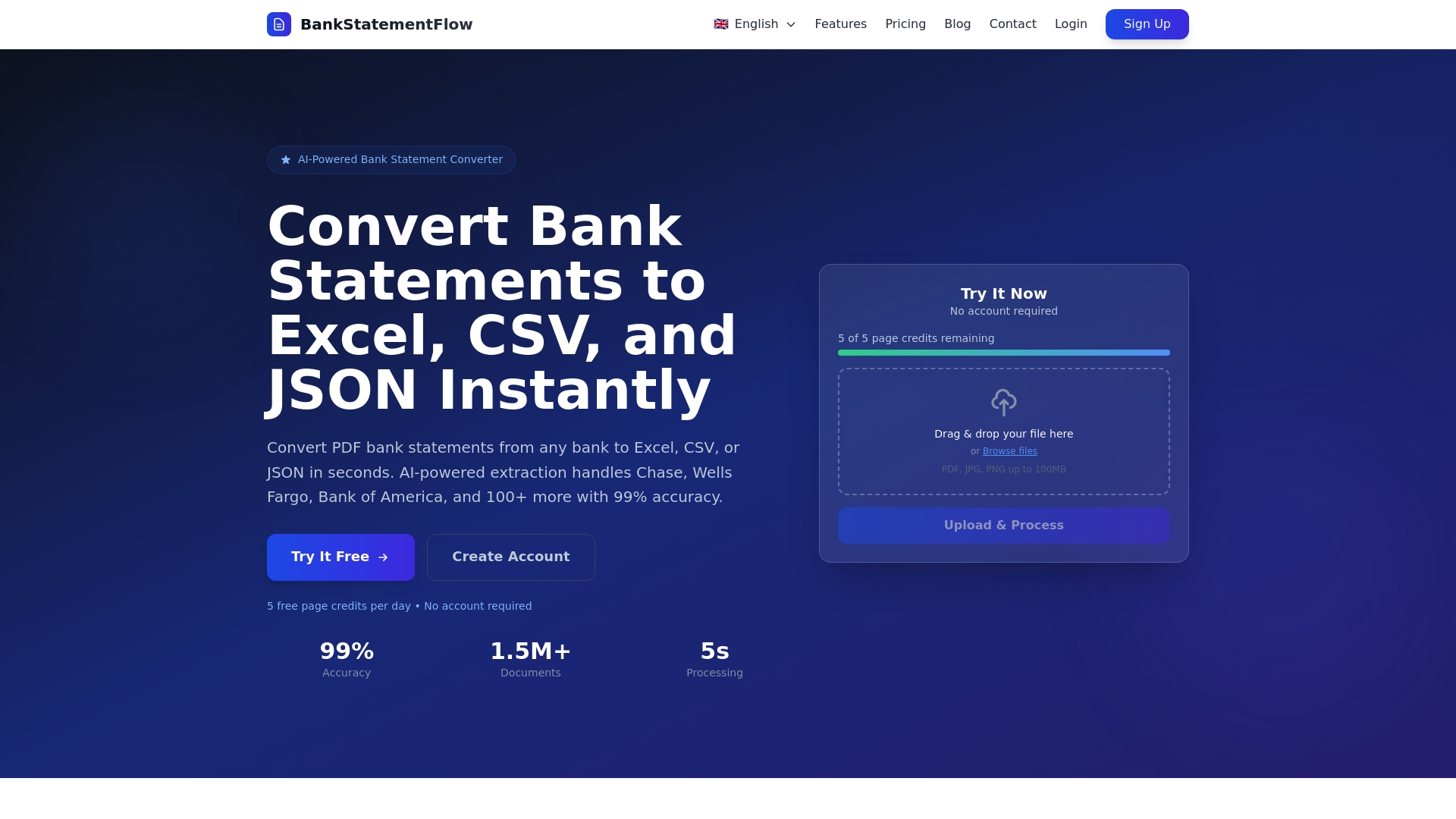
Ready to eliminate manual entry mistakes and supercharge your financial workflows? Visit BankStatementFlow now to see how your finance team can save hours, reduce errors, and increase data reliability with our leading bank statement extraction solution.
Frequently Asked Questions
What is bank statement data extraction?
Bank statement data extraction is the automated process of converting unstructured financial documents into organized, usable data. It utilizes technologies like OCR, NLP, and machine learning to extract key data points from bank statements.
How does automated bank statement extraction improve accuracy?
Automated bank statement extraction eliminates manual typing errors, ensuring consistent formatting, field validation, and duplicate detection. This leads to a high accuracy rate, significantly reducing errors in financial records.
What types of bank statement formats can extraction technology handle?
Extraction technology can handle a variety of formats including PDFs, scanned images, CSV exports, OFX files, and Excel spreadsheets. It is crucial for the software to recognize and process these diverse formats automatically.
What are the main benefits of automating bank statement data extraction for finance teams?
Automating bank statement data extraction benefits finance teams by increasing processing speed, enhancing data accuracy, ensuring consistency, enabling easy integration with accounting software, and allowing scalability to handle growing volumes of financial documents.
Recommended
- Step by Step Bank Statement Processing for Analysts - BankStatementFlow Blog
- How to Automate Bank Statement Processing Easily - BankStatementFlow Blog
- Top 4 bankstatementdataextractor.com Alternatives in 2026 - BankStatementFlow Blog
- How to Export Financial Data to Excel Effortlessly - BankStatementFlow Blog