How to Automate Financial Documents for Fast, Accurate Data

Manual data extraction from complex financial documents can slow down reporting and increase the risk of errors. For analysts navigating diverse formats like invoices, bank statements, and international receipts, understanding each document’s requirements is the foundation for reliable automation. By focusing on comprehensive document assessment and precise configuration, you position your accounting firm to improve accuracy and consistency, streamlining workflows while maintaining compliance across global operations.
Table of Contents
- Step 1: Assess Document Types And Data Needs
- Step 2: Configure AI Automation Platform Settings
- Step 3: Upload And Process Financial Documents
- Step 4: Review And Validate Extracted Data
- Step 5: Export Structured Results To Preferred Formats
Quick Summary
| Key Point | Explanation |
|---|---|
| 1. Assess Document Types Carefully | Conduct a thorough inventory and categorize financial documents to streamline the automation process and ensure accuracy in data extraction. |
| 2. Configure AI Platform for Specific Needs | Align the AI settings with your organizational document handling to enhance system performance and precision in data extraction. |
| 3. Prepare Documents Before Uploading | Ensure clarity and proper orientation of documents to optimize optical character recognition accuracy during the upload process. |
| 4. Implement Rigorous Data Validation | Use systematic review strategies to verify data accuracy, integrity, and compliance, vital for effective financial decision-making. |
| 5. Choose Appropriate Export Formats | Select versatile data formats for seamless integration and long-term accessibility across different analytical tools and systems. |
Step 1: Assess Document Types and Data Needs
Assessing the right document types and data needs is crucial for successful financial document automation. This step helps you map out exactly what information you need to extract and understand the complexity of your financial processing workflow.
Financial documents come in diverse formats, each requiring specific extraction strategies. Multimodal document analysis reveals that organizations typically handle several key document types:
- Bank statements
- Invoices
- Purchase receipts
- Tax forms
- Expense reports
- Payment records
- Debt management documents
To effectively assess your document types, start by conducting a comprehensive inventory of all financial documents your organization processes. Categorize these documents based on:
- Document source (internal vs external)
- Complexity of information
- Frequency of processing
- Regulatory compliance requirements
Identifying document types precisely determines the accuracy and efficiency of your automation strategy.
When evaluating document types, pay close attention to the specific data fields you need to extract. Financial Management Information Systems recommend focusing on critical data points such as transaction dates, amounts, vendor information, and account details.
Comprehensive document assessment involves understanding not just what documents you have, but how they interconnect within your financial ecosystem. This means looking beyond individual documents to see how data flows between different financial processes.
Here’s a summary of how major financial document types differ in terms of extraction challenges and business value:
| Document Type | Extraction Challenge | Business Impact |
|---|---|---|
| Bank Statement | Multiple transaction rows | Ensures cashflow accuracy |
| Invoice | Variable formats | Enables vendor reconciliation |
| Tax Form | Complex regulatory terms | Supports legal compliance |
| Expense Report | Scanned receipts | Controls employee spending |
| Payment Record | Unclear entry sources | Helps audit payment trails |
| Debt Document | Confidential details | Manages risk and liabilities |
Pro tip: Create a detailed spreadsheet mapping each document type, its critical data fields, and potential extraction challenges before implementing any automation solution.
Step 2: Configure AI Automation Platform Settings
Configuring your AI automation platform is a critical step that transforms raw document processing capabilities into a precise, intelligent system tailored to your financial workflow. This phase determines how accurately and efficiently your platform will extract and structure financial data.
Financial AI agent platforms require strategic configuration across multiple layers to ensure optimal performance. Begin by identifying the key settings that will impact your document automation process:
- Model selection parameters
- Data training configurations
- Workflow automation rules
- Validation protocol settings
- Reporting preferences
- Compliance integration points
To effectively configure your platform, focus on aligning system parameters with your specific organizational needs. Financial Management Information Systems recommend a systematic approach that involves:
- Mapping existing financial document workflows
- Identifying critical data extraction requirements
- Setting up custom validation rules
- Configuring export and reporting formats
Precise platform configuration transforms automated document processing from a generic tool into a strategic business asset.
Workflow customization is crucial in ensuring that your AI platform understands the nuanced requirements of your financial documents. This means going beyond generic settings and creating specific rules that reflect your organization’s unique document handling processes.

Key configuration areas include training the AI on your specific document types, establishing accuracy thresholds, and creating custom data mapping protocols. Pay special attention to how the platform handles complex documents like multi-page financial statements or international transaction records.
Pro tip: Start with a small, representative batch of documents to test and refine your platform settings, allowing for iterative improvements before full-scale deployment.
Step 3: Upload and Process Financial Documents
Uploading and processing financial documents marks the critical transition from manual data entry to intelligent automated workflow. This step transforms your static financial documents into actionable, structured information ready for analysis and reporting.
Automated document processing techniques involve sophisticated strategies for converting various document formats into machine-readable data. Your upload process should support multiple document types and sources:
- Scanned paper documents
- Digital PDFs
- Bank statement screenshots
- Email attachments
- Mobile-captured images
- Cloud storage files
To ensure successful document processing, follow these systematic steps:
- Select your document source
- Verify document quality and readability
- Choose appropriate file upload method
- Initiate automated processing
- Review initial extraction results
Efficient document upload transforms unstructured information into precise, actionable financial insights.
Document preparation is crucial before upload. Ensure documents are clear, well-lit, and properly oriented to maximize optical character recognition (OCR) accuracy. Financial management systems recommend preprocessing documents to correct potential scanning or image capture issues.
Extraction accuracy depends on multiple factors including document clarity, complexity, and the sophistication of your AI platform. Complex documents like multi-page bank statements or international invoices might require additional configuration to ensure accurate data capture.
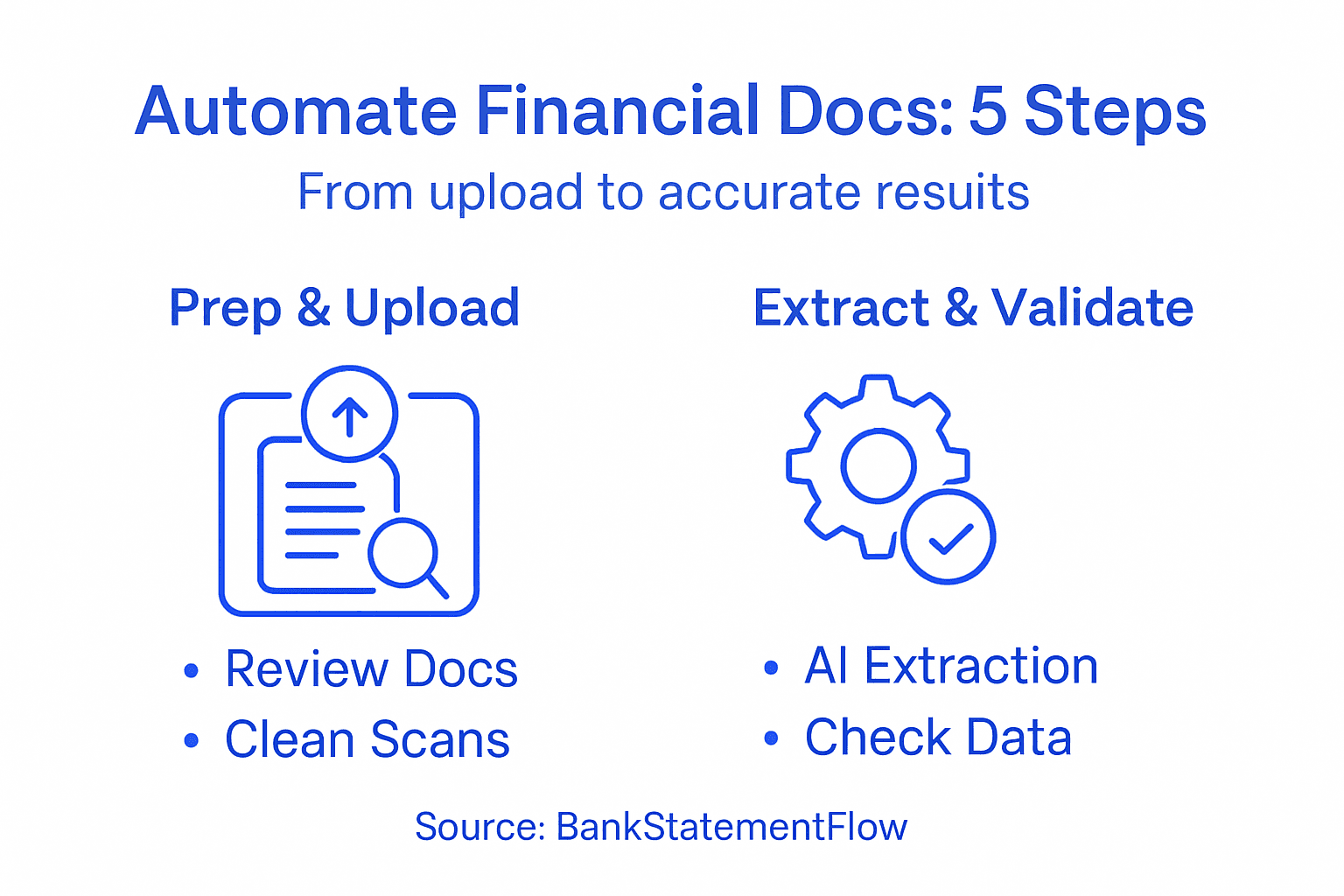
Pro tip: Always keep original document files as backup and periodically test your platform’s extraction accuracy with a diverse set of financial documents to maintain high performance standards.
Step 4: Review and Validate Extracted Data
Reviewing and validating extracted financial data is your critical quality control checkpoint, transforming raw automated extractions into reliable, actionable information. This step ensures the accuracy and integrity of your financial document processing workflow.
Multi-stage extraction pipelines provide sophisticated approaches for verifying data quality across complex financial documents. Your validation process should focus on several key assessment areas:
- Data completeness
- Field accuracy
- Numerical precision
- Consistency across documents
- Cross-referencing with source documents
- Compliance with expected formats
To effectively validate your extracted data, implement a systematic review strategy:
- Run automated validation checks
- Conduct manual spot checks
- Compare against original documents
- Flag potential discrepancies
- Resolve and correct identified errors
Rigorous data validation transforms automated extraction from a potential liability into a reliable business intelligence tool.
Validation techniques require a comprehensive approach. Data quality improvement methods recommend implementing multiple layers of checks to build confidence in your extracted financial information.
Error identification is critical in maintaining data reliability. Pay special attention to numeric fields, date formats, and complex financial indicators that might challenge automated extraction systems. Complex documents like international invoices or multi-page bank statements often require more nuanced validation strategies.
Pro tip: Develop a standardized validation checklist and periodically audit your platform’s extraction accuracy to continuously refine and improve your automated document processing workflow.
Step 5: Export Structured Results to Preferred Formats
Exporting structured financial data transforms your extracted information into actionable insights ready for analysis, reporting, and integration across various platforms. This final step ensures your automated document processing delivers maximum value to your financial workflow.
Structured financial data standards provide multiple export options tailored to different analytical needs. Your export strategy should consider the following versatile formats:
- CSV (Comma-Separated Values)
- JSON (JavaScript Object Notation)
- XML (Extensible Markup Language)
- XLSX (Excel Spreadsheet)
- SQLite database files
- TSV (Tab-Separated Values)
To successfully export your structured financial data, follow these systematic steps:
- Select desired output format
- Configure export parameters
- Specify data mapping rules
- Review export configuration
- Execute data export
Choosing the right export format transforms raw data into strategic business intelligence.
Export configuration requires careful consideration of your downstream analytical requirements. Data preservation guidelines recommend selecting platform-independent formats that maintain data integrity and support long-term accessibility.
Format selection impacts your ability to integrate data across different systems. Consider your team’s primary analytical tools, reporting platforms, and potential future data migration needs when choosing an export format. Complex financial documents might require multiple export strategies to ensure comprehensive data representation.
Below is a quick reference comparing common export formats for structured financial data:
| Format | Compatibility | Best Use Case |
|---|---|---|
| CSV | Universal, easy to import | Spreadsheet analysis |
| JSON | APIs, web applications | System integrations |
| XML | Legacy enterprise systems | Data exchange/compliance |
| XLSX | Excel, business tools | Financial reporting |
| SQLite | Local databases | Offline data management |
Pro tip: Always maintain an unmodified backup of your original extracted data and test your export configurations with sample datasets to ensure complete and accurate information transfer.
Unlock Fast, Accurate Financial Document Automation with BankStatementFlow
Financial teams often struggle with the complexity of handling diverse documents like bank statements, invoices, and expense reports while ensuring data accuracy and compliance. This article highlights the challenges of configuring AI platforms, validating extracted data, and exporting in versatile formats—all critical to streamlining financial workflows. If you are looking to eliminate manual errors and speed up data processing, BankStatementFlow offers an AI-powered solution designed to meet these exact needs. Our platform supports multiple document types, handles password-protected PDFs, and delivers extraction accuracy up to 99 percent, making tedious financial document automation effortless.
Ready to transform your financial document processing from a manual bottleneck into an efficient workflow? Explore how BankStatementFlow’s advanced machine learning algorithms bring precision and speed to your data extraction tasks. Visit BankStatementFlow now to get started and discover the power of seamless financial automation. Learn more about handling complex documents and AI configuration with insights from how to automate financial documents and see how you can export your data in the best formats for your needs.
Frequently Asked Questions
What document types can I automate for financial processes?
Automating financial documents can include various types, such as bank statements, invoices, tax forms, and expense reports. Start by conducting a thorough inventory of the financial documents your organization processes to determine which ones can benefit from automation.
How do I assess the data needs for financial document automation?
To assess data needs, categorize your financial documents based on their sources, complexity, frequency of processing, and compliance requirements. This will help you identify the specific data fields necessary for extraction, like transaction dates and amounts, ensuring a focused automation effort.
What are the key steps for configuring an AI automation platform?
Configuration involves selecting model parameters, establishing data training settings, and setting workflow automation rules. Map out your existing document workflows to align platform settings with your organization’s unique data extraction requirements, testing with a small batch before full deployment.
How can I improve the accuracy of my data extraction process?
Improving data extraction accuracy relies on document preparation and implementing multiple validation checks. Ensure documents are clear before upload and cross-reference extracted data against source documents to catch any discrepancies.
What export formats should I consider for my structured financial data?
Consider versatile export formats such as CSV, XML, and XLSX, which cater to various analytical needs. Selecting the right format will ensure that your data maintains integrity and is easily integrated into your preferred reporting tools, optimizing your data analysis workflow.
How can I perform effective validation of extracted financial data?
Performing effective validation involves running automated checks and conducting manual spot checks to ensure data accuracy and completeness. Create a validation checklist and regularly audit the extraction process to identify and resolve potential errors quickly.